
설명
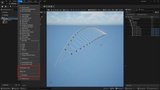
CAD Bridge is the missing link between your CAD software and Unreal Engine. Drop a DXF file into the Content Browser and get editable spline actors and reusable assets with colors, layers, and hierarchy intact. Re-import the same file after design changes to update your scene in place, and export modified splines back to DXF for round-trip workflows.
Supported DXF Entities
LINE, ARC, CIRCLE, LWPOLYLINE, POLYLINE, SPLINE, and POINT
Import Features
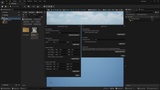
Layer-based filtering with checkbox UI, colour swatches, entity counts, and a search box — import only the layers you need
Per-layer colour overrides — click a layer's swatch to pick a custom import colour
Combine per layer — merge all curves and/or points on a layer into a single actor/asset, so large files don't create thousands of objects
Reimport / update (Experimental) — import the same file again and existing actors update in place: no duplicates, deleted entities are cleaned up
Three import modes: Actors Only, Assets Only, or Both (Blueprint assets + level actors)
DXF color retention — ACI palette, 24-bit RGB, and BYLAYER inheritance
Automatic unit scaling from DXF $INSUNITS (inches, mm, metres)
Import from local drives or network shares
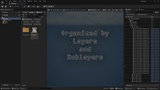
Organized Outliner hierarchy grouped by DXF layer and sublayer (e.g. from Rhino)
Export Features
Export selected spline actors back to DXF format
Point actors exported as DXF POINT entities
Automatic coordinate system conversion (UE left-handed to DXF right-handed)
Built-in Spline Tools
Explode: split multi-segment splines into individual actors
Join: merge connected splines back into continuous curves
Center Pivot: reposition actor origin to spline bounding box center
Randomization Tools
Sub-select by percentage
Random scale, rotation, and offset within configurable ranges
Designed for architectural visualization and animation workflows.