Описание
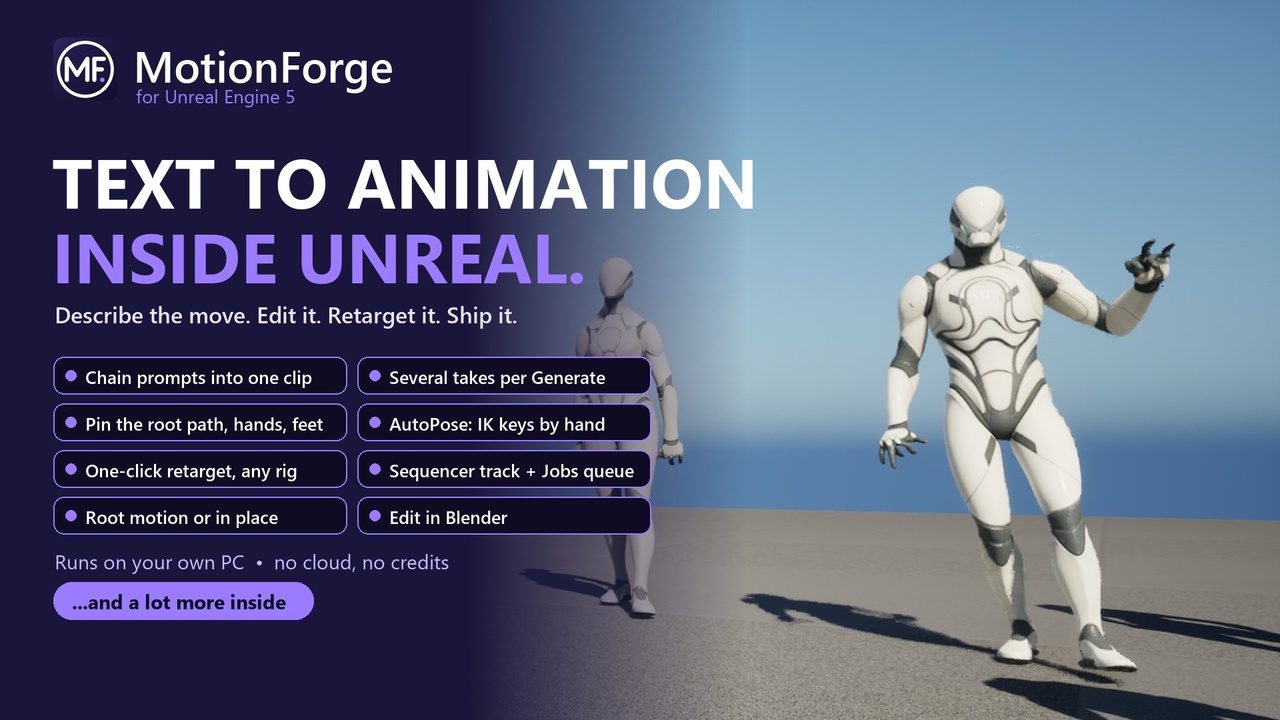
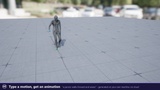
Type what the body does and get an animation clip in Unreal, generated locally on your own PC, then trim it, pose it by hand, export it, and retarget it onto your character in one click.
MIA MotionForge turns plain-language prompts into animation, inside the Unreal Editor. You describe the movement ("a person swings a heavy two-handed sword down from over the right shoulder"). MIA MotionForge runs NVIDIA's open Kimodo motion model on your own machine and gives you a clip you can edit, export and retarget. Your prompts and animations never leave your computer, and there are no subscriptions or per-generation credits.
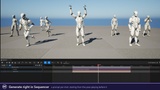
GENERATE
- Prompt timeline: chain several prompts into one continuous clip, with transitions generated by the model
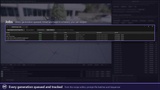
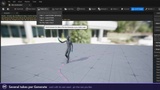
- Several takes per Generate, each with its own seed. Pin the one you like and iterate from it
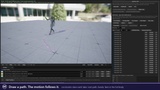
- Constraints: pin the full body, the root path, a hand or a foot at a frame, and the next Generate moves the body to hit them
- Controls for guidance strength, transition strength, diffusion steps and transition frames
- The generator (kimodo.cpp) is built into the plugin and runs inside the editor on your GPU (any Vulkan card: AMD, NVIDIA, Intel) or your CPU: no Python, CUDA or Visual Studio needed
- The model stays loaded and remembers your prompts, so extra takes of the same prompt come back in seconds
- Optional: generate on another PC on your network with the separate MIA MotionForge remote server (free download, linked from the documentation)
EDIT
- A Recipe editor (Viewport, Timeline, AutoPose, Details, Setup) with dockable tabs
- AutoPose: pose by hand with move/rotate gizmos, two-bone IK on hands and feet, per-frame keys with blending
- Make Loop, Capture Whole Pose, Pin Pose, and direct Pitch/Yaw/Roll entry
- Clean Up: smooth the motion and stop limbs passing through the body
- Props: attach a sword or rifle to a bone, or place a chair or crate in the scene to pose against
- Locomotion Set: turn one forward walk or run cycle into all eight travel directions (forward, diagonals, strafes, back-pedals), with gait presets, posture, follow-through and on-the-spot copies
- Curves: Hips and Feet: edit a walk or run cycle as curves (hip height, sway, foot lift) while planted feet stay planted
- Send to Blender or Cascadeur, edit there, then Sync Back to update the clip in place (needs Blender or Cascadeur installed separately; the plugin exports the file and you open it yourself)
EXPORT AND RETARGET
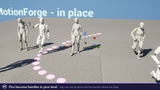
- Export as Root Motion, In Place, or As Generated, with trim, baked keys and a smoothed root path
- One-click Retarget onto the bundled Base Male / Base Female characters and four Studio bodies, UE5 Manny/Quinn, and any MetaHuman, Character Creator (CC3/CC4), Mixamo or MIA-made body found in your project, or any humanoid Skeletal Mesh you choose (MIA MotionForge builds the IK Rig for you)
- Export FBX with Mixamo, Unreal mannequin or Character Creator bone names, with no character needed in the project
- Make Montage: turn clips into montages with blends and footstep notifies at each planted foot
- Export SMPL-X (.npz) for AMASS, BEDLAM and Meshcapade pipelines (SMPL-X body files not included)
- Batch work from the Content Browser: Generate, Export or Retarget many recipes at once
- A MIA MotionForge track in Sequencer and a Jobs tab for queued work
- Import existing .bvh files and kimodo.cpp output as well
- Blueprint/Python scripting library: Import Clip, Export Recipe Clip, Retarget Clip
LIVE
- Stream to Live Link: play any clip as a Live Link subject so a Live Link Pose node in any Anim Blueprint (including a MetaHuman) shows it live
- Phone mocap to Live Link: MIA Studio tracks your face and body from a webcam or phone and sends them in as Live Link subjects (face as ARKit curves)
- Optional Bricks tab: NVIDIA MotionBricks for in-betweening and live drive, if you supply the model bundle (runs through Unreal's NNE ONNX Runtime). The only public weights today are NVIDIA's G1 robot preview.
HELP BUILT IN
- A Setup Wizard that downloads the model weights after you accept the model licences
- An in-editor Tour and a full User Guide one click away, plus a Prompting Guide and a Characters Guide
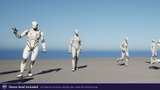
- An optional demo level: Manny and Quinn playing six clips made with MIA MotionForge (Idle, Walk, Jog, Wave, Dance, Punch + kick), each with the recipe and prompt that made it
REQUIREMENTS AND DEPENDENCIES
- Windows 64-bit, Unreal Engine 5.8, editor-only. Your game ships the exported animations, not the plugin.
- Unreal Engine plugins MIA MotionForge enables (all included with the engine): IK Rig (retargeting), Control Rig (AutoPose and baking), Editor Scripting Utilities (creating and saving assets), and NNE Runtime ORT (optional, Bricks tab only).
- Live Link features need Unreal's Live Link plugin turned on. Phone mocap needs MIA Studio.
- Optional external tools, downloaded by you from their official sites: Blender (blender.org) or Cascadeur (cascadeur.com) for the Send to Blender / Cascadeur round trip.
- Internet access for first-time setup, plus about 16 GB of disk space.
GOOD TO KNOW BEFORE YOU BUY
- The model generates body motion only. It doesn't know about objects or the floor. Use props and AutoPose to fit the motion to your scene.
- First-time setup downloads about 16 GB of model weights (a 1.1 GB motion model plus a 15 GB text encoder) from public Hugging Face mirrors. No account is needed, but you must accept the NVIDIA Open Model License and the Meta Llama 3 Community License, which MIA MotionForge shows you first. The model weights are not included in this download. The plugin contains no executable programs and starts none: the generator is loaded as a library (DLL) inside the editor.
- The first take of a new prompt takes about 15-25 seconds (most of it reading the prompt, on GPU or CPU). More takes of the same prompt are fast: under a second on a GPU, a few seconds on a CPU.
Built with Meta Llama 3. Kimodo and kimodo.cpp are Apache-2.0; ggml is MIT. Full third-party notices ship in Docs/NOTICES.md.
SUPPORT
- Bug reports and feature requests: https://github.com/pr3vail/MIA-Issues
- Questions and community: https://discord.gg/4ChPb2gZey
- Email: [email protected]