Beschreibung
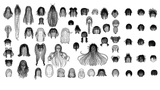
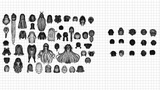
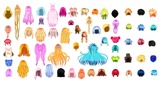
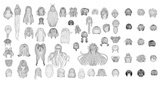
Build stunning characters faster with this professionally designed Stylized Anime Hair Pack featuring 60 plus unique hairstyles. Created with a deep understanding of anime aesthetics and real time production needs this collection gives you everything required to design expressive and memorable characters.
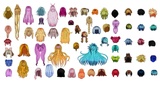
The pack includes a wide range of styles such as long flowing hair short cuts twin tails braids buns and bold fantasy inspired silhouettes. Each hairstyle is carefully shaped to deliver strong visual appeal from every angle making them ideal for both close up renders and in game use.
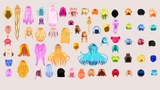
All assets are optimized with clean topology ensuring smooth performance in real time engines while maintaining high quality detail for cinematic workflows. The variety of colors and forms allows you to quickly create diverse characters without repetitive looks.
This collection is perfect for game developers 3D artists indie studios and VTuber creators who want production ready assets that save time and boost quality.
Key Features
60 plus unique anime hairstyles in one complete pack
Game ready optimized meshes for real time performance
Clean topology suitable for rigging and animation
Wide variety of styles from simple cuts to complex designs
Perfect for games cinematics VRChat and avatars
Works seamlessly in Blender Unity Unreal Engine and more
If you want to speed up your character pipeline while maintaining a professional stylized look this pack delivers exactly what you need.
60+ Anime Hairstyles Female & Male
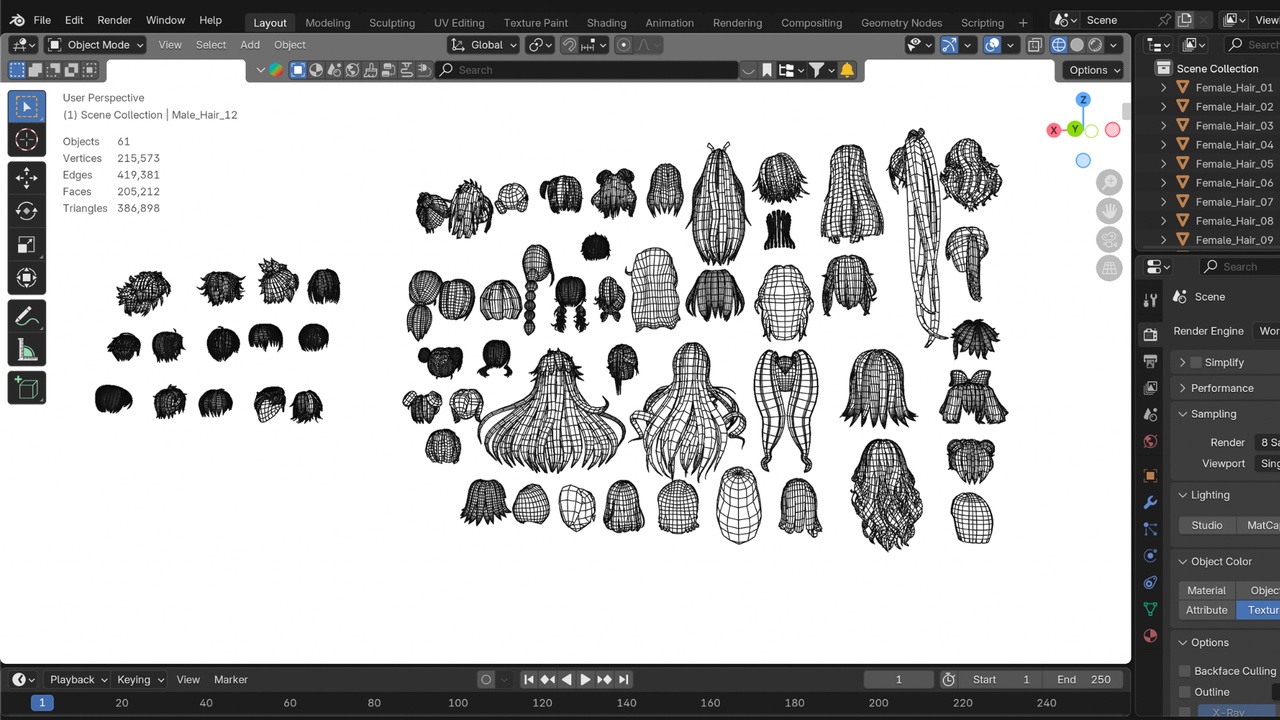
A collection of 61 stylized anime hairstyle models (46 female + 15 male), delivered in seven formats for use across Blender, Unity, Unreal Engine, and other 3D/DCC software.
Package ContentsMale Female.blend Native Blender scene (source file)
Male Female.fbx Autodesk FBX
Male Female.obj Wavefront OBJ
Male Female.mtl Material library for the OBJ
Male Female.glb glTF 2.0 (binary, textures embedded)
Male Female.dae COLLADA
Male Female.unitypackage Unity package — meshes + materials pre-wired
Male Female (UnrealEngine).zip Unreal Engine 5 asset package — meshes + materials pre-wired
Texture.zip All texture maps, packaged separately
Texture/ Same texture maps, unpacked (60 files)
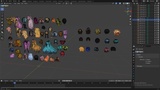
What's Inside the 3D Files61 hair mesh objects in one scene: Male_Hair_01–Male_Hair_15 and Female_Hair_01–Female_Hair_46.
Each object is a standalone, individually selectable mesh — delete or hide any you don't need.
Combined mesh data: ~215,500 vertices / ~205,200 triangulated faces across all 61 objects (varies per style; poly count is per-object, not per-scene, since only the hairstyles you use will end up in your project).
61 materials (one per hairstyle, 1:1 with the mesh objects), matching the newmtl entries in Male Female.mtl.
No body/head mesh is included these are hair-only assets meant to be fitted onto your own character.
60 texture maps in Texture/ (also zipped as Texture.zip).
Two naming conventions are used depending on how each hairstyle was authored:
<Name>_Base_color.png — albedo/base color map.
<Name>_2D_View.png — a flat opacity/alpha card texture used for card-based hair strands.
Material names do not match texture file names. Materials are named by hairstyle (Female_Hair_01, Male_Hair_03, etc.) while textures kept their original source-art file names (e.g. Redfield Strife_2D_View.png, 9th Hair_Base_color.png). The correct pairing was extracted directly from the source .blend file's shader nodes — see the .unitypackage and Unreal package below, where this is already wired up for you. If you're hand-linking textures in another tool, match by which image is actually plugged into each material's Base Color node in Blender, not by filename similarity.
Textures are not packed inside the .fbx, .obj, or .dae files — keep the Texture folder alongside those files (or beside your project) so paths resolve. The .glb has textures embedded and needs nothing extra. The .blend file has textures packed internally.
FileNotes.blendSaved with Blender 4.3, OBJ/FBX/GLB exports generated from Blender 4.5.5 LTS. Textures are packed into the file (File > External Data > Unpack All Into Files if you need loose copies)..fbxStandard FBX mesh + material export. Compatible with Unity, Unreal Engine, Maya, 3ds Max, Cinema 4D, iClone, and similar. Re-link the Texture folder if materials appear blank on import — material names won't auto-match texture file names (see Textures section above)..obj / .mtlUniversal mesh format. Import .obj with .mtl in the same folder so materials auto-link. No animation/rig data (OBJ doesn't support it)..glbSelf-contained glTF 2.0 binary — geometry, materials, and textures in a single file. Best choice for web viewers, VRChat/avatar pipelines, and engines with native glTF import (Godot, Babylon, Three.js)..daeCOLLADA, Z-up axis. Useful for older pipelines/software that don't support glTF or FBX..unitypackageBuilt for Unity 6 (6000.0.29f1), URP/Lit shader. All 61 meshes, 61 materials, and 60 textures are already imported and linked correctly — no manual texture relinking needed. Hair-card materials (*_2D_View) are set to Alpha Clip/Cutout.Male Female (UnrealEngine).zipBuilt for Unreal Engine 5.8, distributed as an Asset Package (drop the 60plusAnimeHairs folder into your own project's Content folder). Contains 61 static meshes, 2 master materials (M_HairCard_Masked / M_HairCard_Opaque), 61 material instances, and 59 textures — all pre-wired, 0 missing links.
ImportingBlender: open Male Female.blend directly, or File > Import the .fbx/.obj/.glb/.dae into an existing scene.
Unity: import Male Female.unitypackage via Assets > Import Package > Custom Package — everything (meshes, materials, textures) comes in pre-linked.
Unreal Engine 5: unzip Male Female (UnrealEngine).zip and copy the 60plusAnimeHairs folder into your project's Content folder, then reopen the editor — everything (meshes, materials, textures) is pre-linked.
Other DCC apps (Maya, 3ds Max, C4D, iClone, etc.): use .fbx for the widest compatibility, or .dae/.obj as fallbacks. Textures need to be manually assigned per the note in the Textures section.
After import, isolate the hairstyle you want (Male_Hair_XX / Female_Hair_XX) and delete or hide the rest — all 61 live in the same file/package by design, so you only need to import once.
These are hair-only meshes with no rig or shape keys. To use them on a character:
Position/scale each hair object to your head mesh manually, or
Parent the hair object to your character's head bone (skeletal attach), or
Use a Blender modifier (e.g. Shrinkwrap/Surface Deform) if you need the hair to conform to a custom head shape.
For missing textures, broken material links, or import issues on the .fbx/.obj/.dae formats, check that the Texture folder is present next to the model file, and match textures to materials by their actual shader-node link (not by filename) see the Textures section above. The .unitypackage and Unreal Engine package have this already solved for you.