



描述
Give your world a clearer path into the distance.
Ultimate HLOD Studio brings content selection, HLOD partition setup, native build controls, and an optimization engine into one Unreal editor workbench. Make repeatable content choices, apply reviewed decorative fixes, and compare scene evidence and timed PIE frame captures.
Choose your sources
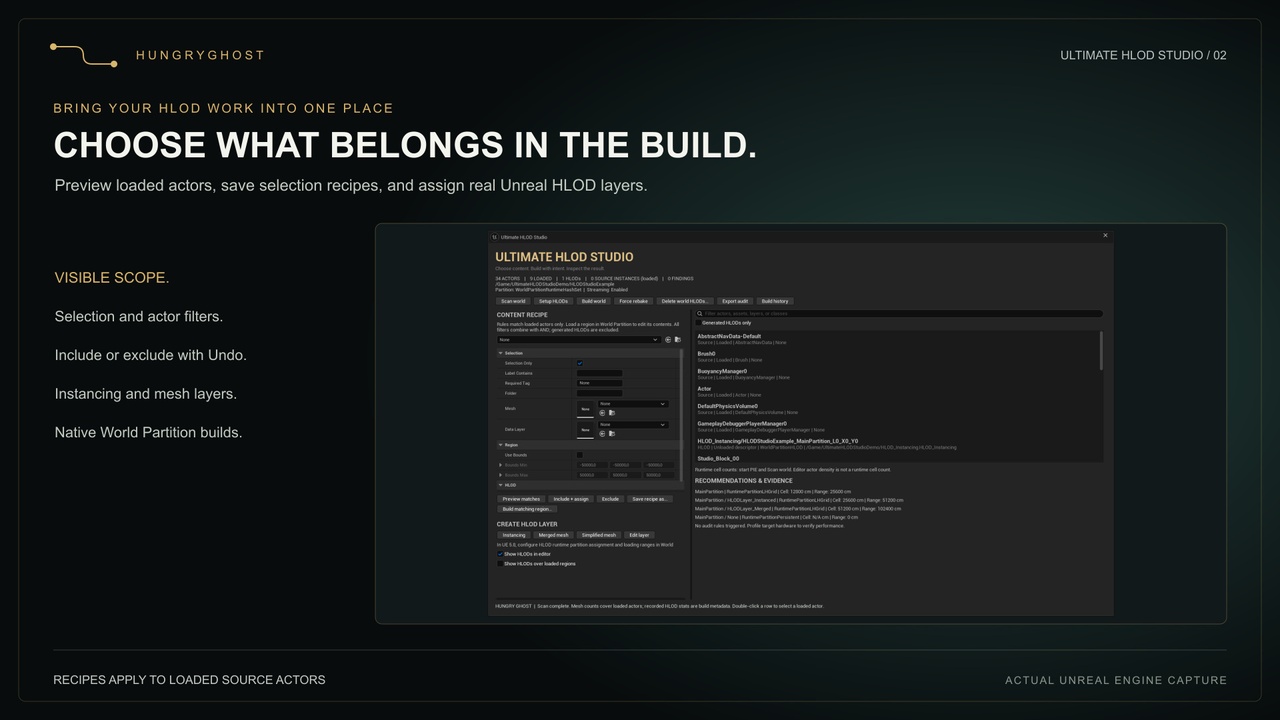
Preview loaded actors using selection, mesh, label, tag, folder, Data Layer, and world-space bounds. Combine filters into reusable recipe assets. Include and assign a layer, or exclude matching actors, with editor Undo. Original source actors stay in place.
Build with a clear scope
Create Instancing, Merged Mesh, and Simplified Mesh HLOD layers and open their native settings. Run world setup, incremental builds, forced rebakes, and generated-HLOD deletion through Unreal’s managed workflow. Spatial builds cover complete HLOD groups intersecting your recipe’s combined bounds.
Use World HLOD setup to preview and assign layers and their parent hierarchies to existing Runtime Hash Set partitions with Undo. Edit native HLOD levels and loading ranges in the same dialog.
Inspect the world behind the build
Inventory saved World Partition actor descriptors without loading the whole world. Inspect loaded source instances, source LOD0/fallback triangles, material-slot counts, recorded HLOD build statistics, and runtime partition settings. Scan during PIE for a point-in-time cell-state snapshot.
Turn evidence into a next step
Review repeated-mesh candidates, material-slot counts, explicit layer assignments, and spatial-loading choices. Each finding includes evidence, affected actors, a suggested next step, and a tradeoff. Export standalone HTML and JSON reports, or run a read-only audit commandlet in your own pipeline.
The Optimization engine adds reusable review profiles, saved scene baselines, and timed PIE captures. Preview draw-distance, shadow, or collision changes on explicitly opted-in decorative actors and apply them with Undo. Compare matching captures using mean, p95, p99, and frames over your target budget; measurements include editor overhead.
Included
Native editor workbench with matching Hungry Ghost styling
Reusable selection recipes and two functional starter assets
Actor participation and layer assignment with Undo
Instancing, Merged Mesh, and Simplified Mesh layer creation
In-tool runtime partition assignment with preview and Undo
World setup, build, forced rebake, deletion, and spatial build controls
Scene inventory, recorded HLOD statistics, and PIE cell snapshots
Evidence-based review findings, HTML/JSON audits, and operation history
Optimization profiles, scene baselines, reviewed fixes, and timed PIE comparisons
Separate World Partition example, full C++ source, and user guide
Supported scope
Unreal Engine 5.8 / Windows x64. Editor extension. No paid dependencies or third-party libraries. Scans run on demand.
Recipes edit loaded source actors at actor level. World actions cover the entire map independently of selection. Region builds include intersecting groups and neighboring actors. Guided partition assignment supports Runtime Hash Set worlds. Generated-file deletion has no editor Undo.
Metrics distinguish recorded values, loaded-source counts, and unknown data. They are not measured draw calls, live resident memory, or predicted FPS gains. Instancing builds HLOD proxies; it does not convert your original actors into ISM/HISM components. Source installation requires the supported C++ toolchain.