描述
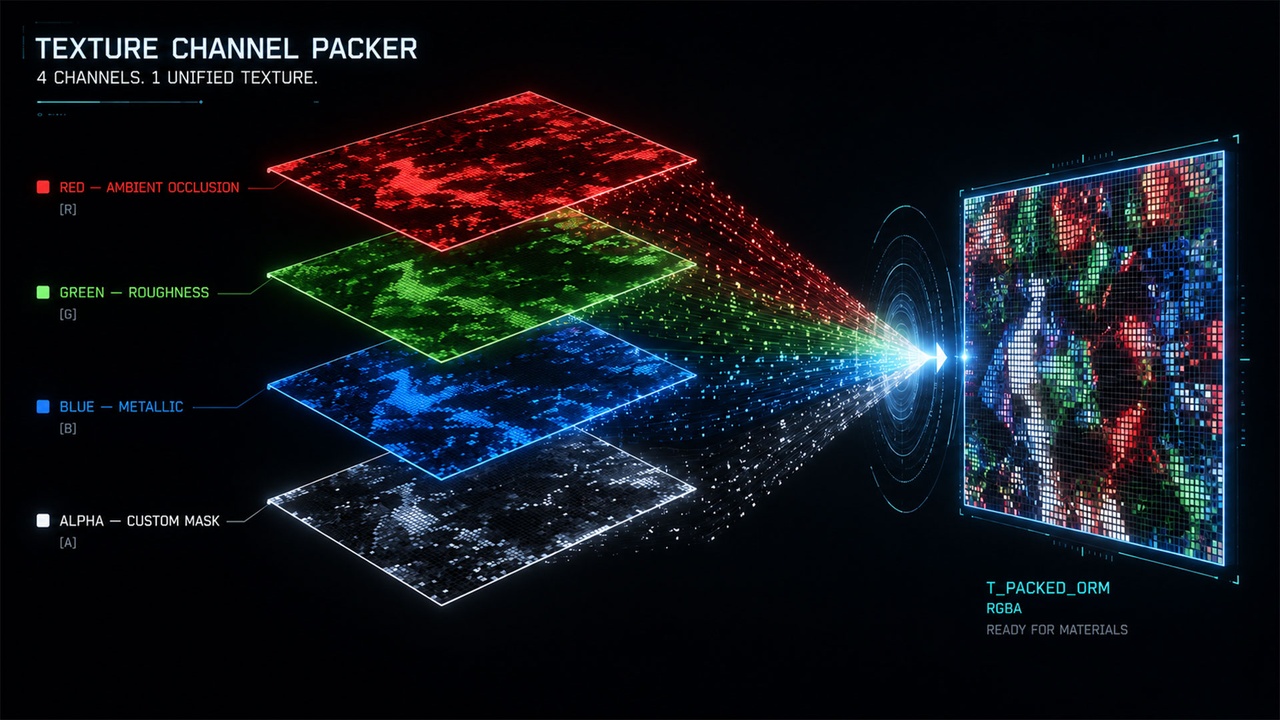
Pack ambient occlusion, roughness, metallic, and any grayscale mask into a single RGBA texture. No leaving the editor. No round-trip through Photoshop.
Texture Channel Packer is a native C++ editor plugin that turns channel packing from a tedious export-and-reimport chore into a right-click action. Live 256×256 preview, per-channel inversion and levels, one-click ORM/MRA/RMA presets, and auto-generated materials are all built in. Batch a folder of texture sets in one pass, or pack a single set without leaving the editor.
What you get
Pack
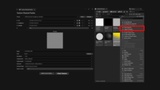
- Right-click any texture in the Content Browser → Pack Channels...
- 4 input slots with per-channel source selection (R/G/B/A from any input)
- Live 256×256 preview that updates as you tweak. Depth-aware so 16-bit and HDR inputs render correctly
- Per-channel invert (turn roughness into smoothness in one click)
- Per-channel levels (input black point + input white point) for clamping or stretching tone ranges on each input
- Smart auto-naming: `T_Wood_AO` + `T_Wood_R` + `T_Wood_M` becomes `T_Wood_ORM` automatically
- Auto path derivation: output lands next to the source by default
- Up to 8K output resolution
- RGBA8, RGBA16, and RGBA16F (half-float HDR) output formats
Unpack
- Right-click any packed texture → Unpack Channels...
- Precision-preserving 8-bit, 16-bit, or 16-bit float output per channel
- Goes back to individual masks without losing data
Batch
- Point at a folder, the plugin scans and auto-groups texture sets by suffix
- UDIM-aware: handles `_1001`, `_2K`, `_v02` and similar suffixes
- Progress dialog with cancel, toast on completion
Material generation
- Generate a Material Function or Utility Material in one click
- Choose Specific (bound to this packed texture) or Reusable (parameterized for any packed texture using the same preset)
- Channel mask hookups are wired correctly. No manual ComponentMask plumbing
Presets
- ORM (Occlusion / Roughness / Metallic), UE default
- MRA (Metallic / Roughness / AO)
- RMA (Roughness / Metallic / AO)
- Custom: define your own preset and save to project-shareable JSON in `Config/`
- Row labels in the UI update dynamically per preset (e.g., R · AO, G · Roughness, B · Metallic)
Output
- Create a UE texture asset in the Content Browser, OR
- Export to disk as PNG or TGA (or EXR when output depth is RGBA16F)
- sRGB auto-disabled for mask data
- Pack output compression: Masks (default), Default DXT, BC7, or Uncompressed (auto-overridden to HDR for RGBA16F to preserve precision)
- Unpack output preserves source precision: BGRA8 for 8-bit sources, G16 for 16-bit sources, R16F (HDR) for half/float sources
What makes this different
Most channel packers on the marketplace are Blueprint editor utilities. This one is a native C++ plugin, with a cancellable progress dialog so you can stop large batch operations mid-run if you change your mind.
It also bundles features rarely combined elsewhere: per-channel levels, right-click pack and unpack, UDIM-aware batch grouping, and auto material generation in two flavors (specific or reusable). Stop stitching three different workflows together for the same task.
Support
Support and bug reports are handled on the Epic Developer Community forum thread linked from this listing. Typical response within 1–3 business days.
Workflow walkthrough
1. Select your AO, Roughness, and Metallic textures in the Content Browser (Ctrl-click).
2. Right-click → Pack Channels... The panel opens with the ORM preset already applied.
3. Preview updates live. Toggle invert on the roughness channel if your source is smoothness.
4. (Optional) Click Generate Material Function to also create a reusable material function bound to the new texture.
5. Click Pack. The new `T_<Name>_ORM` asset appears next to the source.
6. To batch a folder, open Tools → Texture Tools → Texture Channel Packer, point it at a content folder, hit Scan, and Pack All.