
Descripción
MyColors is A free color palette hub for the Unreal Editor
build, name, match and share palettes without leaving your project.
Videos DOC About the plugin:
| First Look of MyColors| How to Use MyColors|
Place to Find some cool Color libraries
GIMPPalettes on github | ColorWall.ase by csicolors
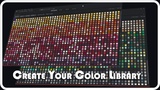
MyColors turns the Unreal Editor into a real color workspace. Build named swatch libraries across as many pages as you need, import colors from the tools you already use, extract palettes straight out of your viewport or a reference image, and generate a full contrast-checked UI color scheme from a single base color which is complete with WCAG grading and a colorblind-safe preview.
Everything lives in its own standalone store. MyColors never touches the engine's built-in Color Themes, so it's safe to install alongside your existing workflow. Your palette library is editor-global by default, following you across every project, with an optional per-project override folder for the people that wants to commit and ship their own brand palette.
So a solo dev keeping a UI kit consistent or a team standardizing on one set of brand colors, i will literally recommend MyColors cause it's built to be single place your palette actually lives.
Features:
Palette Library
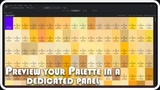
Reflowing swatch grid with inline rename, show/hide names, and Ctrl+Scroll zoom
Unlimited palette pages : switch, rename, duplicate, delete, with your last-open page remembered between sessions
Editor-global storage by default, with an optional per-project override folder for shipping a project-specific brand palette (committable to source control)
Star colors and whole pages into a dedicated Favorites view
Search the library by name, hex, RGB, or HSV
Copy any swatch as Hex, RGB, HSV, or Unreal's native color-property text
Import & Export
Import: MyColors JSON, plain hex .txt lists, GIMP .gpl, Adobe .ase, Paint.NET .txt
Export: every import format, plus CSS custom properties (:root { --name: #hex; })
Multi-file import, optional dedupe, and a confirmation guard on unusually large imports
Export a single page or your entire library at once
Extraction
Sample a palette directly from the active viewport
Extract a palette from any image file
Deterministic median-cut color quantization with adjustable color count, saturation, and luminance filters
Naming & Identification
A built-in named-color database (CSS keywords plus a large set of descriptive names) with nearest-match lookup
One-click auto-name for any swatch
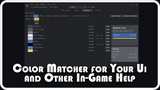
Matcher to Generate a UI Color Scheme
Pick one base color and get a full role set back: background, surface, border, primary/secondary text, button (+ hover), accent
Five harmony modes : complementary, analogous, triadic, split-complementary, tetradic
Per-role locking, so any generated role can become your literal base color
Live WCAG contrast grading (AAA / AA / AA Large / Fail) on every text pairing
Colorblind preview : protanopia, deuteranopia, and tritanopia simulation across the whole tab
Dual live preview: a content card and a settings-panel layout, so every role gets exercised
Save a generated scheme straight into your library as its own page, or add roles individually
💛 Thank you for checking out MyColors! If you have comments, suggestions, or ideas to help improve the plugin, I'd love to hear them and if it's working well for you, a review (a big, huge one, haha) genuinely makes a difference!