







الوصف
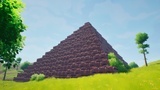
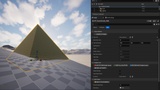
🏛️ Pyramid Builder: from a small altar to the Great Pyramid of Khufu. Generate it, sculpt it stone by stone, then bake it to Nanite meshes.
Unreal Engine 5.7 and 5.8.
📺 Video Link: https://youtu.be/6LiSMT5Bz2M
A handful of stones or hundreds of thousands — Pyramid Builder adapts to your vision. The Great Pyramid of Khufu? That's simply the ultimate stability test: a 230-meter base, 146 meters tall, tens of thousands of blocks generated, baked and exported without a single crash. A historical benchmark to prove the plugin holds up at the most extreme scale imaginable. But your monument can take any shape, any size — from a small stylized altar to a colossal ziggurat.
🚀 High-Performance Generation
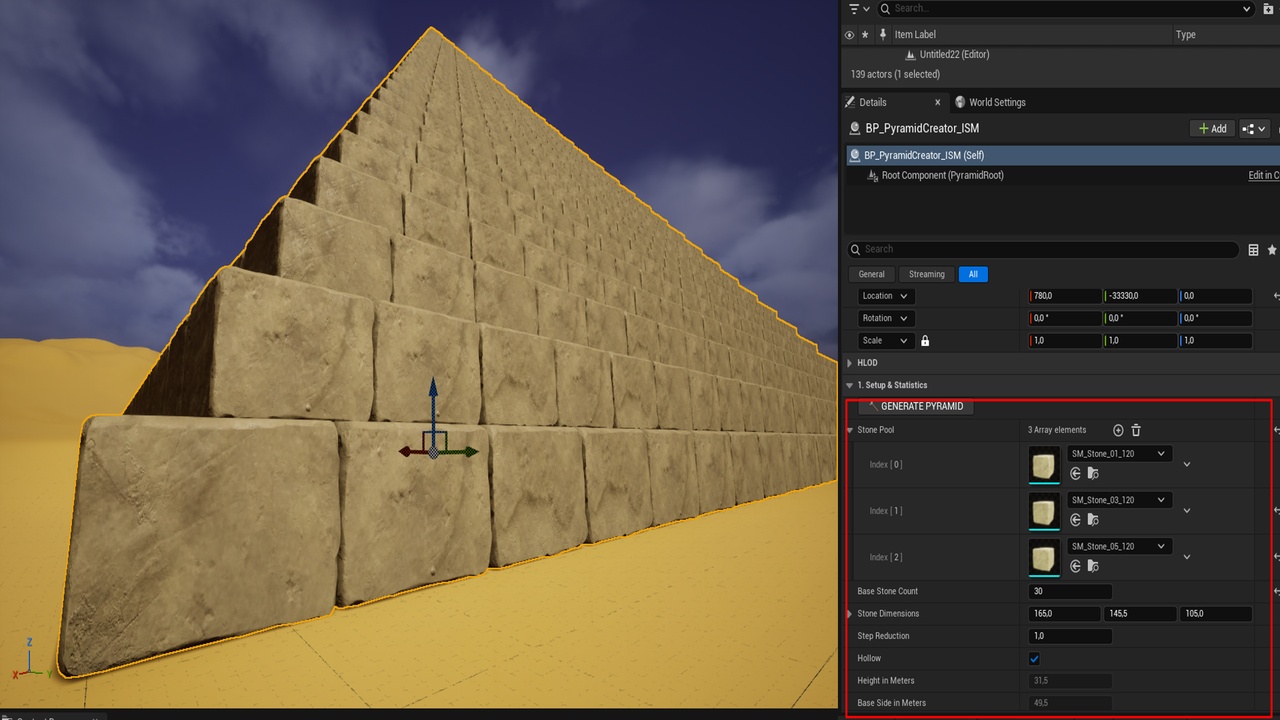
Pyramid Builder dynamically manages as many Instanced Static Mesh components as needed — one dedicated ISM per mesh type in your Stone Pool. Every stone is auto-scaled on the fly by reading the actual bounds of the source mesh, with zero manual adjustment. You can mix multiple stone models in the Stone Pool: the plugin randomly selects among them at each instance, delivering a natural and varied result.
Hollow Mode removes all invisible internal stones — only the outer faces are generated, including at ground level. The result: optimal performance even on the most colossal monuments, with no significant impact on FPS or RAM. The Manual Generation button prevents any unwanted automatic recalculation when loading your scenes.
✏️ Non-Destructive Interactive Sculpting (Edit Mode)
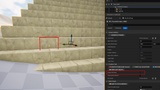
Edit Mode uses a precise raycast from the editor camera to detect the exact stone under your cursor. Delete it with a single click — it is removed from the internal list and the pyramid regenerates instantly. No data is ever lost: every removed stone is tracked via a unique identifier system (Floor, X, Y encoded), allowing you to restore any stone at any time, in any order.
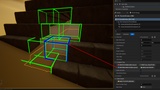
The ghost system displays all removed stones in real time as debug outlines directly in the viewport. A targeted Undo lets you cancel the last deletion, and a full Reset restores the pyramid to its original state in one click.
The ergonomic color code guides you at all times: 🔴 Thick Red — stone targeted for deletion 🟢 Green — location of a removed stone 🔵 Royal Blue — ghost targeted for restoration 🟡 Yellow Crosshair — precise cursor hit point
📐 Statistics and Geometric Precision
Pyramid Builder calculates in real time the total height, base length in meters, and exact slope angle of your monument using a trigonometric formula based on your Step Reduction and stone dimensions. Step Reduction supports decimal values for perfectly graduated slopes — from a steep monument to a smooth and progressive incline.
📦 Intelligent Chunked Bake with Nanite Support
Once your monument is sculpted, Pyramid Builder generates your final assets with a Bake system designed for the most colossal pyramids. Each Bake session receives a unique identifier — your assets are automatically organized by session in the Content Browser, never overwriting a previous generation.
You define how many floors per slice via the Floors Per Bake Chunk parameter. The plugin cuts the pyramid, generates each chunk via GeometryScript, and automatically gives your CPU a 5-second breathing pause between each step to prevent any freeze or crash. Assets are exported with Nanite enabled and complex collision ready to use out of the box.
A real-time status indicator keeps you informed of the Bake progress at every step. The result: a Khufu-scale pyramid — over 2 GB of assets — cleanly sliced into stable chunks, ready for production.
Click 📦 BAKE TO STATIC MESHES and let Pyramid Builder do the work.
🛠️ Usage
Place the PyramidCreatorActor in your level, add your Static Meshes to the Stone Pool, set your Stone Dimensions and Base Stone Count, then click 🔨 GENERATE PYRAMID. Check Edit Mode to sculpt your monument stone by stone.
⚡ Quick Start
In the Content Browser, right-click, choose Blueprint Class and search for PyramidCreatorActor. Name your Blueprint, add your stone models to the Stone Pool, drag the Blueprint into the level and click 🔨 GENERATE PYRAMID. Enable Edit Mode and Show Deleted Ghosts to sculpt: use 🔴 DELETE on a stone, 🔵 RESTORE on a green ghost. When you're done, launch 📦 BAKE TO STATIC MESHES to generate your final assets in optimized slices, ready for production.
📦 Installation
Copy the Plugins/PyramidBuilder folder into the Plugins folder of your project, enable it via Edit > Plugins, then create a Blueprint based on PyramidCreatorActor — or use the C++ class directly. A complete README is included directly in the plugin folder to guide you step by step from the very first use.
MORE FROM TINY RPG
• Tiny Palette: color and gradient your Content Browser folders, 28 folder icons → https://www.fab.com/listings/ad3904a6-e60a-4de2-a150-9ebd827f27e2
• Stylized Arcane Process: turn any scene into a living painting → https://www.fab.com/listings/9d77553a-2ce3-4f83-b512-9c94c7cbddc3
• Quinn6: industrial female mannequin on the UE5 skeleton → https://www.fab.com/listings/39ea618e-386b-43a8-85f8-3cb54b9d48c6
YouTube: https://www.youtube.com/@Tiny_Rpg · Contact: [email protected]
Developed with passion by Tiny RPG — for bigger, more beautiful and lighter worlds.