Opis
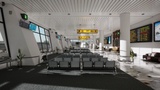
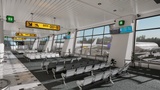
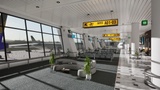
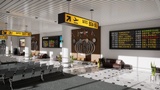
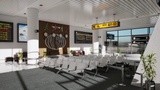
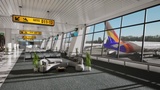
Realistic Airport Interior: Boarding Area/Waiting Area/Passenger Area
Concept:
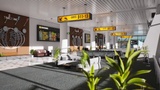
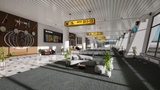
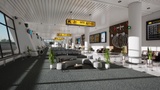
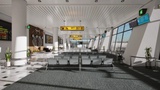
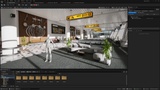
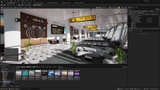
- A Modern Airport Interior concept visualized in Unreal Engine 5, designed around clean architectural forms, realistic materials, natural daylight, and a premium passenger experience. The scene combines real-time lighting, PBR materials, detailed environment assets, and Blueprint-driven elements to create a functional and immersive Terminal Atmosphere.- The focus is on Real-Time Airport Architectural Visualization, with strong composition, Realistic Lighting/Shadows, Passenger Seating Areas, Flight information displays, greenery, and Large panoramic windows.
🎯 Use Cases :
Game Environments
Virtual Production Stages (ICVFX Workflows)
Architectural Visualizations
Cinematic Storytelling Environments
Corporate and Promotional Video Backgrounds
📝 Descriptions:
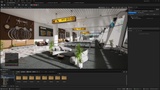
- Real-time optimized Unreal Engine 5.7.4 Environment
- Designed for LED-Volume Stages and Green-Screen Pipelines, Game Environments
- Features 151 unique meshes
- Includes 67 Materials and 579 Material Instances with 48 Material Function
- Includes 12 Blueprints (Static)
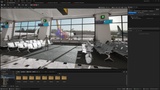
- Include 07 Skeletal Mesh
- Includes 459 Textures
- Texture Resolutions: 16*16 to 8192*8192 (Everything in between)
- Includes 07 Maps (01 Persistance, 02 Sub-Levels, 02 Overviews, 02 Level Instances)
- Nanite Enabled (Except masked/Translucent Materials)
- Performance tested at 60+FPS on RTX 5070
- Viewport resolution: 2560 × 1440 (2K)
- Screen Percentage: 100%
- Engine Scalability: Cinematic
LODs: Auto, Nanite-Enabled
Collision: (Yes, Automatically Generated, Nanite)
💾 Included Files
- Unreal Engine 5.7.4+ Project
- All Textures, Meshes, Materials, Blueprints and Lighting setups included
Project Disclaimer:
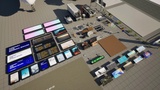
If you see a black screen on a TV mesh, open the Media Player Assets to enable the Media.
To Display Media on the TV screen, open the Media File that matches the name and Media Material assigned to the specific TV mesh. This will ensure that the correct media file is displayed on the corresponding TV screen.
Here is --- File Path >> Airport_Interior\Media\Media_Player
While simulating or playing the Persistent Level, the Media file will be stopped/paused.
⚙️ Performance Notes:
- FPS (Frames Per Second) may vary depending on scene complexity and hardware configuration.
- This Environment was tested on a system with an NVIDIA RTX 5070 GPU, running Unreal Engine 5 at 2560 × 1440 (2K) resolution, with Cinematic scalability settings and Screen Percentage set to 100%.
- Actual Performance may differ depending on your GPU, CPU, RAM, storage speed, and display resolution.
- For optimal results, use a system that meets or exceeds Unreal Engine 5’s recommended hardware specifications.
- Recommend using SSD storage and a GPU with at least 8 GB of VRAM for best results.
📄 Licensing & Usage
- Contains a combination of original assets and free Epic Marketplace assets used under the Fab license
- Assets are not to be redistributed or resold individually
- This listing is for the complete integrated scene only, as permitted under Fab license terms
----------------------------------
Documentation Link: https://www.behance.net/gallery/253847045/Airport-Interior
----------------------------------
Note : Some of the assets used in this scene may sourced from free packs available through the Epic Marketplace under the Fab license and are used here.
Artistic Disclaimer:
This artwork may contain themes or visual elements that some viewers may find sensitive. Viewer discretion is advised.
The content is presented solely for artistic showcase and creative expression. It is not intended to harm, target, or offend any individual, community, or group.
This artwork does not promote, encourage, or support violence, illegal activity, or harmful behavior in any form. Its purpose is purely visual storytelling and artistic exploration.