
الوصف
Curved & Spline 3D Text | Blueprint Tool
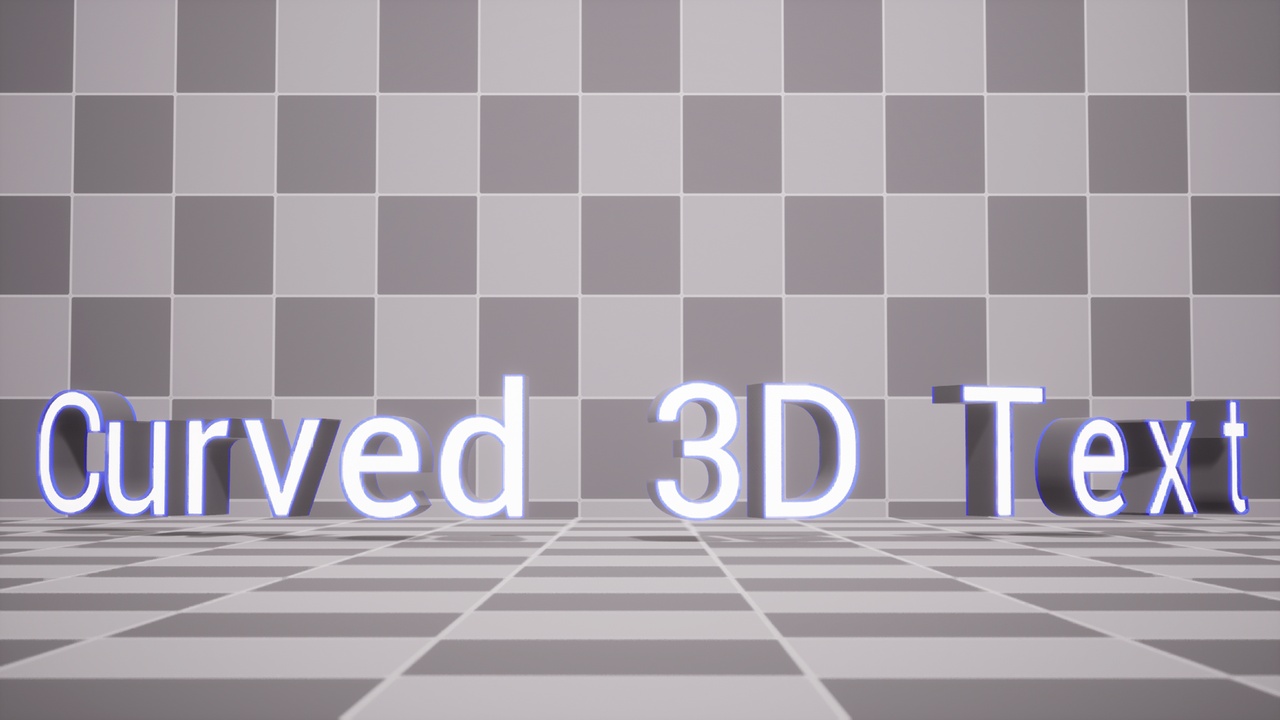
Create 3D Text that follows any Spline path — curved, circular, wave, or custom shapes — using a single Blueprint Actor.
🧩 1 Blueprint Actor: BP_CurvedSpline3DText
🗺️ Demo Map: CurvedSpline3DText_DemoMap
🎨 Example Material Instances for quick styling
📄 Documentation link (setup + usage)
✍️ Text on Spline: generate 3D Text along any spline shape (curved + custom paths)
📐 Layout: Align, Character Spacing, Space Width, Start Offset, Clamp to Spline Length, Bounds Padding
🧭 Offsets: Rotation Offset + Location Offset
🎨 Appearance (Text3D): Font, Font Size, Materials (Front/Back/Bevel/Extrude), Bevel/Extrude, Shadows, Width/Height limits
✅ Unreal Engine 5.7
✅ Plugin: Text 3D / 3D Text (built-in)
ℹ️ Modeling Tools Editor Mode is enabled in the project (not required by this tool)
Enable Text 3D / 3D Text (Edit → Plugins → search “Text 3D”)
Open demo map: Content/CurvedSpline3DText/Demo/CurvedSpline3DText_DemoMap
Drag BP_CurvedSpline3DText into your level
Set Text String, then edit Spline points
Adjust Layout + Appearance in the Details panel
If letters stop updating after moving/rotating/scaling the actor, tweak any parameter (or retype Text String) to force a rebuild.
📩 Support:
[email protected]