الوصف
S U M M A R Y
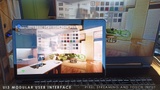
A modern and flexible interface for use in architectural or other projects. Its modular nature makes it easily adaptable to smaller or larger projects. Tools allow to interact with the scene and to modify assets. Can help you to quickly create a stand-alone packaged application for Windows.
No programming knowledge is required but basic knowledge about blueprints will be helpful.
The 2026 update uses tables so data can be shared between actors or projects. Some settings and data has to be re-entered if a project using an older version is updated.
Documentation with Version History
Made on Windows x64 platform. This is a blueprint only project, it could work on other platforms, if the materials used are updated for this platform.
Supports input methods for keyboard/mouse, game controller and touch.
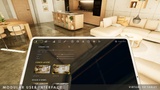
Limited support for VR in PC mode (virtual 3D tablet).
Supports Pixel Streaming with touch controls.
Supports multi-unit projects with data and user management
Download a playable test version of this project:
UI3 Unreal 5.8.2 - 2026 - 1 GB - has links to gamepad, touch, VR, multi unit project in the menu. Uses FileSDK and UDSky plug-in.
Something not working?
Have a look at the FAQ and Known Bugs section in the Documentation.
Compile errors or can't move? - Please enable the Sun Positioning, OpenXR, and Enhanced Input plugins.
still not working? - contact me at [email protected]
All my products on the Marketplace
D E T A I L S
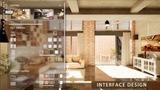
Interface Layout
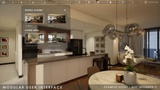
Modern, modular interface that can be constructed from a data table
Presets for Keyboard Mouse, Gamepad, Touch, and VR usage
Menu can be placed top, bottom, left, or right
Design options for colors, text format, or custom icons
UI can be projected on a virtual 3D Tablet for VR projects
Fully translatable into a different language
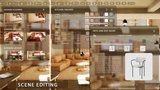
Scene Editing
Edit Mode: material and/or mesh changes of single objects
Designer Mode: Material and mesh changes in a spread sheet like table
Design Schemes, Object Groups: batch design change of many objects at once
Lighting or Layout Scenarios: Swap one sub level for another one
Information widget for selected objects
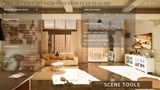
Tools
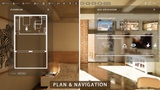
Interactive Floorplan for multi-floor projects
Drone or walk mode
Cinematic camera screenshots with simple tilt correction
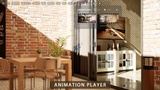
Sequence animation player
Scene travel to another unit or scene
User management with 5 save slots per user
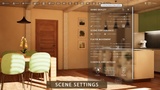
Settings
Accurate sun positioning
Animated sun cycle
Player movement, camera controls, and game quality settings
Information and project media
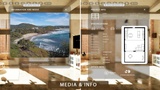
Widget displaying unit specific details for multi-unit projects
Media widget for images and videos
Project info, office and help widgets
Advanced Features:
Data management either local or in the google cloud (plug-in required)
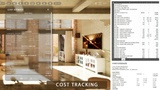
Cost tracking keeps track the cost for user selections in the scene
Multiple Reports as HTML, CSV or JSON text files (plug-in required)
Product Blueprints:
Info Map contains all data for the project and displays floorplan drawings
Variation Actor for connecting scene objects to the user interface's editing features
Object Info Actor for displaying information about selected objects
Location Actor for quick access locations
Stairs Marker for Target Move
4 Game modes (Keyboard, Touch, Gamepad, PC-VR)