

説明
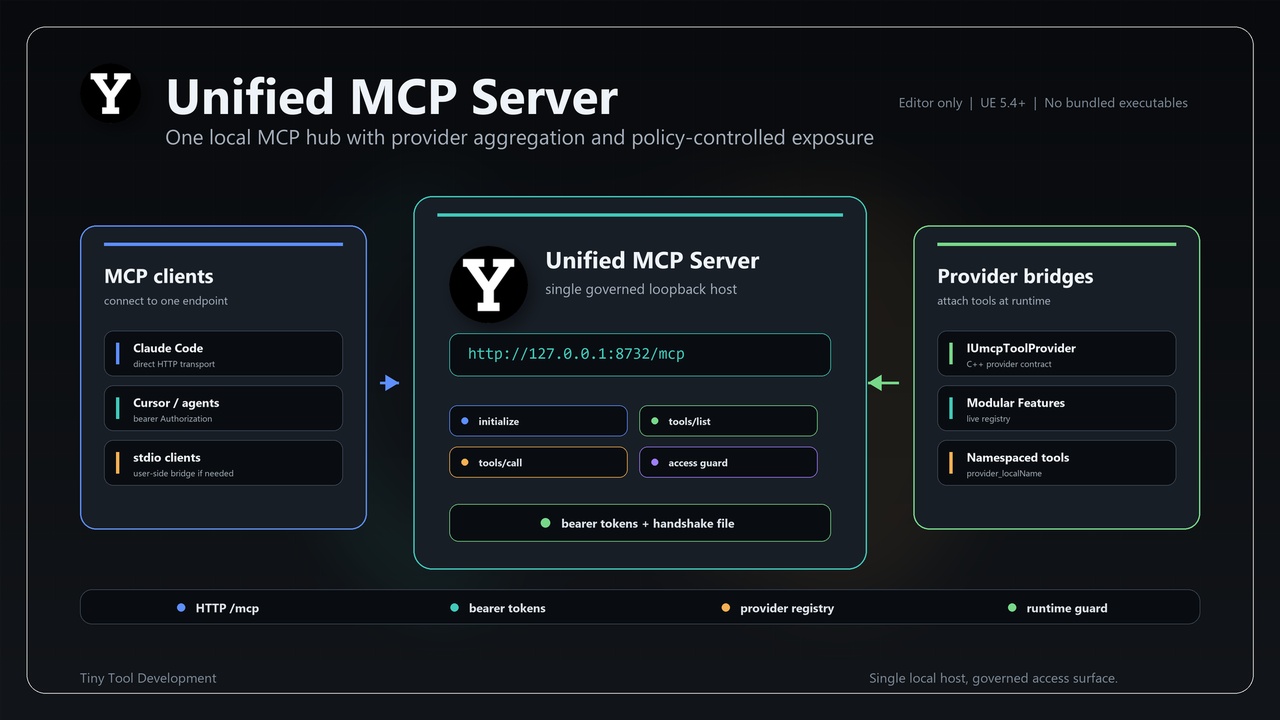
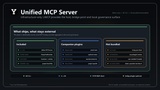
Unified MCP Server (UMCP) is a local MCP host for Unreal Engine that lets editor tools, provider plugins, Unreal Capability Mesh routes, and local AI agents connect through one authenticated loopback endpoint instead of running separate servers for every plugin.
UMCP runs MCP-compatible JSON-RPC 2.0 over HTTP inside the Unreal Editor at `http://127.0.0.1:<port>/mcp`, with default port `8732`. Provider plugins attach tools at runtime through the C++ `IUmcpToolProvider` contract, and the host exposes them to MCP clients with prefixed names such as `providerId_tool`.
The plugin is infrastructure-only: it ships no AI model, no LLM provider, no API keys, no Node.js, no Python runtime, no `mcp-remote`, and no standalone server executable. Stdio-only MCP clients may still need a user-installed bridge.
⭐ Key Features
Single local MCP host
Run one MCP-compatible endpoint inside the Unreal Editor instead of maintaining a separate local server for every plugin or tool integration.
Provider-based tool registration
Tools come from other plugins through `IUmcpToolProvider`. UMCP does not hard-code project tools, partner plugins, or domain-specific business logic.
Prefixed tool names
Provider-local tools are exposed as `providerId_tool` to avoid name collisions when multiple bridge or provider plugins are enabled.
Loopback-only security model
The server binds to `127.0.0.1`, is disabled by default, and requires a bearer token on every request.
Handshake file for agents
On start, host, port, compatibility token, and scoped tokens are written to `Saved/UnifiedMcpServer/agent/mcp_endpoint.json` for local agent configuration.
Scoped session tokens
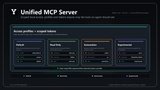
Use one endpoint with default, read-only, automation, or experimental/admin tokens instead of splitting providers across multiple ports.
Access profiles and tool policy
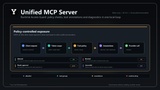
Choose exposure profiles, disable provider IDs, allowlist or block exposed tool names, and control tool groups derived from MCP annotations.
Runtime Access Guard
Temporarily block tools globally or for a scoped token during an editor session. Runtime blocks hide tools from `tools/list`, reject direct `tools/call`, and clear when the server stops.
Editor lifecycle controls
Start, stop, and rotate bearer tokens from `Tools -> AI -> Universal MCP` or optional editor Blueprint lifecycle helpers.
Control Panel and Connected Functions
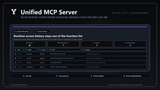
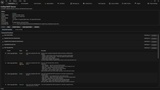
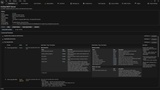
Open `Tools -> AI -> Universal MCP -> Open Control Panel` for server status, lifecycle buttons, Access Activity, and a plugin-grouped Connected Functions tree with lazy input/output schema inspection.
Schema-aware MCP tools
`tools/list` can expose `inputSchema`, `outputSchema`, annotations, and tool revision metadata. `tools/call` can return provider JSON as text content and `structuredContent` when the result is a JSON object.
Optional argument validation
UMCP can validate incoming tool arguments against each tool `inputSchema` before invoking the provider.
Unreal Capability Mesh support
When Unreal Capability Mesh is available, UMCP can expose generic `mesh_*` tools and flattened `mesh_route_*` tools grouped under their owning plugin metadata.
Request diagnostics
Request metadata is appended to `Saved/UnifiedMcpServer/logs/mcp_requests.jsonl` for local troubleshooting and support.
Access Journal
Tool-call access diagnostics are written to `Saved/UnifiedMcpServer/logs/access_audit.jsonl` with token id, client hint, tool name, outcome, error code, latency, and secret-redacted argument diagnostics.
C++ core with optional Blueprint helpers
The server is implemented in C++. Blueprint support is limited to editor lifecycle, runtime guard actions, and diagnostics; MCP tool providers remain C++ modular features.
Zero bundled executables
No Node.js, Python, `mcp-remote`, or standalone server binary is included.
🔹 Typical Use Cases
Local AI coding agents connected to Unreal Editor tools
Multiple plugins sharing one MCP server with policy-controlled auth tokens
Bridge plugins for search, context, assets, pipeline tools, or internal automation
Unreal Capability Mesh routes exposed through a stable local MCP endpoint
Editor automation and QA workflows that need governed local tool access
Teams that want agent access without rewriting every plugin integration
🔹 How It Works
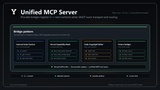
Unified MCP Server keeps MCP transport, authentication, routing, settings, policy, diagnostics, and lifecycle controls in one editor module, while tool implementation stays inside provider plugins or Unreal Capability Mesh routes.
The host collects registered provider tools at call time, prefixes them by provider ID, applies access policy and runtime guard checks, and routes `tools/list` and `tools/call` requests to the matching provider. This lets new tool sources attach without changing the UMCP server plugin.
🔹 Requirements
Engine: Unreal Engine 5.4-5.7
Platform: Unreal Editor
Code: C++ plugin with Runtime interface module and Editor server module
Endpoint: local loopback HTTP only, `127.0.0.1`
Project tools: require separate provider plugins or Unreal Capability Mesh routes
🔹 Included Content
Unified MCP Server C++ plugin
Runtime provider contract module: `UnifiedMcpServerInterface`
Editor HTTP server module: `UnifiedMcpServerEditor`
Project settings for enable/disable, port, validation, access policy, and diagnostics
`Tools -> AI -> Universal MCP` menu actions
Control Panel with Status, Access Activity, and Connected Functions inspection
Handshake file workflow
Request log workflow
Secret-redacted access journal workflow
Documentation and setup guide
🔹 Known Scope
Unified MCP Server is not a full AI stack or tool pack. It focuses on local MCP hosting, bearer-token authentication, provider aggregation, scoped tokens, policy-controlled exposure, runtime access governance, diagnostics, and editor lifecycle controls.
It does not include an AI model, LLM provider, API keys, project-specific tools, or external runtimes by itself. Blueprint support is limited to server lifecycle and diagnostics. MCP tool providers remain C++ contracts. Some stdio-only MCP clients may need a user-installed bridge.
🔹 Support
For support, feature requests, or workflow questions, use the Fab support section or the Discord support channel.
🔹 Discord Support Channel