



Description
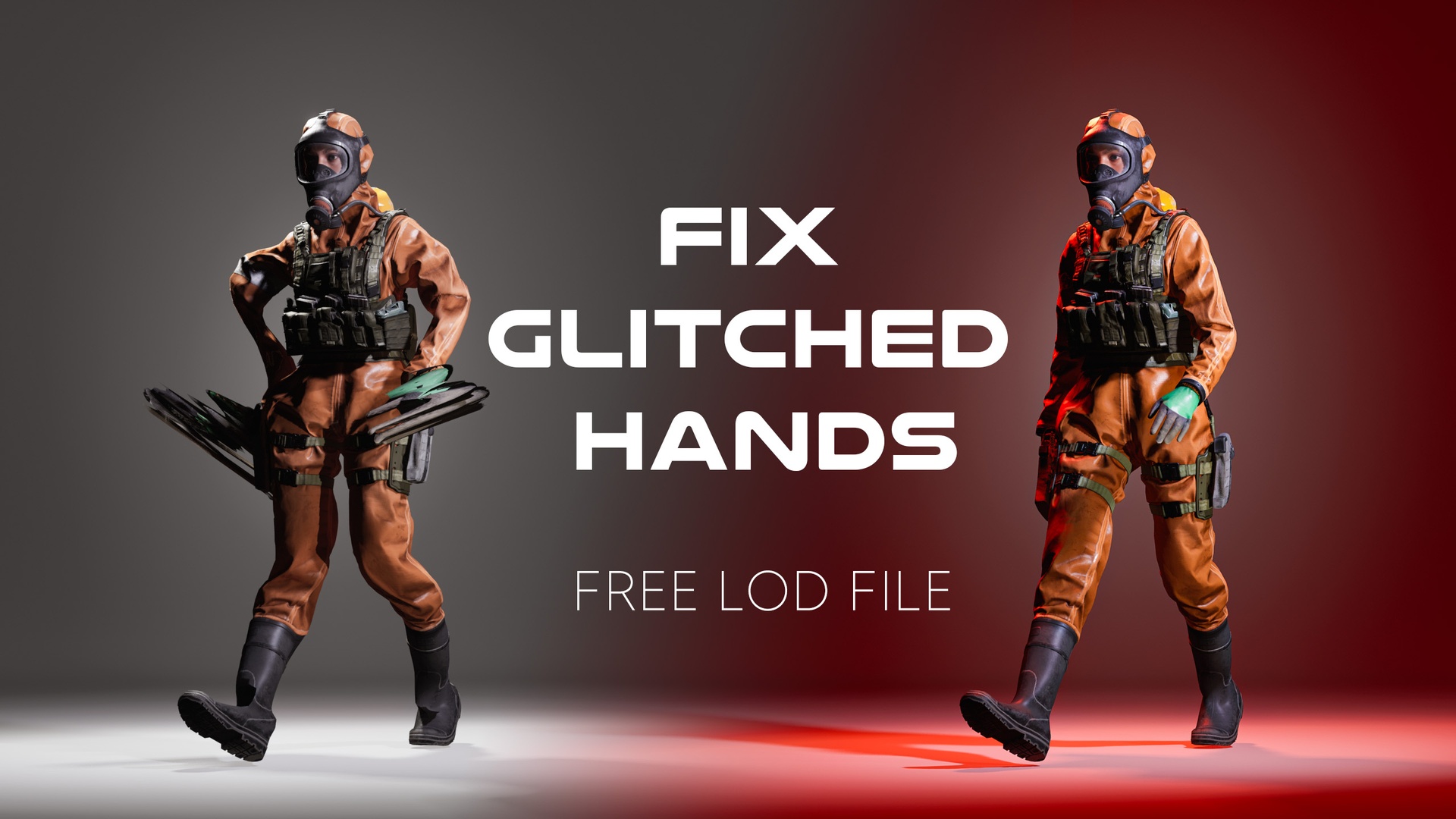
A free LOD preset asset that stops MetaHuman hands and outfits from bugging out when the camera pulls back. Import, set to 4 LODs, generate, done.
How to use the file: https://www.youtube.com/shorts/DZLkb-1-3_8
Ever zoomed out in Unreal and watched your MetaHuman's hands turn to spaghetti?
That's an LOD mismatch. As the camera pulls away, Unreal swaps your MetaHuman to a lower Level of Detail to save performance. If your outfit or character mesh doesn't have matching LODs generated, the mesh tears or clips — most visible in the hands.
This free LOD Settings asset fixes it. It defines exactly how much each mesh is reduced at each distance from the camera, pre-configured across 4 LOD levels so your geometry steps down cleanly instead of breaking.
How to use it:
Import the LOD Settings file into your project via your file explorer (not the Unreal Content Browser)
Open your skeletal mesh and go to Asset Details
Assign the LOD Settings asset under LOD Settings
Set Number of LODs to 4
Hit Apply Changes / Regenerate LODs
Pick the version that matches your project — 5.3, 5.6, and 5.7 are all included.
Key features:
Pre-configured for 4 LOD levels
Fixes hand and outfit mesh deformation on zoom-out
Works on MetaHuman bodies, outfits, and any UE5 skeletal mesh
Three engine versions included: UE 5.3, 5.6, 5.7
100% free
Technical details:
Asset type: Data Asset
LOD levels: 4 (distance-based polygon reduction)
Engine versions: 5.3, 5.6, 5.7
Compatibility: MetaHuman + any UE5 skeletal mesh
Files included: 3 (one per engine version)