Descripción
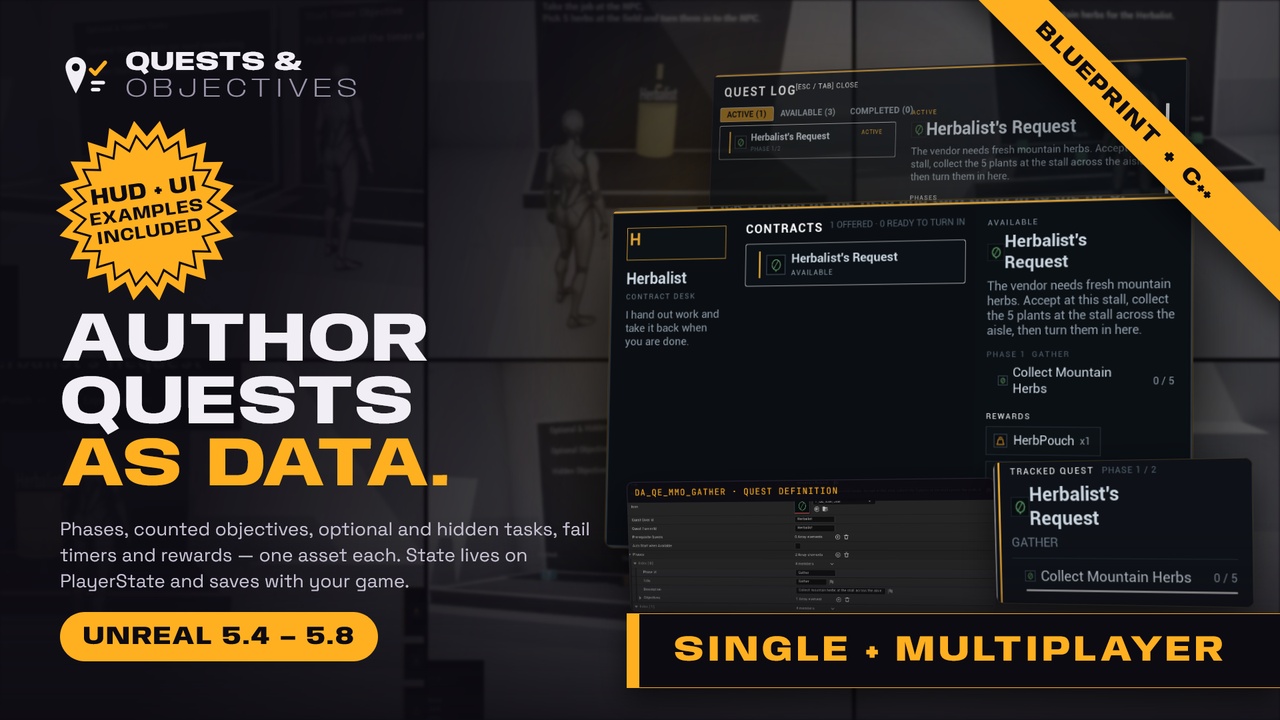
Quests and Objectives is a C++ quest system plugin for Unreal Engine 5. Author quests, missions, and tasks as data assets with sequential phases and counted objectives. Objectives support optional icons on quests, objectives, and rewards, plus optional, hidden, fail-id, and time-to-fail flags. Then drive progress from Blueprint or C++ with StartQuest, CompleteObjective, and FailObjective.
📖 Documentation: https://questsandobjectives.tinyindie.com/
Add a Quest Component to your PlayerState. Register a quest catalog in Project Settings. Gameplay reports progress by objective id from kill, overlap, inventory, or dialogue systems you already have. Per-player state replicates to the owning client. You store FQuestSaveData in your own save game.
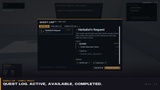
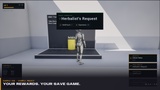
Purchase includes the plugin and a full example project. The example is a 5.4 project that opens, compiles, and plays in 5.4 through 5.8. Press Play to see example quests, a tracker, a log, vendor boards, and HUD built two ways: Widget Blueprints and native C++.
📦 What you get
• Code plugin for Unreal Engine 5.4, 5.5, 5.6, 5.7, and 5.8. Install the package that matches your engine.
• Example project (Unreal Engine 5.4). Open it in 5.4 through 5.8. Compile. Press Play.
• Public docs: https://questsandobjectives.tinyindie.com/
⚙️ How it works
1. Create Quest Definition data assets. Set title, description, optional icon, quest giver id, turn-in id, prerequisites, and auto-start.
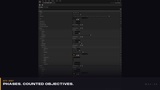
2. Add phases. Add objectives (id, title, required count, optional icon, optional, hidden, fail id, time to fail). Add rewards (id, count, optional icon). Add optional complete, fail, and objective sound cues.
3. Put those assets in a Quest Catalog. Set it as the default catalog under Project Settings → Game → Quests And Objectives.
4. Add UQuestComponent to your PlayerState. On the server, call StartQuest, CompleteObjective, or FailObjective.
5. Bind OnQuestStarted, OnObjectiveProgress, OnPhaseCompleted, and OnQuestCompleted (rewards array). Also bind fail, abandon, available, and fail-timer events. Filter vendor boards with GetQuestsByGiverId and GetQuestsByTurnInId.
6. If you want to see this in Play first, open the example project. The map includes example quests, booths, a tracker, a log, and vendor boards.
✨ Features
• Data-asset quests (UQuestDefinition). Not a flattened data table row. Not a custom node graph.
• Sequential phases. Only the current phase accepts CompleteObjective and FailObjective.
• Counted objectives (RequiredCount) for collect and kill goals.
• Optional icons on quests, objectives, and rewards (soft Texture2D refs for your tracker, log, and completion UI).
• Prerequisite quests. Auto-start after the quest becomes Available.
• Quest giver and turn-in ids for vendor boards. Optional complete, fail, and objective sound cues.
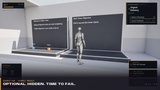
• Optional, hidden, fail-id, and time-to-fail objectives. FailObjective and timed fail from gameplay.
• Fail and abandon from Active (failed quests become Available again). Status query for Locked, Available, Active, Completed, Failed, and Abandoned.
• Reward id + count + optional icon metadata. Your game grants items, XP, or currency in OnQuestCompleted.
• Catalog + GameInstance subsystem lookup (GetQuestById, GetQuestsByGiverId / TurnInId / VendorId, RegisterQuest).
• Multiplayer: authority mutates. Owning client can call the same functions (Server RPC). QuestStates replicate OwnerOnly.
• Save hooks: OnQuestSaveDirty, GetSaveData, LoadSaveData (authority). No plugin-owned save slot.
• Blueprint and C++. FText fields for localization-ready titles and descriptions.
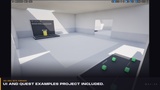
🎮 Example project with Quests and UI/HUD/Widgets included
The example project is a separate download. It is not inside the plugin zip. The plugin runtime does not depend on UMG. HUD in the screenshots is example UI from this project. Copy the widgets into your game. They are not a required plugin dependency.
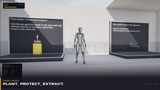
• Play map with example quests: delivery, gather, kill, and plant-and-protect / extract.
• In-world booths, objective props, fail zones, and extract zones.
• Quest tracker, quest log (Active / Available / Completed), vendor board, toasts, and banners.
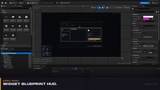
• HUD in Widget Blueprints (WBP_QEQuestHudOverlay, WBP_QEBoothPrompt) and in native C++. Switch Kit Source on BP_QEQuestHud.
• PlayerState with UQuestComponent, demo XP and reward handling, and save/load of FQuestSaveData in a game-owned USaveGame.
• C++ example actors and Blueprint-callable helpers you can copy.
Keys in Play: J opens the log. T unpins the tracker. E confirms a booth action. Escape or Tab closes the log or board.
🚫 Not included
The plugin does not ship these items:
• Dialogue or conversation trees
• Compass, world map, or markers
• Inventory, crafting, XP, or currency systems (the example project shows demo XP and reward chips only)
• Plugin USaveGame or automatic disk writes (the example project shows one way to store FQuestSaveData)
• Custom graph editor or non-linear node trees
• Built-in world notifiers for kill, gather, or deliver (you call CompleteObjective from your gameplay)
• Auto-played audio. Sound cues on the definition are metadata. You play them.
If you need a full RPG chrome pack as the game, this is the wrong product. If you need networked quest progress that does not take over your HUD or save system, this is the right one. If you want to press Play first, open the example project.
🖥️ Compatibility
• Unreal Engine 5.4, 5.5, 5.6, 5.7, 5.8. For the code plugin, install the package that matches your engine.
• Example project: created in 5.4. Opens, compiles, and plays in 5.4 through 5.8.
• Target platforms: Windows, Mac, Linux, Android, iOS.
• No extra plugin dependencies. Runtime module uses Engine / Core only. UMG is not a module dependency of the plugin. The example project uses UMG for its HUD.
📖 Documentation
https://questsandobjectives.tinyindie.com/
💬 Support