설명
Save Your Time. Boost Your Development Efficiency.
The Problem Every Unreal Developer Knows
You're deep in level design. Dozens of actors, nested folders, hundreds of Detail properties. Every tiny operation — toggle visibility, expand a node, reset a value — demands the same ritual: move mouse, click to select, right-click, find the menu item, click again. Multiply that by a hundred times per hour.
DGOneInspector eliminates that ritual entirely.
What It Does
DGOneInspector adds hover-activated keyboard shortcuts to the four panels you use most:
World Outliner — actor tree management
Details Panel — property inspection and editing
Components Panel — component hierarchy in Blueprint editors
Skeleton Tree — bone hierarchy in the Skeleton editor
Just move your mouse over any item and press a key. No click-to-select. No context menus. No friction.
Eight Commands. Instant Workflow.
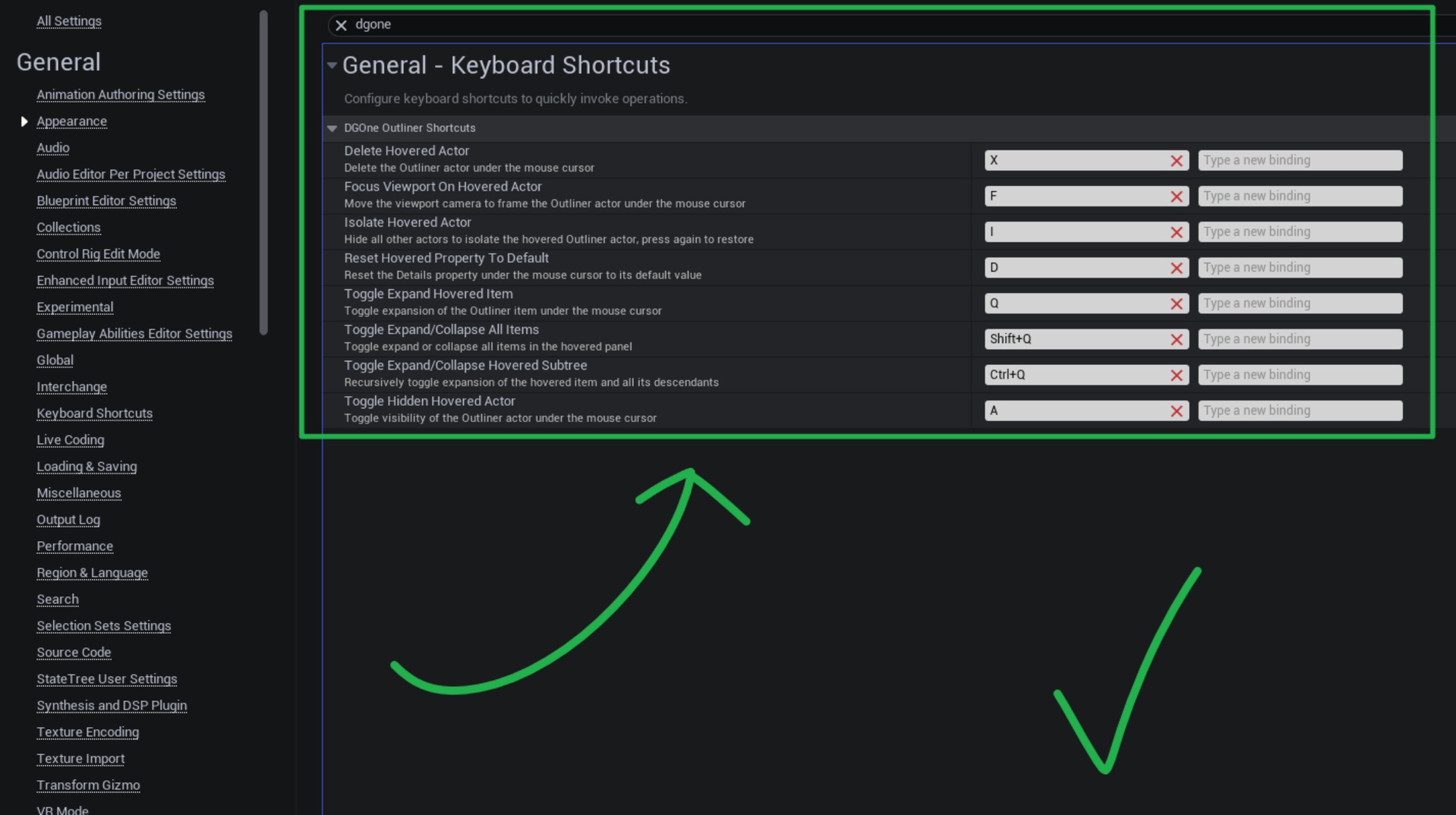
KeyActionQToggle expand / collapse the hovered itemShift+QExpand all or collapse all — one keypressCtrl+QRecursively expand / collapse the hovered item's entire subtreeFFocus the viewport camera on the hovered actorAToggle actor visibility in the viewportIIsolate actor — hide everything else, press again to restoreXDelete the hovered actor or componentDReset any Details property to its default value
All keys are fully remappable in Editor Preferences → Keyboard Shortcuts.
Smart Multi-Select
Already have multiple actors selected? Hover any of them and the shortcut applies to the whole selection. Hover something outside the selection and it applies to that item only — without disrupting your existing selection.
Intelligent Isolation
The Isolate command (I) isn't just "hide others." It remembers the exact visibility state of every actor before isolating. Press I again and everything is restored precisely — even actors that were already hidden before you isolated.
Full Folder Support
Folders in the World Outliner are first-class citizens. Toggle visibility, isolate, focus viewport, delete, expand, or collapse an entire folder and all its nested contents with a single keypress.
Zero Interference Design
The plugin is invisible when you don't need it. Shortcuts are suppressed when a rename box, search field, or any editable text widget is focused — normal typing always works.