Descripción
Save Your Time. Boost Your Development Efficiency.
The Problem Every Unreal Developer Knows
You're deep in level design. Dozens of actors, nested folders, hundreds of Detail properties. Every tiny operation — toggle visibility, expand a node, reset a value — demands the same ritual: move mouse, click to select, right-click, find the menu item, click again. Multiply that by a hundred times per hour.
DGOneInspector eliminates that ritual entirely.
What It Does
DGOneInspector adds hover-activated keyboard shortcuts to the four panels you use most:
World Outliner — actor tree management
Details Panel — property inspection and editing
Components Panel — component hierarchy in Blueprint editors
Skeleton Tree — bone hierarchy in the Skeleton editor
Just move your mouse over any item and press a key. No click-to-select. No context menus. No friction.
Eight Commands. Instant Workflow.
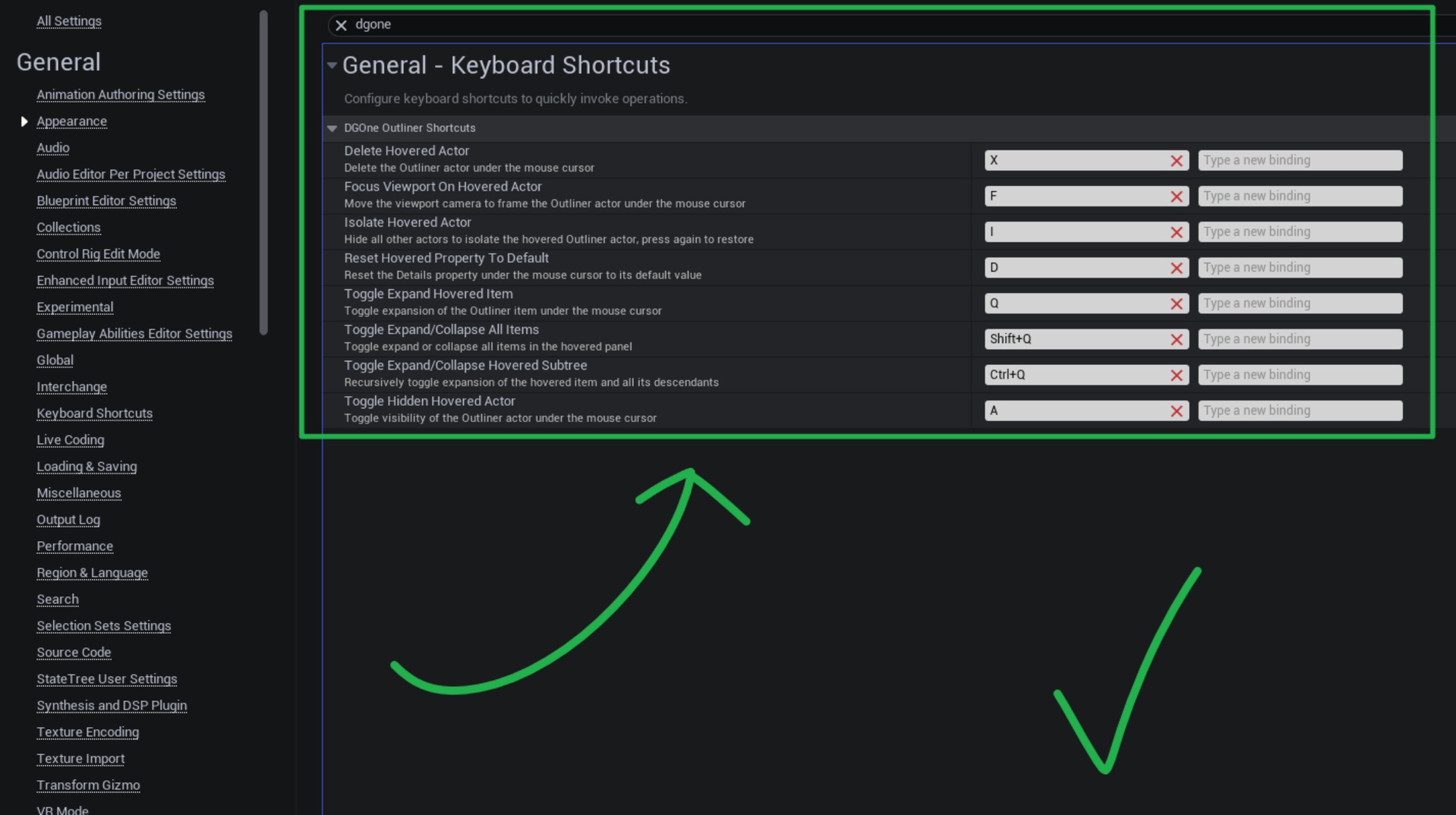
KeyActionQToggle expand / collapse the hovered itemShift+QExpand all or collapse all — one keypressCtrl+QRecursively expand / collapse the hovered item's entire subtreeFFocus the viewport camera on the hovered actorAToggle actor visibility in the viewportIIsolate actor — hide everything else, press again to restoreXDelete the hovered actor or componentDReset any Details property to its default value
All keys are fully remappable in Editor Preferences → Keyboard Shortcuts.
Smart Multi-Select
Already have multiple actors selected? Hover any of them and the shortcut applies to the whole selection. Hover something outside the selection and it applies to that item only — without disrupting your existing selection.
Intelligent Isolation
The Isolate command (I) isn't just "hide others." It remembers the exact visibility state of every actor before isolating. Press I again and everything is restored precisely — even actors that were already hidden before you isolated.
Full Folder Support
Folders in the World Outliner are first-class citizens. Toggle visibility, isolate, focus viewport, delete, expand, or collapse an entire folder and all its nested contents with a single keypress.
Zero Interference Design
The plugin is invisible when you don't need it. Shortcuts are suppressed when a rename box, search field, or any editable text widget is focused — normal typing always works.