






Opis
================================================================
LONG DESCRIPTION
================================================================
THE PROBLEM
----------------------------------------------------------------
You install a new plugin — a matchmaking framework, an EOS wrapper, a
monetization SDK — and then spend the next hour right-clicking in an
Event Graph, typing guesses into the context menu, and hoping you stumble
onto the node you need. The documentation, if it exists, is rarely a
complete list. There is no single place in the Unreal Editor that simply
tells you: "here is every Blueprint node this plugin actually ships."
The same problem hits you from the other direction when you AUTHOR a
plugin. Before you submit to Fab, before you write your docs, before you
hand a build to a teammate, you need to know exactly what your plugin
exposes to Blueprint — every callable, every pure getter, every async
node, every dispatcher, every struct and enum — and whether anything
leaked out that you did not intend to expose.
NodeList Pro solves both sides of that problem in one docked editor panel.
WHAT IT DOES
----------------------------------------------------------------
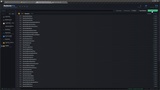
NodeList Pro answers a simple but tedious question: "What Blueprint nodes
does this plugin actually expose?"
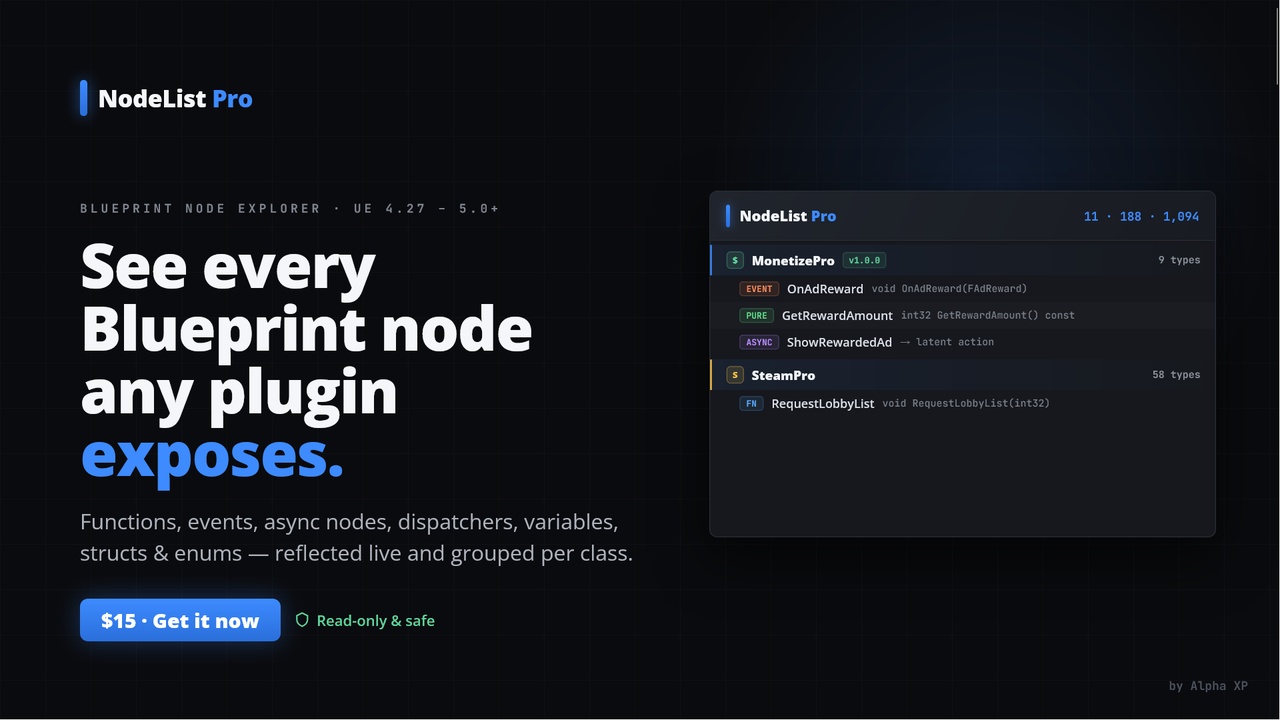
It reflects over everything the engine has loaded and builds a clean,
searchable three-level tree — Plugin → Class → Member — of the complete
Blueprint-facing API surface of any plugin in your project. For every
single entry it shows you:
• The C++ signature or property type, formatted to read like real code.
• The node's Category metadata (the folder it lives under in the
right-click menu).
• The node's tooltip — the in-editor comment a designer would see.
No more guessing. No more scrolling context menus. Pick a plugin, read
its entire Blueprint API top to bottom, and search it instantly.
EVERY NODE KIND, CLEARLY LABELLED
----------------------------------------------------------------
NodeList Pro recognizes and color-codes every kind of Blueprint-exposed
member, each with its own badge so you can scan the tree at a glance:
FN BlueprintCallable functions
PURE BlueprintPure functions (the green, wireless getter nodes)
EVENT BlueprintImplementableEvent / BlueprintNativeEvent events
ASYNC Async / latent action nodes (UBlueprintAsyncActionBase),
the ones with execution pins that fire on completion
DISPATCH BlueprintAssignable multicast delegates (event dispatchers)
VAR BlueprintVisible properties, tagged [read-only] or
[read/write] so you know if you can set them
STRUCT BlueprintType structs
ENUM BlueprintType enums (with their value count)
CLASS the owning UClass grouping
PLUGIN the plugin grouping, one per plugin that exposes anything
This is the full surface that matters in Blueprint — not just functions.
Most "node list" approaches stop at callable functions and miss the
async nodes, the dispatchers, and the exposed data types that designers
actually wire together. NodeList Pro shows all of it.
A FAST, FOCUSED EDITOR UI
----------------------------------------------------------------
The panel opens from the main menu under Tools → "Blueprint Node List"
and docks anywhere in your layout like any other editor tab.
• Header bar with a live running summary that updates as you filter:
N plugins • N types • N Blueprint nodes
• Plugin dropdown to scope the tree to a single plugin, or view all
plugins at once.
• Live filter box that matches across name, category AND tooltip
simultaneously. As you type, the tree auto-expands to reveal every
match; clear the box and it collapses back to plugin level.
• "Engine plugins" toggle — off by default so you see only your
project's plugins, on when you want to explore the engine's own
Blueprint API too.
• Refresh to re-scan after you load a new plugin's content or
recompile C++ (reflection only sees what is loaded).
• Per-plugin branding pulled straight from each .uplugin descriptor:
the plugin's Resources/Icon128.png shown inline, its FriendlyName as
the display title, and its VersionName as a green version pill.
Hover any row for a tooltip with the member's full name and complete,
un-truncated description.
EXPORT TO MARKDOWN
----------------------------------------------------------------
One click on "Export Markdown" writes the currently visible (filtered)
list to a .md file under your project's Saved/NodeListPro/ folder, with
an "Open folder" link in the success notification.
The export is grouped by plugin (with version and counts), then by class,
then lists each node with its kind, signature, category and tooltip —
ready to paste straight into a wiki, a README, or a Fab listing. It is
the fastest way to produce accurate, complete API documentation for a
plugin you are shipping, and it stays in sync because it is generated
from live reflection rather than written by hand.
PLACE IN BLUEPRINT — VISUAL NODE GALLERIES
----------------------------------------------------------------
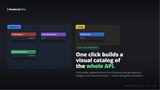
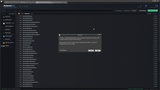
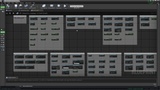
For a selected plugin, "Place in Blueprint" builds a brand-new catalog
Blueprint under /Game/NodeListPro/ and spawns every node of that plugin
into its Event Graph, neatly grouped per category inside labelled comment
boxes. You get a confirmation dialog with the node count first.
This is perfect for producing visual node galleries — screenshots of a
plugin's entire API laid out graphically — for store pages, tutorials and
documentation. Enable the "Screenshot boxes" option and NodeList Pro will
additionally save a PNG of each comment box to Saved/NodeListPro/
Screenshots/, giving you ready-made marketing/diagram images.
100% NON-DESTRUCTIVE — READ-ONLY BY DESIGN
----------------------------------------------------------------
This is the most important promise NodeList Pro makes: it never edits,
re-saves, moves, or reorganizes your existing Blueprints. It only reads
reflection data the engine already has in memory.
Even the "Place in Blueprint" action is non-destructive — it always
creates a FRESH catalog asset and leaves every Blueprint you authored
completely untouched. You can run NodeList Pro on a production project
with total confidence that nothing of yours will be modified.
HOW IT WORKS UNDER THE HOOD
----------------------------------------------------------------
1. Plugin enumeration — walks IPluginManager's discovered plugins,
keeping the enabled ones (and engine plugins only when you ask),
recording a module→plugin map and each descriptor's version, friendly
name and icon path.
2. Reflection sweep — iterates all loaded UClass, UScriptStruct and UEnum
objects, skipping transient/trash reflection objects (SKEL_, REINST_,
TRASHCLASS_, …), and maps each back to its owning plugin via its
/Script/<Module> package.
3. Member extraction — for each owned class it collects the functions and
properties DECLARED on that class (never inherited noise), classifies
each into a kind, and builds a readable C++ signature.
4. Assembly — groups everything into the Plugin → Class → Member tree,
sorts by kind then name, and annotates counts.
5. Filtering — the panel clones a filtered copy of the tree on every
search or scope change and feeds it to the tree view, while preserving
the full unfiltered set for export and Place-in-Blueprint.
Because reflection only sees what is loaded, the Refresh button lets you
re-scan after loading a plugin's content or recompiling C++.
WHO IT IS FOR
----------------------------------------------------------------
• Plugin authors auditing and documenting their own Blueprint API
before a Fab / Marketplace submission.
• Developers learning an unfamiliar third-party plugin without digging
through C++ headers.
• Technical designers who need a searchable reference of every node
available in a project.
• Teams producing API documentation, node galleries, and onboarding
material that must stay accurate.
TECHNICAL DETAILS
----------------------------------------------------------------
• Engine version: Unreal Engine 4.27
• Plugin type: Editor-only (no runtime cost, nothing in a cooked build)
• Modules: NodeListPro — Editor, loads at PostEngineInit
• Supported platforms: Win64, Mac, Linux (editor)
• Network access: none — purely local, in-editor reflection
• Number of C++ modules: 1
• Number of Blueprint nodes added: 0 (NodeList Pro is a tool, not a
runtime API — it lists other plugins' nodes, it does not add its own)
• Content: none required (CanContainContent = false)
NodeList Pro 1.0.0 — © Alpha XP 2026.