Descripción
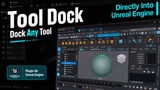
Tool Dock is a native C++ editor plugin that takes a running application's window and reparents it into a panel inside the Unreal Editor. Maya, Blender, a browser, a reference viewer, your studio's PySide pipeline tool - it docks, resizes, tabs, and saves with your layout like any other editor panel.
It is the real window, fully interactive, running at its own speed on its own thread. The application does not need to know Tool Dock exists. There is no SDK on the other end, no account, and nothing to configure.
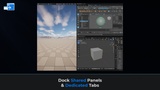
Shared Panel: One multi-tab dock holding several applications at once. Switch between them like browser tabs, drag to reorder, close to release. Only the active tab renders, so native windows never fight over the same space.
Dedicated Instances: Pin one application to its own independent editor tab, titled and iconed after that app. Open as many as you like, alongside each other and alongside the shared panel.
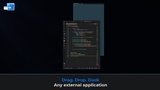
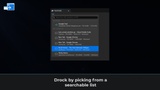
Capture by picking from a searchable window list, or just drag a window onto the panel by its title bar and drop it. Releasing restores the window's original style, owner, and screen position - the application is never closed or disturbed.
Features
Embed any application with a normal top-level window into a dockable editor panel.
Shared multi-tab panel: switch, drag to reorder, close to release.
Dedicated instances: one app per editor tab, using that app's own icon and title.
Drag-and-drop capture - drag a window by its title bar and drop it on the panel.
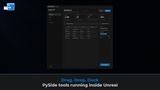
In-process Qt/PySide support: dock widgets created from Unreal's own Python.
Python and Blueprint API - attach by process ID or by exact window handle.
Searchable capture list with icon, title, process name, PID, and window size.
Non-destructive release: original style, extended style, owner, and position restored.
Custom title bar aware - apps that drag themselves are evicted cleanly, mid-gesture.
Anti-cheat detection: a blocked capture rolls itself back and tells you why.
Only the active tab's window renders, so background windows never paint over it.
Wildcard ignore list for filtering transient window classes out of the capture menu.
All settings in Project Settings > Plugins > Tool Dock.
Requirements
Unreal Engine 5.6+
Windows 10/11 (Win64 only)
Any application with a normal top-level window
For in-process Qt tools:
A Qt/PySide widget created from the editor's Python interpreter
Its window handle, from `winId()`
Tool Dock is an editor-only plugin. It does not ship in packaged builds and has no runtime cost in your game.
Disclaimer
Tool Dock is not affiliated with, endorsed by, or sponsored by any of the applications it is capable of embedding. All third-party product names, logos, and trademarks are the property of their respective owners. The plugin does not launch, modify, close, or terminate third-party software - it changes an existing window's style and owner while docked and restores both on release. It does not read, capture, transmit, or store the contents of any window it embeds.
Applications protected by kernel-level anti-cheat drivers cannot be captured. This is enforced by those drivers and is not something the plugin can or attempts to circumvent. Capture fails with a clear notification rather than silently.
Windows only. The embedding relies on Win32 window-ownership semantics that have no direct equivalent on other platforms.
The developer will endeavor to keep this plugin up to date, however operating system behaviour, third-party applications, and Unreal Engine editor APIs may change at any time without notice and continued compatibility cannot be guaranteed.