
설명
FULL DOCUMENTATION - VIEWABLE BEFORE PURCHASE: https://github.com/santoshMareddy/CineForge-Docs (feature guide, requirements, installation and screenshots)
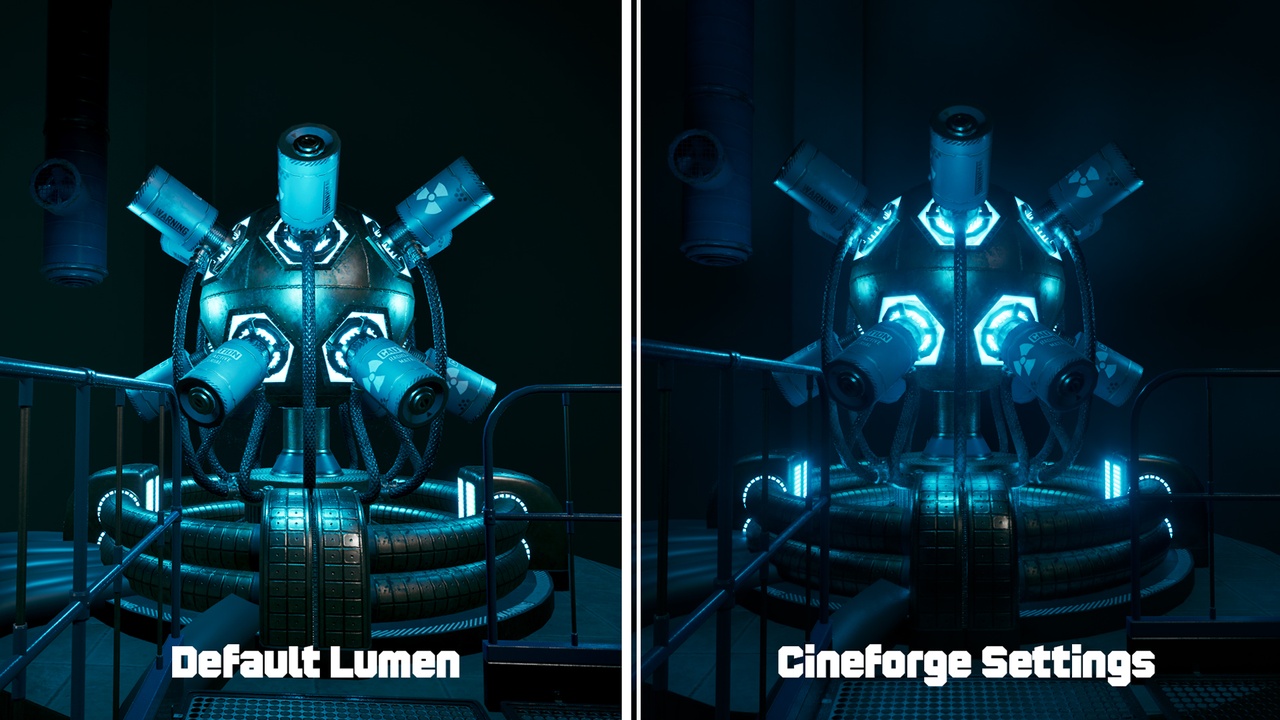
CineForge puts everything a UE filmmaker needs behind a single toolbar button and a dockable control panel: one-click Lumen quality setups, a crash-proofed Path Tracer mode, Movie Render Queue presets with Render Now, ACES color export, and real cinematic camera spawning.
LUMEN HQ — one-click global illumination setups
• Cinematic / Pro / Simple / Path Traced presets + Disable All
• Scene Validator reports your ACTUAL ray-tracing state (not a guess)
• Guided DX12 + SM6 + Ray Tracing setup with a one-click editor restart — no cryptic "no ray tracing data" errors
• Safe, cancellable Nanite enabling (current level by default, whole project opt-in)
• Curated fixes for the common Lumen "dark corner/edge" artifacts
• Persistent by design: settings are written to your project config the same way the Project Settings UI does. Disable All removes every entry the plugin ever wrote.
CRASH-PROOF PATH TRACER
• Reference path tracer preset with automatic viewport view-mode switching
• Only switches when the PT shaders actually exist in the session — a clear restart prompt instead of a crash
• Laptop-safe defaults (8 bounces / 512 spp)
MOVIE RENDER QUEUE
• Cinematic 4K: multilayer EXR + AOV compositing passes, 15 temporal samples, 14 render-time quality CVars
• Balanced 4K: 9 temporal samples, 5 quality CVars — Preview 1080p: pure speed
• Render Now: attaches the preset to the open Level Sequence and starts rendering immediately
• Save Preset writes a reusable MoviePipeline config to /Game/CineForge/MRQ — fully editable in the MRQ UI
ACES EXPORT
• One toggle switches the project Working Color Space to ACEScg and bakes an OpenColorIO ACEScg to ACES2065-1 transform into the Color Output
• Your EXRs become standard ACES interchange files that DaVinci Resolve and Nuke read directly
• Uses UE's built-in ACES config — no downloads, graceful fallback to linear ACEScg
CINEMATIC CAMERAS
• Six real lens presets from 14mm f/8 to 200mm f/4 on a Full Frame sensor
• Auto depth of field and actor-tracking focus (select an actor before spawning)
• Aspect-ratio presets: Full Frame 3:2, 16:9, 1.85:1, 2.39:1 anamorphic, 1:1
• Optional add-to-Sequencer (UE 5.5+) and viewport pilot on spawn
CONTROL PANEL
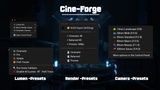
Everything above plus all option toggles in one dockable tab: Window → CineForge.
RELIABILITY FIRST
Compile-verified on UE 5.4, 5.5, 5.6, 5.7 and 5.8 — prebuilt Win64 binaries for all five engine versions, plus full source code. Windows editor, DirectX 12.
REQUIRED UNREAL ENGINE PLUGINS
CineForge requires the OpenColorIO and MovieRenderPipeline plugins (both ship with Unreal Engine). They are enabled automatically when you enable CineForge and are required for the plugin to function.
DOCUMENTATION
Full documentation, feature guide, requirements and screenshots (viewable before purchase): https://github.com/santoshMareddy/CineForge-Docs