

الوصف
Documentation: wiki.teufel-engineering.com/en/ConsoleDeck/documentation — the complete manual, readable in full before you buy: installation, API, settings, the demo map and a troubleshooting section.
There is no menu to maintain. Mark a function where it already lives and it is in the menu:
UFUNCTION(BlueprintCallable, meta = (ConsoleDeck = "Player|God Mode")) void ToggleGodMode();
ConsoleDeck brings no cheats of its own. It shows what your project can already do — on a gamepad, with no keyboard, and in a packaged Shipping build behind a lock.
The case that fails today
A tester on a pad, in a packaged build, needs to turn something on.
The console needs a keyboard and the command name from memory. UCheatManager is the same thing with a different owner. The Gameplay Debugger *shows* state and switches nothing. And a hand-written debug menu is a list somebody keeps up to date — two sprints later it is wrong: it does not know the function that was added yesterday, and it still offers the one that was deleted last week.
ConsoleDeck reads the reflection data instead of a list.
What it does
Builds itself from your code. One walk over every loaded class at startup finds each UFUNCTION carrying the ConsoleDeck metadata key, splits the value at the | into a section and a name, and that is the menu. Marked in C++ or in a Blueprint's function metadata — either way, it appears.
Gamepad first. D-pad and shoulder buttons, a focus frame, key repeat with acceleration so a range of nought to ten thousand is crossable without letting go of the stick. Every key is rebindable in the project settings. No mouse needed anywhere.
Types, not text. A bool becomes a switch. A number takes its limits from ClampMin / ClampMax. An enum becomes a choice. An FString becomes a text field, or a list of presets you name. The call goes through ProcessEvent with a packed parameter buffer — native functions, Blueprint functions and Blueprint events all behave the same.
Finds more than the player. Pawn, player controller, HUD, player state, GameMode, GameState, any actor in the level, actor components, and all four kinds of subsystem. A search list in the project settings loads classes nothing has touched yet, so a manager subsystem still turns up.
Honest when it cannot help. An entry whose target does not exist right now is greyed out with the reason — *"no GameMode of this class in this world — a client has none"* — instead of being left out. A missing button looks like a bug; a greyed-out one with a sentence next to it is information. It is also not callable: pressing the button writes the reason and does nothing else.
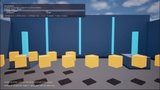
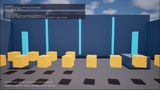
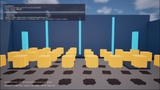
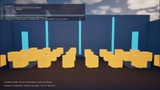
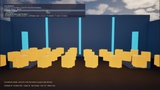
Says what it costs. The header of the menu carries what the class walk found and how long it took: 9 entries in 3 sections, scan 47.3 ms — that line is from the demo map that ships with the plugin, not an example. The walk runs once at startup, never on opening the menu, and the figure grows with the size of your project, so read it on your own project rather than on ours.
Survives the cook. Function metadata is editor-only data and does not exist in a packaged game — every tool that reads metadata at runtime has this problem, and most do not mention it. ConsoleDeck bakes the catalog into your project config in the editor and reads it back in the packaged build, limits and presets included. The header says which of the two you are looking at.
Present in Shipping, and shut. The menu is compiled into a Shipping build, because the bugs worth chasing are the ones that only happen there. It opens only after ConsoleDeck.Unlock <word> or when the project setting allows it, and an empty word means it cannot be opened at all. That lock is a lock on a door, not a safe — the word sits in a packaged ini file. If your cheats must be unreachable in a public build, do not ship the plugin in that build. The documentation says so in those words.
No UMG, no editor module. Drawn on UCanvas from an AHUD, so there is no widget tree for your project to cook, reference or keep alive, and the menu works in a level containing nothing but a floor. Two lines put it in a HUD class you already have.
What it is not
It does not replace the console — everything in the menu is also reachable by typing. It brings no cheats of its own. It is not a security feature. It cannot edit structs, objects or arrays: those parameters are shown greyed out with the type named, rather than pretending to edit an FVector and silently sending zeroes.