











الوصف
Instantly browse and apply 1001 cinematic .cube LUTs in Unreal Engine 5.5 with a built-in real-time selector widget
Bring Hollywood-grade color grading into your Unreal Engine workflow. Hypergrade delivers a library of 1 001 .cube LUTs covering 1970s film stocks through modern digital styles, plus a custom Editor Utility Widget for real-time browsing and application. No more context-switching to external tools: scroll through every look live in-editor, click to apply, and tweak intensity on the spot.
Key Features
1001 Professional .cube LUTs Authentic film-inspired grades from the 1970s to today, plus experimental bonus packs
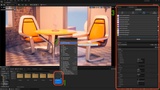
Real-Time LUT Browser Custom Editor Utility Widget lets you scroll through every LUT instantly without restarting
Add your custom LUTs to the Real-time Browser
Seamless FAB Integration Add Hypergrade directly via the “FAB” panel into your UE project
One-Click Application Click any LUT in the browser to immediately update your Post-Process Volume
Intensity Control Adjust LUT strength in real time with a simple sliderHYPERGRADE QUICK SETUP UE 5.5
Open your UE 5.5 project in the editor.
Launch the FAB panel (the “Add from Epic” button) and add Hypergrade LUTs to your project.
In the Content Browser, navigate to Content/HYPERGRADE/System.
Right-click HYPERGRADE Editor Utility Widget → Run Editor Utility Widget.
Use the live browser to scroll through all 1 001 LUTs and click to apply.
HYPERGRADE FAQ
I want to add my LUTs to HyperGrade Browser, how ?
Open BP_HYPERGRADE,
On the left side panel, inside "Functions", click the function that is named as "Destroy Save File and Refresh Hypergrade".,
Now on the right side panel, tick on the "Call in Editor" [ X ].,
Compile and Save.,
Go back to your viewport.,
Now you can destroy the save file and refresh Hypergrade with a click of a button (in HYPERGRADE_BP panel).,
Feel free to untick the "Call In Editor" when you don't need it.
For support, join our Discord here