Beschreibung
💬 Discord 🎬 Demo video 📘 Documentation 🎮 Playable Demo
🌐 WebUIX for Unreal EngineA native HTML/CSS UI plugin for Unreal Engine projects that want web-style authoring without embedding a browser.
WebUIX parses HTML and CSS directly inside Unreal, builds its own DOM, style, layout, and display-list pipeline, then renders through the engine's RHI path into UMG. It is designed for game UI workflows where Blueprint integration, startup/loading screens, mobile touch behavior, native assets, and predictable runtime cost matter.
🚀 Why teams use it⚡ Native rendering pipeline with no CEF, no Chromium, and no JavaScript runtime
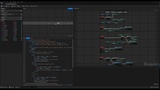
🧠 Blueprint and C++ integration for project-controlled UI events
🎬 Native video in your UI with editor playback, built-in controls, and Blueprint commands
📱 Desktop and mobile focused with iOS / Android touch, scroll, and packaging improvements
🎮 Full gamepad and controller support with automatic input-device detection, a virtual gamepad cursor, and D-pad/stick UI navigation
🎯 Works well for HUDs, menus, shops, settings, loading screens, and tool-like game UI
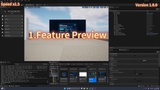
🧪 Built-in demos, editor tools, and preview workflows for fast iteration
📄 Author UI with HTML and CSS assets
🧱 Use WebUIX widgets directly inside UMG and Blueprint
🔁 Call Blueprint / C++ functions from HTML events
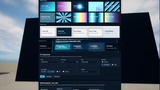
🎨 CSS layout, gradients, shadows, transforms, transitions, and animations
▶️ Native <video> elements with local Movies files, UE MediaSource assets, online MP4, and HLS through a compatible media backend
🌍 Localization-friendly text with runtime culture switching
🙂 Custom emoji glyph system with downloadable, importable, and bakeable icon packs (Twemoji / OpenMoji / Noto-compatible folder format) — download the common Twemoji pack
🧩 Custom HTML components backed by Unreal logic
🖥️ Startup UI and map loading UI through WebUIX Loading Studio
📊 LoadingConfig support for progress text, minimum display time, and branded loading pages
👆 Multi-touch capable input path for mobile UI, virtual controls, drag, click, and grouped interactions
🎮 Gamepad input-device detection, virtual cursor, configurable button bindings, and keybind icon prompts that follow the active device
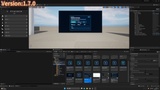
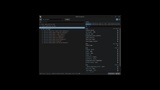
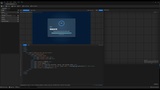
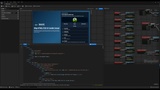
🔎 Built-in editor, preview, demo pages, and inspection tools
Add trailers, animated panels, tutorials, or live media to your Unreal UI. Author a <video> element alongside your existing HTML/CSS, preview playback in the editor, and control it from Blueprint.
🎚️ Native play/pause, seek, time, mute, volume, and loading/error controls
📂 Video source picker for MediaSource assets, Content/Movies MP4 files, and direct online MP4/HLS URLs
🖼️ Poster images, autoplay, looping, object-fit, rounded corners, clipping, and transforms
🧠 Blueprint playback commands, media state queries, and loading, buffering, progress, end, and error events
🧵 GPU texture presentation without per-frame GPU-to-CPU readback
🐰 Included licensed Big Buck Bunny showcase with a hosted HTTPS source and optional offline media
Video playback depends on the target platform, enabled media backend, and codec. H.264/AAC playback has been verified in documented Windows configurations; macOS, Linux, Android, and iOS video playback remain under validation. Use direct media URLs; video website pages, DRM, and startup preload video are outside the supported scope.
🔥 Rendering and performance focusWebUIX is built around real-time native UI rendering. Recent work improves rounded edges, border quality, text clarity, backdrop filtering, retained painting, animation updates, scrolling, touch input, and click refresh paths.
🧵 RHI render target output for UMG presentation
🧱 Retained painting and dirty-region updates for interactive UI
🔍 Sharper edge and text rendering for high-quality interface panels
🎮 Optimized runtime paths for animation, scrolling, touch, and frequent UI changes
🧭 Improved hit testing for nested text, grouped buttons, dropdowns, radio/checkbox states, and drag targets
✅ WebUIX runtime widgets and user widgets
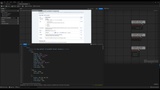
✅ Editor tools for HTML/CSS assets and WebUIX widgets
✅ Loading Screen Studio for startup and map loading pages
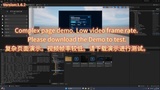
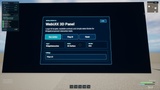
✅ Built-in demo maps, HUD examples, template pages, and 3D Widget samples
✅ Native Video showcase, media examples, and Blueprint playback APIs
✅ Mobile-ready demo content for touch, scroll, multi-touch, loading, and localization testing
✅ Localization resources and setup scripts
✅ Documentation, hosted online
Game HUDs, native HTML/CSS menus, loading screens, inventory pages, store UI, quest panels, settings screens, dashboard-like tools, and projects that want web-style UI authoring while staying inside Unreal's native runtime.
Designed for Unreal Engine teams that want HTML/CSS productivity without turning the UI layer into an embedded browser dependency.