Beschreibung
Design Complete Unreal Engine Interfaces in Minutes
Stop rebuilding the same menus, panels, HUDs, buttons, and responsive layouts for every project.
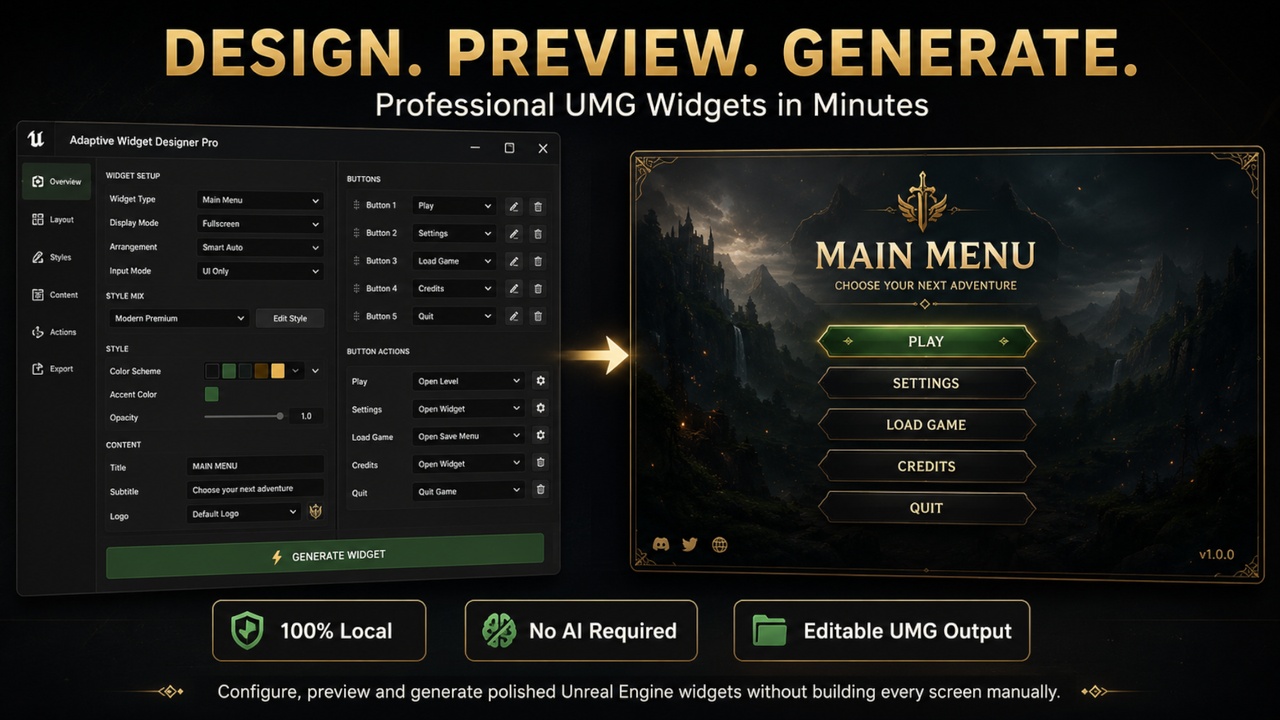
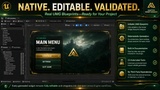
Adaptive Widget Designer Pro is an Unreal Engine editor tool for creating polished, responsive, functional, and fully editable UMG Widget Blueprints through a guided visual workflow.
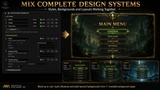
Choose the widget purpose, combine complete design systems, configure layouts and content, inspect the live preview, and generate the finished Widget Blueprint with one click.
Instead of manually adjusting colors, margins, corner radii, typography, shadows, button states, backgrounds, animations, and responsive settings, the plugin harmonizes everything into one consistent design.
No AI. No online service. No telemetry. No vendor lock-in.
Every result remains a standard Unreal Engine Widget Blueprint that can be opened, edited, and integrated into your project.
From Idea to Finished Widget
Professional UMG interfaces require more than placing a few buttons.
You must define layout structure, typography, spacing, interaction states, backgrounds, responsive behavior, navigation, animations, actions, and connected menu flows.
Adaptive Widget Designer Pro brings these decisions together in one workflow.
Select what the widget should do, choose how it should look, refine the settings, and inspect the finished design before generating it.
The result is not a static mock-up or locked format. It is a real, editable Widget Blueprint.
Designed for Every UI Situation
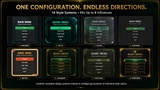
Create foundations for:
• Main Menus
• Pause Menus
• Settings Screens
• Confirmation Dialogs
• Inventories
• Shops
• HUDs
• Tooltips
• Notifications
• Loading Screens
• Character Selection Screens
• Dialogue Interfaces
Each purpose receives suitable content, layouts, elements, and responsive behavior.
A Main Menu is not treated like an Inventory, and a HUD is not treated like a Settings Screen. The generated structure adapts to its selected purpose.
Massive Design Variety Without Complexity
Combine:
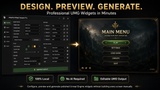
• 14 complete built-in style systems
• Up to 8 weighted style influences
• 21 layout arrangements
• 4 display modes
• 128 purpose-specific UI elements
• 17 stackable background types
• 6 previewable interaction states
• Deterministic variations and randomization
• Editable content, dimensions, and responsive settings
Mix styles such as Modern, Glass, Sci-Fi, Elegant, Minimal, or Retro.
Style influences are harmonized into one coherent result. Colors, spacing, typography, shapes, backgrounds, and visual hierarchy are adjusted together.
Generate close variations, explore different designs, or reproduce previous results using fixed seeds and granular locks.
Exact Live UMG Preview
See the design before generating it.
The live preview uses the same core design data and background implementation as the generated widget, letting you inspect the actual result instead of a simplified representation.
Refine and test the interface directly inside the editor before creating the final assets.
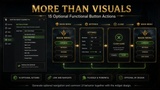
Functional Button Actions
Generated buttons can already contain configured functionality.
Assign one of 15 optional actions, including:
• Open Widget
• Close Self
• Close Opened Widgets
• Go Back
• Open Level
• Restart Level
• Quit Game
• Pause, Resume, or Toggle Pause
• Open URL
• Execute Console Command
• Toggle Named Widget
• Custom Blueprint Event
Only settings relevant to the selected action are displayed, keeping the interface clean and beginner-friendly.
All generated logic remains editable afterward.
Powerful Linked Widgets
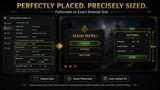
Any generated button can automatically create and open another configured Widget Blueprint.
Linked widgets support:
• Fullscreen overlays
• Desired-size panels beside a button
• Exact custom dimensions
• Right, left, above, or below placement
• Horizontal and vertical alignment
• Automatic content fitting
• Transparent outer areas
• Viewport clamping
• Foreground placement
• Optional second-click closing
• Keyboard and gamepad focus
• Pause-while-open behavior
• Style inheritance
• Functional Close buttons
Linked widgets can be opened and tested directly inside the live preview before generation.
This makes it possible to design connected menu flows instead of isolated screens.
Responsive HUD Creation
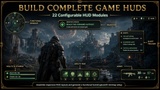
Build HUDs from 22 independently configurable modules, including health, armor, stamina, ammo, objectives, hotbars, compass elements, status effects, party frames, boss bars, damage indicators, and minimaps.
Every module has its own position and size presets, with optional exact coordinates and dimensions.
Create survival HUDs, shooter layouts, RPG interfaces, party systems, boss encounters, and custom combinations.
Advanced Background Mixing
Use no background or combine up to eight ordered layers from 17 types, including:
• Style and solid fills
• Borders
• Native background blur
• Frosted glass
• Screen dimming
• Vertical and horizontal gradients
• Grid and scanline patterns
• Checker and diagonal-stripe patterns
• Accent frames
• Radial glow
• Vignette
• Textures
• UI materials
Create anything from clean minimalist layouts to premium glass interfaces or cinematic sci-fi panels.
The same background system is used by the preview and generated widgets.
Beginner-Friendly, Expert-Capable
Three progressive workflows keep the tool approachable:
Quick
Essential settings and complete automatic design systems.
Advanced
Element composition, dimensions, responsive behavior, style mixing, and additional locks.
Expert
Exact values, Design DNA controls, diagnostics, and production output options.
Beginners can create strong results quickly, while advanced users retain detailed control.
Presets, Variations, and Comparison
The plugin includes:
• Deterministic variants
• Fixed generation seeds
• Granular design locks
• Presets
• Favorites
• Generation history
• A/B comparison
Lock the parts you like and regenerate only the remaining properties.
Production-Oriented Output
Optional output features include:
• Keyboard and gamepad navigation
• Input-hook function shells
• UMG animation tracks
• Style Data Assets
• UI material instances
• Reusable child widgets
• Test widgets
• Descriptor metadata
Generation can validate Blueprint compilation, descriptor parity, hierarchy, contrast, focus, navigation, and output quality before reporting success.
This helps turn generated designs into practical project assets instead of disposable prototypes.
Fully Editable and Project-Friendly
Every generated result is a standard Unreal Engine Widget Blueprint.
You can edit the hierarchy, replace elements, change text and images, add Blueprint logic, extend button behavior, connect project systems, reuse child widgets, and modify materials or animations.
You remain in control of the final result.
Key Features
• 12 purpose-aware widget types
• 4 display modes and 21 layouts
• 14 complete mixable style systems
• Up to 8 weighted style influences
• 128 selectable UI elements
• 22 configurable HUD modules
• 17 stackable background types
• 6 previewable interaction states
• Exact responsive live UMG preview
• Automatic linked-widget generation
• Exact dimensions and viewport alignment
• 15 optional functional button actions
• Functional SceneCapture2D minimap
• Deterministic variants and randomization
• Presets, favorites, history, and A/B comparison
• Keyboard and gamepad navigation
• Optional UMG animation tracks
• Reusable child-widget generation
• Style Data Assets and UI material instances
• Fully editable Widget Blueprints
• Integrated validation and diagnostics
• Structured in-editor documentation
• Local, deterministic, rule-based generation
• No AI, telemetry, online service, or third-party dependency
Ideal For
• Solo Developers
• Blueprint Developers
• UI Designers
• Indie Teams
• Prototypes and Game Jams
• RPGs, Shooters, Survival Games, Strategy Games, and Simulations
• Projects that need consistent UI foundations
• Developers who want to spend less time configuring UMG manually
Design More. Configure Less.
Stop rebuilding common interface structures from scratch.
Create responsive layouts, mix complete design systems, connect functional screens, preview the result, and generate editable Widget Blueprints in minutes.
Adaptive Widget Designer Pro gives you a faster path from an interface idea to a polished and functional Unreal Engine UI.
Choose. Preview. Generate. Edit.
If you have any questions, suggestions for improvements, or would like to report a bug, please send me an email at:
PLEASE leave a Review!!! Thanks!