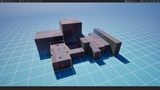
Opis
Scale actors by dragging faces of their bounding box — the opposite face stays pinned. Alt-drag a face to array, right-click it to mirror. Tap R twice and it's just there. No modes, no panels, no learning curve.
YouTube (full walkthrough, recorded): https://www.youtube.com/watch?v=46ABtuusIV8
2.0 Update video https://www.youtube.com/watch?v=027y6RD__68
DOCS: https://hauntedostrich.com/scalebox/docs/
Unreal's scale gizmo scales around the pivot. So every time you stretch a wall to meet the floor, you scale… then move… then scale again. ScaleBox is the tool you never knew you were missing: the box-style scaling workflow you'd expect coming from tools like Blender, built natively into the UE level editor.
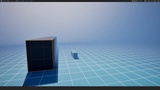
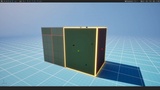
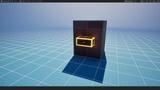
Tap R twice. First press: the normal scale gizmo, untouched. Second press: the gizmo becomes your selection's bounding box, with a handle on every face and corner. Drag a face — the opposite face stays pinned, so the thing you're scaling stays planted on the floor and flush against the wall. Tap R again and you're back to vanilla. There's also a Box Scale toolbar button next to W/E/R if you prefer clicking.
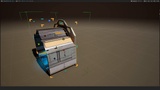
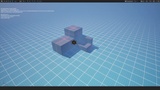
New in 2.0 — the box lays things out, too. Hold Alt and drag a face handle: instead of stretching, copies stamp out flush along that axis, one per box length, with a live count. Pull back and they vanish; let go and the whole row is selected. Right-click a face handle to mirror, offset, or duplicate across that face — build half an archway, pick Duplicate and Mirror, and the other half lands already flush.
Features
Face handles scale per-axis with the opposite face pinned; corner handles scale uniformly from the opposite corner, or free-form with each axis following the cursor
Edge handles scale two axes at once with the opposite edge pinned
Alt + drag a face = array: live, flush copies along that axis with a running count; one undo step for the whole row
Alt + drag an edge = stairs: the copies step diagonally across that edge, so one tread becomes a staircase in a single drag (corners step on all three axes)
Array Spacing: set a gap between array copies from any handle's right-click menu (an interval, a typed value, or the editor grid size); flush is the default
Lights come along: lights, cameras and other actors with nothing to scale ride with the selection through scales, arrays, mirrors and offsets (position only)
Menu icons: every right-click entry has an icon that shows what it does, with an optional icon-only menu
Right-click a face = Mirror Across Face, Mirror in Place, Offset Across Face, each with a Duplicate version — exact on rotated actors and rotated multi-selections
Right-click an edge or a corner = mirror or offset about that edge, or mirror about that corner, with Duplicate versions
World or local group box: one toggle on the handle menu, so a rotated row can be scaled or arrayed again along its own directions
Shift = symmetric scale about the center · Ctrl = invert grid snap · V = smart snapping (point the cursor at any geometry and the dragged face jumps flush to it; point near a mesh vertex and it snaps to the vertex) · Esc = cancel drag
Live dimension readout while dragging
Grid snapping that respects your editor snap settings without disturbing off-grid placement
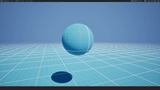
Drag past zero to mirror (sticky threshold so it never happens by accident)
Works on any actor type with geometry — including volumes, box collisions, nav meshes, and triggers, not just meshes — with full multi-select support and rotated selections handled
One undo entry per drag; construction scripts re-run on release
Two handle styles — Solid cubes and wedges, or Minimal (a thin box outline with small flat dots)
Handle sizes, colors (with Classic, Synthwave and Haunted presets), and snap behavior tunable in Editor Preferences → Plugins → ScaleBox
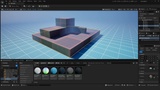
Bonus: a fully procedural, zero-texture scaffold/blockout material set
What it isn't: an editor mode, a new toolbar, a panel, or a framework. Everything lives on the handles you're already dragging. It's editor-only (zero runtime/shipping footprint) and stays out of your way until the second R press.Technical details block
Code plugin, 1 module (ScaleBoxEditor, Editor, Default loading)
Number of C++ classes: ~8 (gizmo, ed-mode, handle component, settings, commands, module)
Network replicated: No (editor-only)
Documentation: https://hauntedostrich.com/scalebox/docs/
Important: editor-only module — adds nothing to packaged games
Contains content: yes (optional scaffold/blockout materials under /ScaleBox/Materials)