
Description
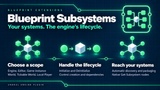
Create systems for your game, levels and players using Blueprint.
Keep data between level changes with a Game Instance subsystem, or create a separate system for each local player. Unreal Engine creates and manages the subsystems for you. No C++ required.
A subsystem holds data and logic that other Blueprints can access through a Get Subsystem node. You can use one for a quest manager, a level's event system or your own editor tools.
Choose where your system runs
The plugin supports all six subsystem types:
Game Instance — keep session data, such as quest progress, between level changes.
World — give each world its own system, such as a manager for level events.
Tickable World — add a Tick event when a world system needs to update every frame.
Local Player — keep separate data for each local player, including split-screen players.
Editor — run shared editor tools or project checks while the editor is open.
Engine — share a system across the running engine, such as a central event service.
Control your system with Blueprint events
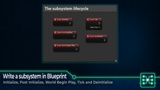
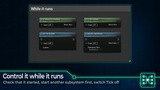
Use Initialize to set up your system and Deinitialize to clean up when it ends. Other events let you react when play begins, update each frame or handle a local player's controller changing. The available events depend on the subsystem type.
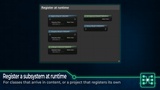
You can also choose which worlds run a subsystem and make sure another subsystem is ready first.
Use your subsystems in packaged games
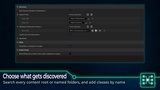
The plugin finds your subsystem Blueprints and includes them when you package the game. You can choose the folders it searches or select individual subsystem classes in Project Settings. Editor subsystems stay in the editor.
Create your first subsystem
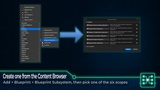
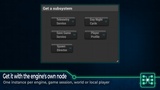
Create a Blueprint Subsystem in the Content Browser, choose its type and add your logic. Access it from other Blueprints with Unreal Engine's standard Get Subsystem nodes. The engine handles creation, so you do not need to place a manager actor in each level.
Full C++ source is included.
Also available in Blueprint Unchained: get this plugin together with Blueprint Quaternion, Blueprint Instanced Struct and Blueprint Project Settings in one package.
Documentation: Blueprint Subsystems documentation
Support: ask questions, get help and suggest features in #blueprint-subsystems on Discord.