
Beschreibung
Build skill trees, talent grids and tech trees as data in a dedicated graph editor, and rebalance them without rewriting progression code.
This plugin is fully standalone and requires no other Crimson plugin. For the in-editor wiki (documentation for this plugin and the rest of the suite) and extras such as the message bus, player classes, modular actors and editor utilities, download the free CrimsonCommon plugin from Fab.
Progression designs change many times before they ship. When unlock order, costs and rewards live in code, every rebalance needs more programming, and the tree falls behind the design.
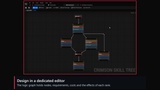
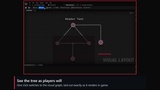
Crimson Skill Tree gives you a foundation for any structure where nodes unlock other nodes. Each tree is one asset with two graphs: a logic graph for rules (prerequisites, conditions, costs and rewards) and a visual graph for the layout players see, with live widget previews. The runtime tracks each player's progress per tree, replicates it, and grants Gameplay Ability System abilities and effects as nodes are bought. It fits onto existing actors without changes to your base classes, and works from Blueprint or C++.
✨ FeaturesAny tree structure — skill trees, talent grids, tech trees, upgrade paths, multi-level nodes and optional cyclic graphs.
Two-graph editor — author rules on the logic graph and layout on the visual graph, with sub-nodes for conditions, events and costs, bridge and junction nodes, reroutes, decorations and 11 validators that jump to the offending node.
Costs from anywhere — flat or curve-scaled costs paid from an actor property, a Gameplay Ability System attribute or your own source, with multiple currencies per tree.
Unlock conditions — parent level, a specific node's level, an attribute threshold, points spent in the tree, AND/OR composites, and conditions on individual connections. Write your own in Blueprint or C++.
Rewards — grant gameplay abilities, apply gameplay effects scaled to the node's level, or change a number on the owning actor, and add your own node events.
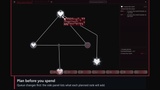
Planning and respec — stage a set of changes, price and validate them before committing, preview what they do to your attributes, and respec in one server call.
Loadouts — save, restore, export and import named builds.
UI helpers — why a node cannot be bought (with the player-facing reason), what it requires and whether each requirement is met, search by name or effect, the path to a node, and a gamepad and keyboard navigation map for free-form node layouts.
Connection lines — per-connection shape curves edited on the line, material-driven lines with animated fill on purchase, per-state styles (locked, unlockable, active, maxed) and hover.
Widget building blocks — node, junction, decoration and tooltip widget bases, a single connection layer widget and node materials to build your tree screen on.
Multiplayer — server-authoritative purchases with delta replication of node state and resource spending.
Delivery and saves — trees added by a Game Feature action or granted at runtime, save data per tree, and a live Play in Editor debugger that tints nodes by state, plus Tools > Skill Tree Dev Tools.
Rules and layout are separate graphs, so designers can rebalance a tree without breaking its look, and restyle it without breaking its rules.
Modular gameplay first: the manager attaches to your existing player state instead of forcing a new class hierarchy.
Planning runs the same checks as a real purchase, so the UI never promises what the server will refuse.
Install the plugin from Fab, enable it in Edit > Plugins and restart the editor. Fab ships it prebuilt, so it works in Blueprint-only projects.
Create a skill tree asset from the Content Browser (Crimson > Skill Tree Asset), add skills on the logic graph and connect them to set the unlock order.
Give each skill its costs, conditions and events, arrange the visual graph, and add the tree's folder to Project Settings > Crimson > Crimson Skill Tree so it is cooked.
Add the skill tree manager to your player state and list the trees it owns, or use the Add Crimson Skill Tree Game Feature action.
Build your tree screen on the node and connection widgets, and buy, refund and respec nodes through the manager from Blueprint or C++.
It depends on the engine's Gameplay Abilities, CommonUI, Enhanced Input, Game Features, Modular Gameplay, SlateIM and Gameplay Tags Editor plugins, which ship with Unreal Engine and are enabled with it. The runtime module ships with packaged builds, and the editor module is left out of them. The plugin uses no third-party libraries, external SDKs or paid plugins.
⚠️ LimitationsWindows (Win64) only.
No finished tree screen is included: the plugin ships widget bases, the connection layer and node materials, and you build the screen. A complete screen with pan, zoom, rebindable input and gamepad navigation is available in CrimsonCore, the free Crimson showcase project, as a reference.
No sample trees or demo map are included.