الوصف
Demo Video: https://youtu.be/IDXSfl0UzBk?si=KBfY69xLZVNcI6Yi
Quick Start (Try It in 5 Minutes)
Want to see it running immediately? Use the included demo setup:
Copy the plugin into your project's Plugins/ folder and reopen the project.
Add to DefaultInput.ini:
[/Script/EnhancedInput.EnhancedInputUserSettings]
bEnableUserSettings=TrueEnable Project Settings > Engine > Enhanced Input > Enable User Settings.
Set your level's GameMode Override to BP_NativeSettingsDemoGameMode.
Play and press Tab. That's it — the fully wired demo character and settings UI are ready to go.
A Production-Ready C++ Native Settings System for Unreal Engine 5.4+
Compatible with UE 5.4, 5.5, 5.6 and 5.7.
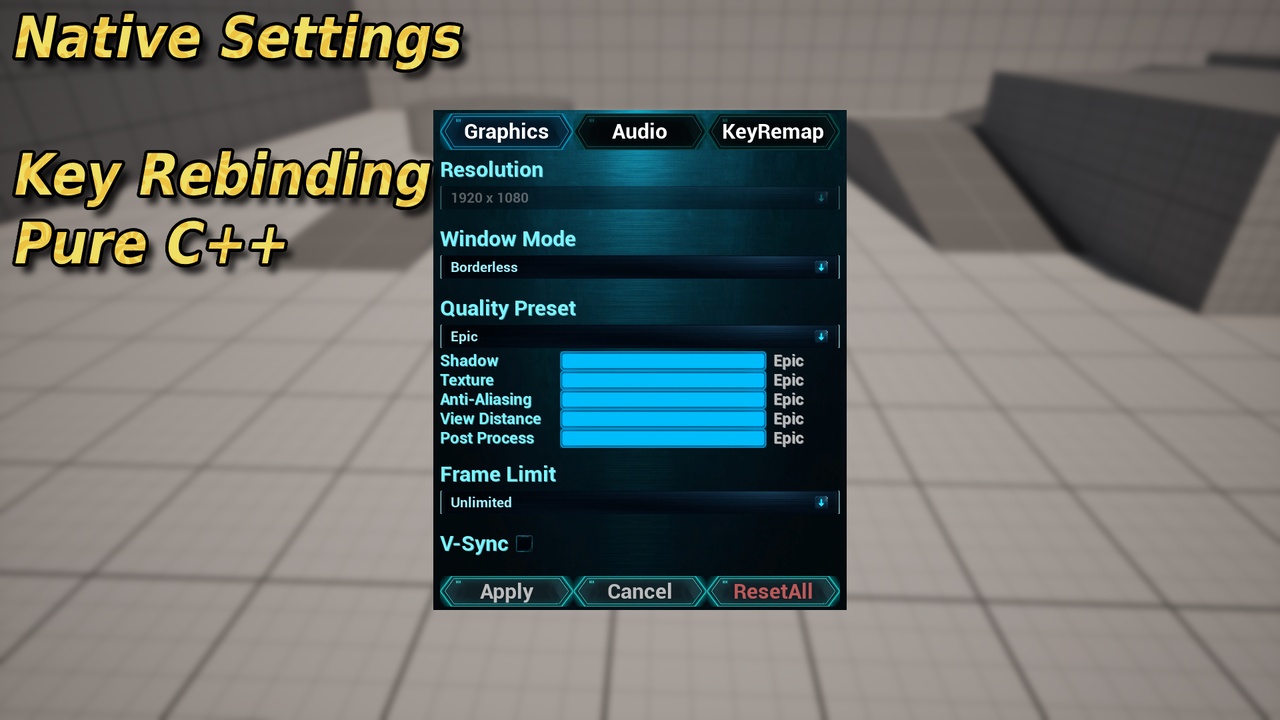
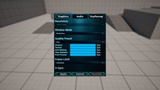
Features a complete, high-quality Sci-Fi Dark Metal & Neon Cyan UI theme. Powered by GameInstanceSubsystem and Enhanced Input, this plug-and-play solution provides everything you need to implement a modern, optimized options menu in your game instantly.
Key Features
Graphics & Display Settings
Smart Resolution Control: Seamless resolution changes featuring a 15-second auto-revert countdown and confirmation dialog.
Window Modes: Out-of-the-box support for Borderless and Windowed modes.
Scalability Presets: Low / Medium / High / Epic / Custom with granular individual sub-settings (Shadow, Texture, Anti-Aliasing, View Distance, Post Processing).
Frame Rate & Sync: Frame Rate Limit toggles (30 / 60 / 120 / Unlimited) and full V-Sync support.
Audio System
Granular Volume Controls: Master, BGM, SFX, and Voice volume sliders (0-100%).
Mute All Toggle: Instantly mute all audio channels with a single checkbox.
Real-Time Sync: Powered by a robust Sound Mix and Sound Class architecture for instant, real-time audio updates.
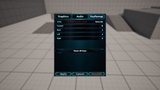
Enhanced Input Key Remapping
Modern Integration: 100% compatible with Unreal Engine's built-in Enhanced Input System.
Conflict Detection: Real-time key conflict detection with inline error warnings to prevent duplicate bindings.
Instant Reset: "Reset All Keys" functionality to revert back to DataAsset defaults.
System Architecture
Persistent SaveGame System: Automatically saves user configuration to disk, and loads/applies them on startup.
Global Subsystem Access: Easily access the settings framework from anywhere via UGameInstanceSubsystem.
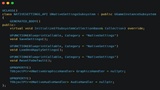
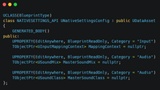
Data-Driven Workflow: Easily configure your setup via UDataAsset (NativeSettingsConfig).
What's Included
Fully functional C++ Plugin Source Code.
Cyberpunk/Sci-Fi themed UI Widget Blueprints (WBP).
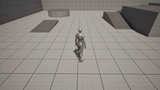
Complete Demo Character Blueprint (BP_DemoPersonCharacter) with input setup, fully self-contained inside the plugin.
Demo GameMode Blueprint (BP_NativeSettingsDemoGameMode) for instant testing — no external project setup required.
Ready-to-use Example DataAsset (DA_NativeSettingsConfig).
Clean, production-ready, and well-commented code structure.
Full Integration Guide
Enable Enhanced Input plugin in Project Settings
Add to DefaultInput.ini:
[/Script/EnhancedInput.EnhancedInputUserSettings]
bEnableUserSettings=TrueIn BP_YourCharacter BeginPlay:
Get Player Controller → Set Input Mode Game Only
Get Game Instance Subsystem (NativeSettingsSubsystem) → Initialize With Config (DA_NativeSettingsConfig)
To open the Settings UI, bind a key (e.g. Tab) to: Create WBP_NativeSettings → Add to Viewport → Set Input Mode Game And UI → Set Show Mouse Cursor true
(See BP_DemoPersonCharacter for reference implementation)
Assign your IMC and SoundClasses in DA_NativeSettingsConfig
For audio volume control, make sure each Sound asset's Sound Class is set to the matching channel (e.g. SC_BGM for music, SC_SFX for effects).
Important Limitations
Single-Player Focus: Tailored for single-player/client-side rendering. Network replication for multiplayer dedicated servers is not included.
Demo Level Background: The demo level's background environment (floor, lighting) uses Epic's Starter Content, which is not packaged inside the plugin. All gameplay logic, the demo character, and the demo GameMode are fully self-contained within the plugin.
Platform Compatibility: Windows platform only. Mac/Linux/Consoles are not officially supported.
Technical Details
Engine Version: Unreal Engine 5.4 – 5.7
Type: Code Plugin (C++)
Input System: Enhanced Input
Network Replicated: No
Supported Target Platforms: Windows
AI Disclosure
Some promotional icons used in the demo maps are AI-generated. The plugin source code, logic, and UI layouts are 100% handcrafted and fully compliant with FAB policy (CreatedWithAI).
Documentation: https://drive.google.com/file/d/1-lG5JKmmYfJTUcOzt2cqkq2Q0cd343Rc/view?usp=sharing