Descripción
A powerful, production-ready rebinding system for Unreal Engine's Enhanced Input. Features multi-profile management, automatic conflict detection, Steam/EOS cloud sync, and easy Blueprint integration. Save weeks of development time on your options menu!
🚀 Key Features
Seamless Integration & Workflow
Plug-and-Play Enhanced Input: Fully compatible with Unreal Engine’s Enhanced Input System. Works with your existing Input Action and Input Mapping Context assets with zero extra configuration.
Blueprint & C++ Support: Architected for flexibility. Use high-level Blueprint nodes for rapid UI development or deep C++ integration for core systems.
Developer-Ready Demo Tools: Includes an AInputRebindingDemoActor and example widgets to get your rebinding menu functional in under 5 minutes.
Advanced Rebinding Logic
Real-time Runtime Application: Instantly apply new keybindings without restarting the game or reloading levels using the ApplyRuntimeMappings system.
Smart Conflict Detection: Built-in logic to detect and resolve overlapping keybinds. Provides detailed conflict info so you can prompt users to "Swap," "Replace," or "Cancel."
Reserved Key Protection: Easily protect critical keys (like Escape, Tilde, or F-keys) from being accidentally rebound, ensuring players never get locked out of menus.
Validation Rules: Implement custom logic to restrict specific keys (e.g., preventing movement actions from being bound to the NumPad).
Reserved Key Protection: add and remove alternative keys easily.
Robust Profile & Save System
Multi-Profile Management: Create, save, load, and delete multiple input profiles. Perfect for local co-op or players sharing a single machine.
Automatic Persistence: Robust save system that stores player preferences locally.
Cloud Sync Ready: Built-in support for Steam Cloud and Epic Online Services (EOS). Sync player controls across different devices effortlessly.
One-Click Reset: "Reset to Defaults" functionality caches original mappings, allowing players to revert individual actions or the entire configuration instantly.
User Experience & UI
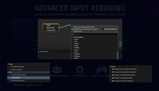
Flexible UI Base Classes: Inherit from RebindingWidgetBase to create high-end, custom-branded menus with built-in event handles for "Capture Started," "Capture Complete," and "Conflict Detected."
Cross-Platform Icon Support: Features a utility to detect input device types (Keyboard, Mouse, Gamepad), allowing you to dynamically display the correct icons to the player.
Smart Input Capture: A dedicated InputCaptureComponent handles the "Press any key" logic, including configurable timeouts and mouse movement filtering.