설명
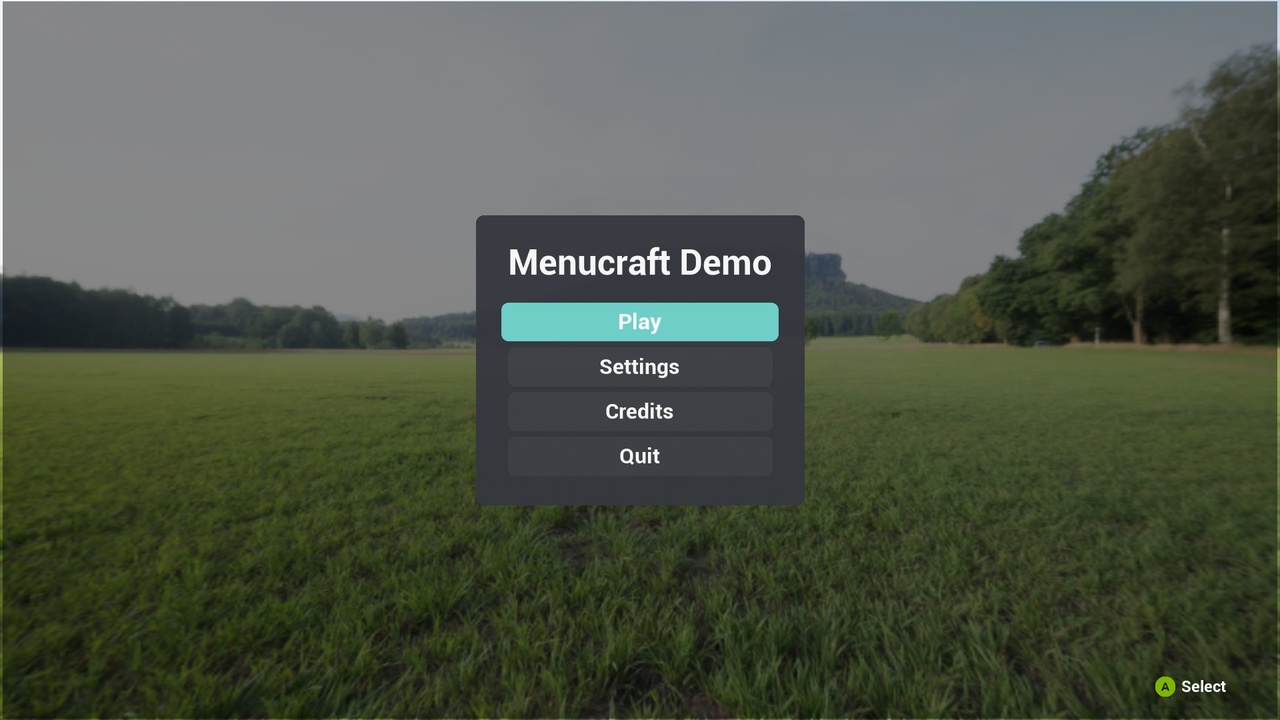
Menucraft gives your game the menus every game needs, finished, and built the way Epic builds Lyra: on CommonUI and Enhanced Input, in C++, so it works with your project instead of fighting it.
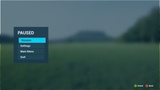
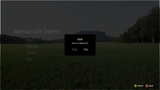
A few lines of config and one node. Enable the plugin, paste the setup from the docs, call Show Main Menu. Your game now has a main menu, a pause menu, a settings screen, confirm dialogs, button prompts and a loading screen.
Made for controllers first. Every screen works with a gamepad alone, with mouse and keyboard, or both mixed. Focus never gets lost: each screen opens on the right button, closing a dialog returns focus to the button that opened it, and the mouse and the controller share one highlight.
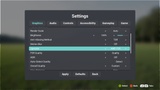
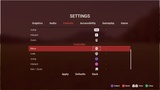
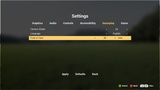
A real settings screen. Five tabs with live preview, Apply, Defaults and "discard changes?":
- Graphics: window mode, resolution (with "keep these settings?" and an automatic revert), VSync, frame rate limit, render scale, brightness, anti-aliasing method, motion blur, upscaler (AMD FSR, NVIDIA DLSS, Intel XeSS, when the project has the plugin), HDR, overall and per-group quality, auto-detect
- Audio: master, music, effects, voice
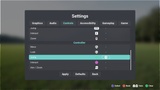
- Controls: mouse and controller sensitivity, invert Y for each, vibration, button prompt style, every remappable key
- Accessibility: subtitles and size, colorblind modes with strength, interface scale
- Gameplay: camera shake, language
Hide any tab or row by name and put the tabs in your order; number settings show a bar, and the mouse can click the arrows. Sensitivity, invert Y, camera shake and subtitle size are stored for your game to read (one node); everything else Menucraft applies itself.
Add your own settings without code. Field of view, difficulty, damage numbers: list them in Project Settings and they appear on the settings screen (on a built-in tab or a new one), saved and reverted like the rest. Read them with one node, react with one event.
Remap everything, including sticks and triggers. Keys, buttons, mouse axes, the wheel, triggers and sticks. Move the right stick on "Move" to swap the sticks. Two keys per action, and a key can be cleared. A key already in use swaps places within its input context, so E can still mean Interact on foot and Exit in a vehicle. Built on Enhanced Input User Settings, saved per player.
Button prompts that follow the player. Xbox, PlayStation, Switch and keyboard/mouse icons (181 icons, CC0), switching between keyboard and controller art the moment the player touches the other. On PC a plugged-in PlayStation or Switch controller gets its own buttons, and players can pick the style themselves.
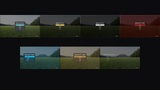
Themes from one Data Asset. Colours, corner radius, spacing, fonts and sounds for every screen, plus menu alignment (centre, left or right), a logo in place of the title, five button shapes (rounded, square, pill, underline, text only), focus motion (grow, slide, pulse), screen transitions (fade, slide, zoom) and a background per screen (dim, blur, image or looping video), with no widget to edit. Seven themes included: Card, Amber, Mono, Horror, Sci-Fi, Fantasy and Minimal, and players can switch between the ones you allow, from the settings screen.
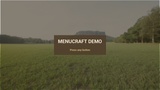
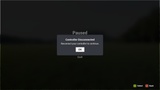
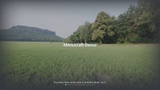
From launch to the menu. Studio logos or videos, then a "press any button" title screen with your logo, then the main menu. When the controller disconnects mid-game, the game pauses and asks to reconnect it.
Your menus, your buttons. List the main and pause menu buttons in Project Settings: Play, Resume, Settings, Credits, Quit, open your own screen, or fire an event for Continue, Load Game or anything else. Credits by section, rolling like a film's. Menu music that fades out when the player starts.
Translated into 10 languages. Menucraft's own text ships in Portuguese (Brazil), Spanish, French, German, Italian, Polish, Russian, Japanese, Korean and Simplified Chinese, and follows your game's language.
A loading screen you can make your own. On engine startup and every level load: your art (cross-fading during long loads) or a looping video, a name, description, art and tips per map, seven layout spots for the title, tip, indicator and logo, a spinner, dots, progress bar or spinning logo, its own colours and fonts, vignette, slow zoom, fades in and out, and "press any button to continue". It keeps animating while the level loads, and stays until the level has streamed in and your game says it's ready (one Hold Loading Screen node), so players never see the world pop in.
Lay it out in the Designer, or don't. Every screen builds itself and follows the theme with nothing to edit. To design one yourself, duplicate its Widget Blueprint (eight included: main menu, pause, settings, credits, confirm, notice, title screen, splash), move and restyle anything, and Menucraft still fills in the buttons, tabs, rows and prompts.
Blueprint friendly. A Show Confirm node with Yes/No pins, Show Notice, Request Play / Main Menu / Quit, Push Screen on four layers, and helpers to build your own themed screens in a Widget Blueprint. Every built-in screen can be swapped for your subclass in Project Settings.
Tested, not just compiled. Each release is driven end to end by an automated test with a simulated gamepad (over 150 checks: opening sequence, every screen, tab, value change, brightness, anti-aliasing, remap, second key, clearing, stick swap, discard, confirm, pause, controller disconnect, the loading screen and its hold, menu music, a theme switch and a reverted resolution change) on UE 5.6, 5.7 and 5.8, in a standalone game, in Play In Editor, in packaged Development and Shipping builds and as a dedicated server. Installed and checked in a fresh Third Person project, following only the docs.
Documentation: https://apps.tessaroapps.com/menucraft/docs/