

Descripción
Elevator System For Unreal Engine 5
V2.0
| Documentation | Setup & Preview |
Comes with this system:
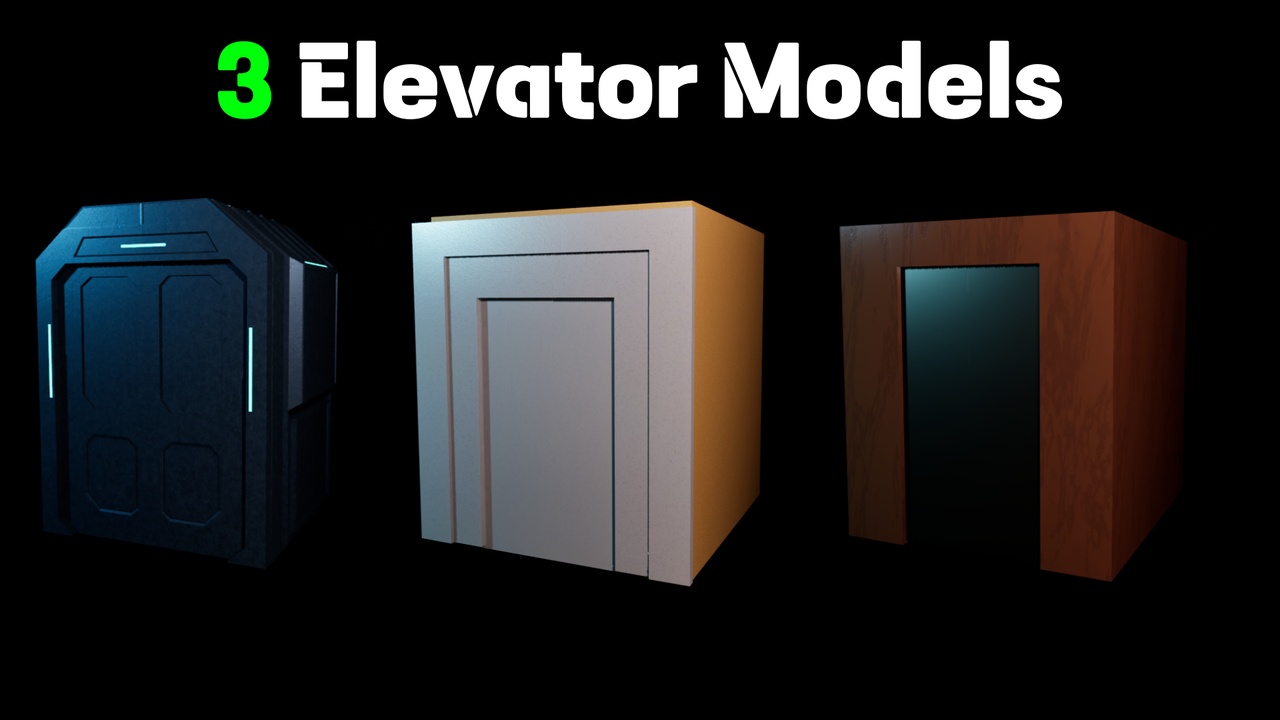
Elevator Blueprint with three elevator models:
Default
Vintage
Sci-fi
3 Control Panels with different functionality and Input methods:
Default Control Panel
Numerical Keypad
Touch Screen
3 Call Buttons/Devices:
Default Call Button
Hand Scanner
Password based Security Panel
Outer Frame blueprint:
A separate blueprint that synchronizes with its linked elevator.
Each frame can also function as a floor destination reference, allowing elevator stops to be driven directly from actor locations.
Core Functionality:
Elevator:
Three ways to set up Level/Floor location :
Equal Spacing
Manually set individual Level heights
Follow Outer Frames
Elevator's speed is determined by one of two modes:
Fixed time: Elevator movement is interpolated over a specified duration regardless of travel distance.
Sec/Level: Travel time scales dynamically based on the number of floors crossed.
Door Safety:
Built in occupancy detection prevents door closing while a player overlaps the doorway collision volume.
Control Panels:
Control panels are independent actors that communicate with a linked elevator through exposed references.
Default Control Panel:
Procedural button generation
Individual floors can be marked as non functional, automatically disabling their corresponding buttons.
Keypad Panel:
Accepts direct floor number input.
Configurable maximum accessible floor.
Validates entered floor numbers before issuing movement requests.
Touch Screen Panel:
Procedurally generates a scrollable floor list.
Mouse driven widget interaction.
Supports large floor counts without requiring additional setup.
Call Devices:
Call devices operate independently from the elevator and can be duplicated freely.
Each instance stores its assigned destination floor and sends a request to its linked elevator when activated.
Hand Scanner:
Implements a continuous focus based interaction.
The player must maintain focus for the full scan duration before the elevator request is accepted.
Outer Frames:
Outer Frames provide synchronized landing doors for each floor.
They can also serve as positional references for elevator destinations, eliminating the need to manually configure floor heights when using complex building layouts.
Customization:
All sound effects can be switched and manipulated.
Time duration and speeds: Doors opening/Closing, pressing buttons, delays before and after Elevator moves across levels...etc
Screen Level Number's Color, Emission and World size.
All meshes can be switched easily. For door meshes, you don't have to worry much about their scaling and pivot points as you can set their (Open transforms and Closed Transforms) Easily. This way you can set up unique opening animations.
Control Panel Buttons: Add and switch between button presets, control their padding and order of arrangement, Transform them as a whole, customize their texts' fonts, their color and glowing colors.
Additional exposed parameters allow further fine tuning of the system beyond the features listed above.
Elevator models included in this system: