الوصف
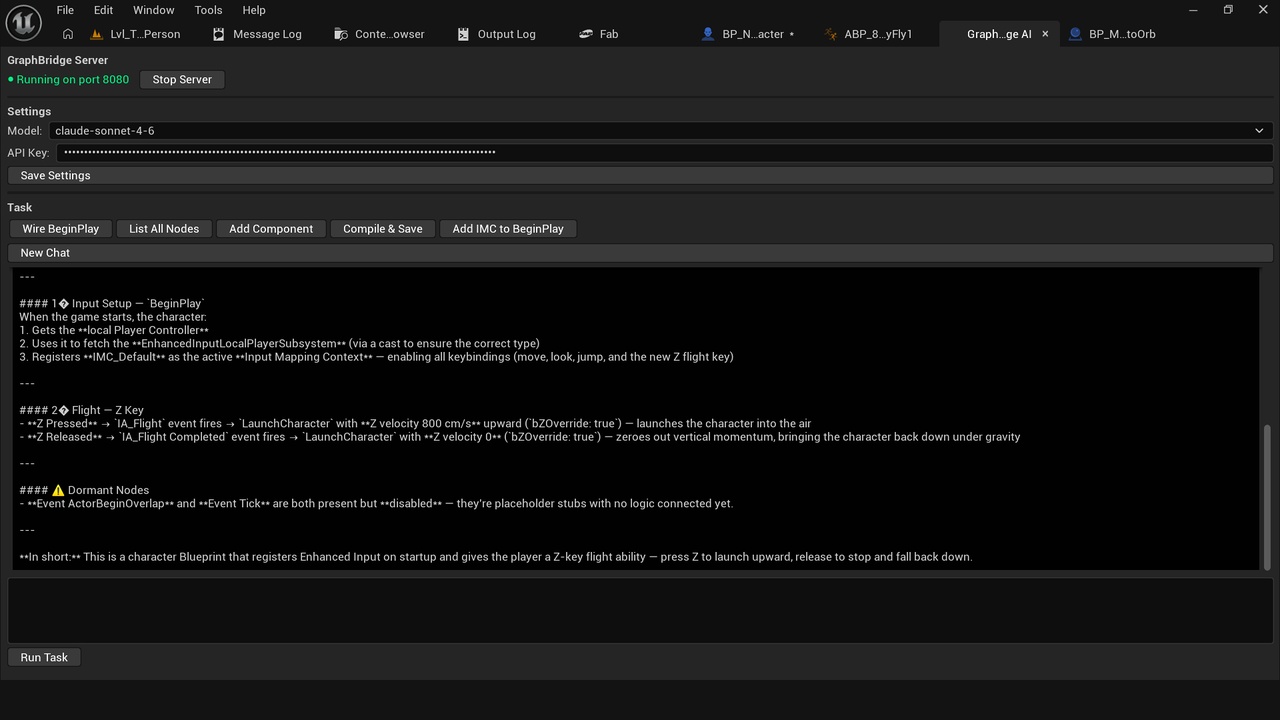
Graph Bridge AI brings Claude directly into the Unreal Editor, letting you
chat with your Blueprint graphs using plain English. No more hunting through
nodes — just ask.
Whether you need to understand what a complex Blueprint does, wire up a
BeginPlay sequence, add a component, or register an Input Mapping Context,
Graph Bridge AI handles it through a clean docked chat panel that lives
inside your editor.
FEATURES
- Natural language Blueprint assistant powered by Claude (claude-sonnet-4-6)
- Docked chat panel with full conversation history and bubble UI
- 5 built-in preset tasks for the most common Blueprint operations
- Real-time graph introspection via local WebSocket bridge
- Thinking indicator with cancel support for in-flight requests
- API key and model selection saved to Editor Preferences
- OpenAI API fallback support
HOW IT WORKS
1. Open Window → GraphBridge AI
2. Start the local server and enter your Anthropic API key
3. Open any Blueprint
4. Ask a question or hit a preset — Claude reads your graph and responds
REQUIREMENTS
- Unreal Engine 5.5 or later
- Anthropic API key (claude-sonnet-4-6)
- Python 3.x for the companion WebSocket bridge server
- Windows 64-bit
IMPORTANT NOTES
An Anthropic API key is required. API usage is billed directly by
Anthropic at standard rates — there are no additional subscription
fees from this plugin. The companion Python server must be running
locally for graph introspection commands to work.