Описание
Overview
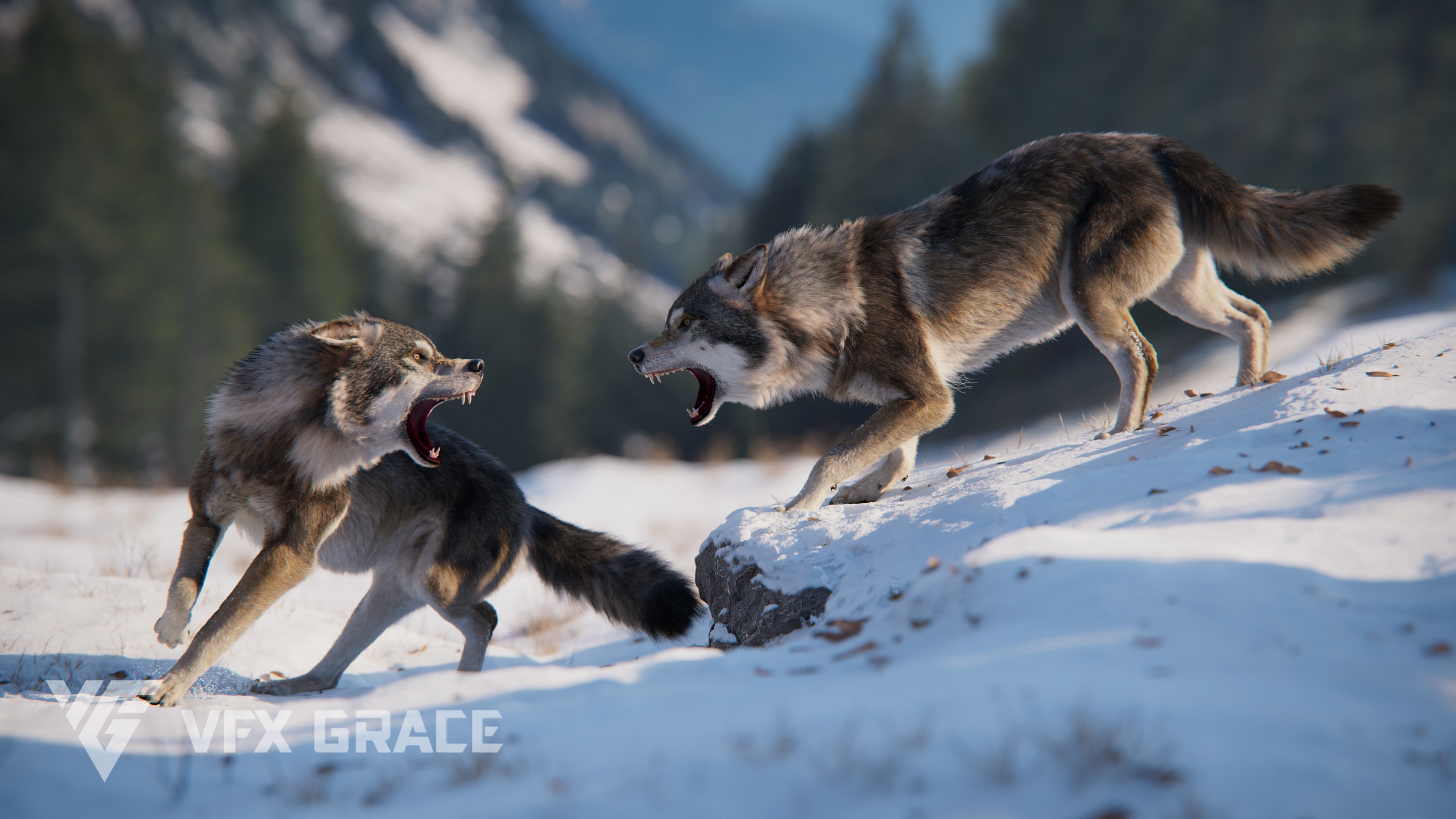
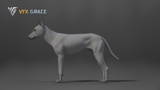
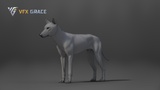
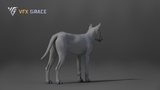
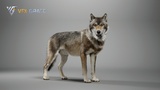
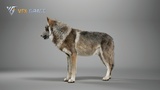
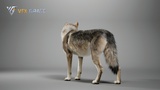
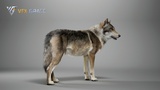
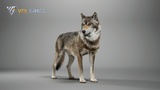
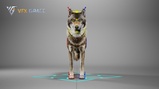
Presenting a highly realistic Wolf character asset, crafted specifically for Unreal Engine 5.4 and above. This meticulously designed asset encompasses the model, textures, materials, fur, rigging and animations, making it ready for immediate integration into your projects.
Supported Engine Versions
UE 5.5
Required Plugins
Groom (Hair System Plugin)
Project Dependencies
HairStrands must be enabled for proper hair rendering.
Virtual Textures must be enabled in project settings.
"Support Compute Skin Cache" must be enabled in Project Settings → Rendering.
File Contents
Skeletal Mesh
Groom Hair System
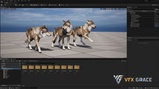
3 Animations (Howl, Walk, Run)
Control Rig
4K UDIM Textures (BaseColor, Normal, Specular, etc.)
Key Features:
Model Details: Total vertex count is 52,689 and polygon count is 52,450, ensuring the model's intricacy and realism.
Textures and Materials: Textures are created using UDIM format and produced in 4K resolution. Textures have already been imported into UE and optimized.
Groom Fur: A complex fur system was created in Blender, and the wolf's fur styling has been perfectly replicated using UE's Groom technology, with finely tuned materials.
Size of Maps
JF0N2N0G_Wolf_Body_BaseColor.uasset, 4096*4096
JF0N2N0G_Wolf_Body_Body_BaseColor.uasset, 4096*4096
JF0N2N0G_Wolf_Body_Body_Hair02_Basecolor.uasset, 4096*4096
JF0N2N0G_Wolf_Body_Body_Hair03_Basecolor.uasset, 4096*4096
JF0N2N0G_Wolf_Body_Body_Hair04_Basecolor.uasset, 4096*4096
JF0N2N0G_Wolf_Body_Hair_Head_A_ID.uasset, 1024*1024
JF0N2N0G_Wolf_Body_Head_BaseColor.uasset, 4096*4096
JF0N2N0G_Wolf_Body_Head_Hair02_Basecolor.uasset, 4096*4096
JF0N2N0G_Wolf_Body_Head_Hair03_Basecolor.uasset, 4096*4096
JF0N2N0G_Wolf_Body_Head_Hair04_Basecolor.uasset,4096*4096
JF0N2N0G_Wolf_Body_Normal.uasset, 4096*4096
JF0N2N0G_Wolf_Body_Skin_Mask.uasset, 1024*1024
JF0N2N0G_Wolf_BodySkin_BaseColor.uasset, 4096*4096
JF0N2N0G_Wolf_Head_Specular.uasset, 4096*4096
Rigging
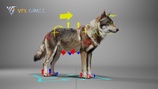
Global Control:Wolf_Rig_grp_ctrl: Control the entire model's global movement and orientation.
Spine Control:
DEF_neck_ctrl, DEF_spine_d_ctrl, DEF_spine_b_ctrl, DEF_spine_a_ctrl: Provide control for the anterior, middle, and posterior sections of the spine respectively.
Neck and Head Control:
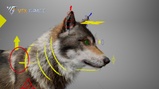
DEF_neck_a_ctrl_2, DEF_neck_b_ctrl_2, DEF_neck_c_ctrl_2 and DEF_neck_d_ctrl_2: Control different segments of the neck.
DEF_head_ctrl: Main controller for the head.
DEF_head_ctrl_2: Lower jaw controller, managing the opening and closing of the mouth.
Facial Features Control:
With a detailed facial controller to create more facial expressions.
DEF_eye_R_ctrl_2, DEF_eye_L_ctrl and DEF_eye_R_ctrl: Eye controllers.
Ear Control:
DEF_ear_a_L_ctrl, DEF_ear_b_L_ctrl, DEF_ear_c_L_ctrl...: Controllers for the left ear.DEF_ear_a_R_ctrl, DEF_ear_b_R_ctrl, DEF_ear_c_R_ctrl...: Controllers for the right ear.
Limbs Control:
DEF_shoulder_L_ctrl and DEF_shoulder_R_ctrl: Left and right shoulder controllers respectively.
DEF_hip_L_ctrl and DEF_hip_R_ctrl: Controllers for the left and right pelvic regions.
DEF_heel_F_R_ctrl_3, DEF_heel_F_L_ctrl_3, DEF_heel_H_L_ctrl_3 and DEF_heel_H_R_ctrl_3: IK master controllers for the four limbs.
Tail Control:
DEF_tail_a_ctrl, DEF_tail_b_ctrl, DEF_tail_c_ctrl...: Controllers for various segments of the tail.
And many more fine-tuned controls that give animators a comprehensive and detailed control for posing and animating the Wolf.
Animation
Unlooped walking animation at 30 fps, frame range 0-225
Unlooped howling animation at 30 fps, frame range 0-230
Loopable running animation at 30 fps, frame range 0-182
Technical Specifications:
Platform Compatibility: Supports PC, Mac, and mobile platforms.UE Version Compatibility: Specifically designed for UE5.4 and above.Asset Format: This asset is presented as a complete UE project package.
Usage Notes:
Ensure your Unreal Engine version is 5.4 or higher to achieve optimal performance and compatibilitySince the project's textures utilize virtual texturing, ensure the "Virtual Texturing" option is enabled in UE prior to use.
Given the high precision of the model, textures, and the extensive amount of fur, it's suggested for use on higher-end devices.
When importing into your project, ensure to maintain the directory structure to guarantee all linked assets load correctly.
Adjustments to the fur material's brightness and reflectivity may be needed based on your scene's lighting.