


Descrizione
📜 Documentation | 💬 Discord
Effortless Idle Power Savings — Automatic, Silent, Instant
Unreal Engine keeps rendering even when you're not looking. Whether you're reading code in another window, hopping on a Slack call, or stepping away for coffee, your viewport is still drawing 60+ frames per second. Your GPU is burning watts, your fans are spinning, and your laptop battery is draining.
Viewport AutoPause stops the waste automatically. It pauses real-time rendering the instant the editor goes idle or loses focus, then resumes the moment you return. It can also cap the editor's frame rate while you work — reclaiming power that idle-pausing alone never touches. No clicks, no thinking, no workflow disruption — just lower power bills, quieter fans, a cooler room, and longer lasting batteries
A single toolbar button carries a live green/red dot (🟢/🔴), so you always know at a glance whether the viewport is rendering or paused.
Key Features
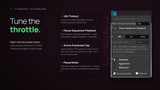
⏳ Idle Pause — The viewport stops rendering after a configurable idle period (default 3 seconds).
🎯 Focus Pause — Pauses the instant another app takes focus, and resumes the second Unreal regains it.
🚀 Active Framerate Cap — Optionally cap the editor's frame rate while you're working, not just when idle — reclaiming power across the whole session, not only the moments you're away.
🔘 Persistent Toolbar Toggle — Flip the plugin on or off from one toolbar button with a live status dot. Your choice is remembered per-user across sessions — disable it and it stays disabled next launch.
🧠 Smart Bypass — Never interferes with playtests; rendering and the frame cap are left untouched during Play in Editor (PIE) and Simulate (SIE).
🎬 Optional Sequencer Pause — Can also pause any actively-playing Level Sequence or Niagara timeline while idle, then resume only the ones it paused — anything you'd already stopped stays stopped.
🌍 Universal Coverage — Works across every editor viewport: Level, Niagara, Material, Persona, Static Mesh, and Blueprint previews.
🪶 Zero Runtime Footprint — Built as an Editor-only module, so it's completely stripped from your packaged game builds.
Cap Your Framerate While You Work
Idle and focus pausing reclaim power while you're away. The Active Framerate Cap reclaims it while you're working — the editor renders far faster than editing ever needs.
🍃 Off by default — an independent lever that composes with any pause mode; turning it on never changes how pausing works.
🔒 Only lowers, never raises — the cap is clamped to whatever the editor would run at anyway (its 120 FPS default, the 60 FPS battery limit, or any lower limit you've set). Enabling it can only ever save power, never cost you any.
🎚️ Dial it in — set your ceiling anywhere from 15 to 60 FPS. Auto caps only on battery and releases the moment you plug in — built for laptops.
Three Pause Modes for Every Setup
Dial in exactly how aggressive you want your power savings to be:
🍃 Standard (default) — best of both worlds. Any editor activity — a click, a keystroke, even a mouse move in any panel — resumes rendering. Seamless savings without thinking about it.
❄️ Aggressive — save more, accept a small inconvenience. For users motivated by electricity costs, fan noise, or thermal load. Only direct viewport interaction wakes rendering; activity in side panels (Outliner, Details, Content Browser) is ignored.
🔋 Maximum — every watt counts. Built for laptops on battery and other power-constrained setups. Only the viewport you're actively using renders; switching viewports instantly pauses the previous one, so at most one renders at a time.