

Descrizione
SubComponents is a lightweight plugin that enables adding components to any UObject without relying on complex inheritance hierarchies or custom feature implementations. It supports both Blueprint and C++ workflow.
Features
Blueprint and C++ Support: Fully compatible with pure Blueprint workflows and native C++ integration.
Flexible Component Attachment: Add custom components to any UObject or ActorComponent dynamically, at design time or runtime.
Custom Component Logic: Define your subcomponents by inheriting SubComponentBase. Override BeginPlay and Tick with optional ticking enabled.
Owner Access: Easily reference the owning UObject via GetOwner() or GetParent() within components.
Two Methods to Add Components:
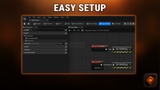
Via SubComponentContainer variables.
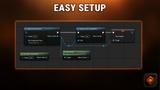
Using the global AddSubcomponent node during construction or runtime.
Automatic Lifecycle Calls: BeginPlay and Tick functions are invoked automatically without extra setup.
Installation and Getting Started
Download and enable the plugin in your project’s plugin settings.
Define custom components inheriting from SubComponentBase.
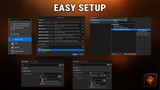
Add components to your objects using either the container variable method or the AddSubcomponent node.
How was it made:The core idea is based on EditInlineNew covered here but with extra features and scaffolding built around it
Support and Documentation