

Описание
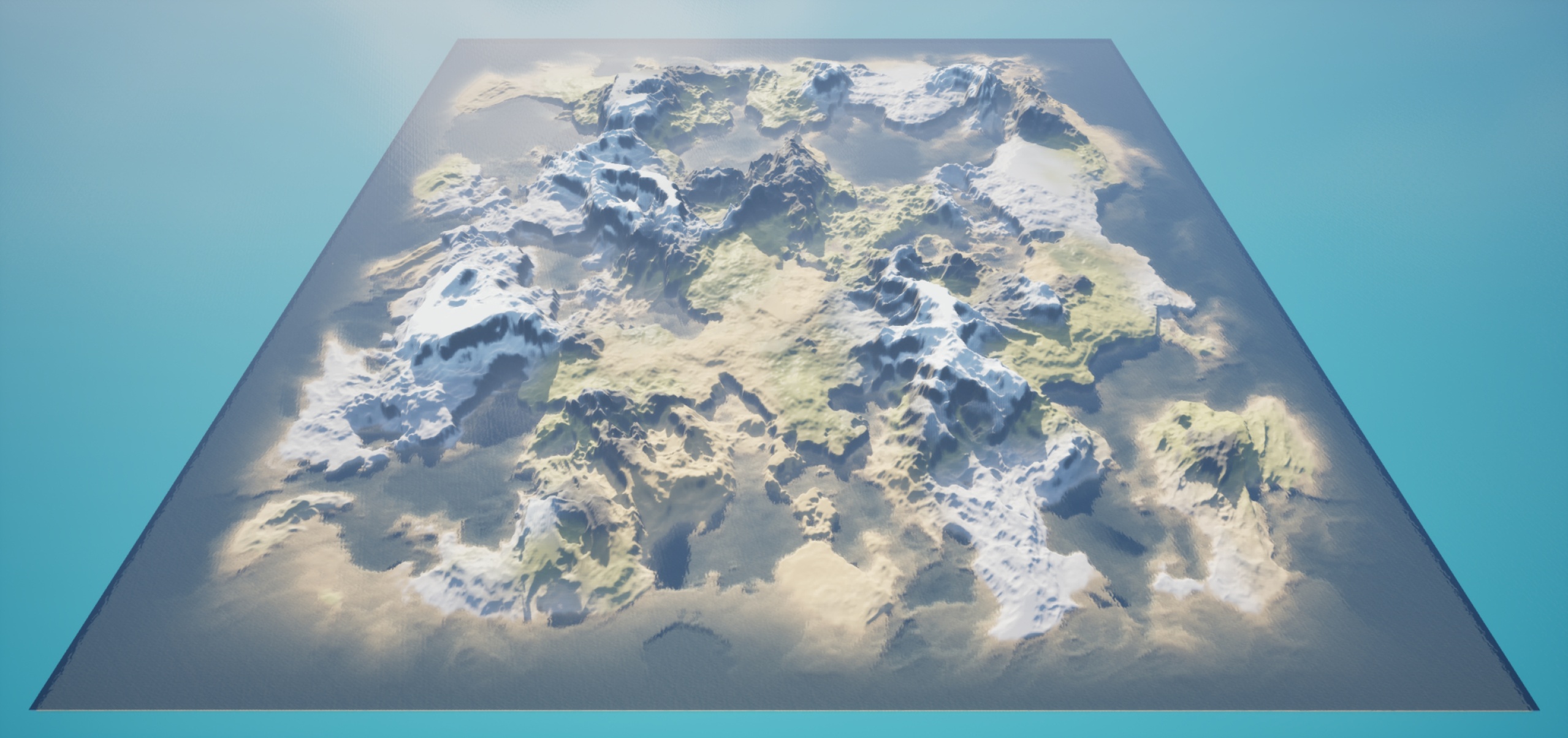
AutoMeshTerrain builds large, playable terrains for Unreal Engine 5.8's Mesh Partition in a few clicks.
Pick a seed and watch a live 3D preview. Shape the land with sliders for mountain height, ridges, erosion and climate, then let the plugin classify every point into biomes — beach, plains, forest, desert, tundra, snowcap, cliff and ocean — and paint each with its own textures. Low basins fill with water automatically.
One button generates the terrain, saves the level and runs the Mesh Partition build in the right order, so what you see is what you play.
Features
One seed makes a whole terrain; the same seed always gives the same terrain
Live 3D preview that updates as you change any setting
Eight built-in biomes with sample textures, fully editable: climate, ground mix, textures, tile size
Automatic sea and water placement
Hydraulic erosion for natural valleys and channels
Heightmap import (16-bit greyscale PNG) for terrain made in other tools
Generates its own material, so biome textures blend without visible tiling
Delete Terrain removes everything the terrain created, including streamed-out pieces
The result is a standard Mesh Partition: sculpt it further in Mesh Terrain Mode
Documentation (English / 한국어): https://idelr.gitbook.io/auto-mesh-terrain/
Support: [email protected]
Technical information
Engine: Unreal Engine 5.8
Module: AutoTerrainEditor (Editor)
Platforms: Win64, Mac
Requires a World Partition level
Engine plugin dependencies (enabled automatically):
MeshPartition — Experimental
MeshPartitionWater — Experimental
Water — Experimental
GeometryProcessing — Beta
Beta release. Mesh Partition is an Experimental engine feature; its behaviour may change in future engine versions.
Known limitation: with Lumen enabled, shadows on Mesh Partition terrain can show dark patches. Turning Lumen off, or using a smaller section size, reduces it. See the documentation.