


Description
Duplicate Asset Detector
✉️ Support: [email protected]
⚙️ Versions: UE 5.1 – UE 5.8
🔍 About
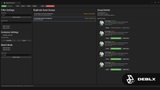
Find and clean up duplicate assets in your Unreal Engine project. Save disk space, reduce build times, and keep your project organized — with intelligent content-based detection that finds true duplicates, across imports, migrations and Ctrl+D copies, not just similarly named files.
🛠️ What it does
Smart Detection
Content-aware property hashing — detects true duplicates, not just similarly
named files
Reliable across Ctrl+D copies, content migrations, and re-imports
Class-specific strategies for Materials, Material Functions, Textures, Static
and Skeletal Meshes, Sounds, Blueprints, Data Tables, Animations, and more
Automatic exclusion of level infrastructure (World Partition, HLOD,
MapBuildData, level actors)
Safe Cleanup
"Redirect & Delete" — safely removes duplicates while preserving all references
"Consolidate All" — batch-process every duplicate group in one click, with
a progress dialog and cancel support (perfect for scans with hundreds or
thousands of groups)
"Delete Only" — quick removal with a hard confirmation warning to prevent
accidental broken references
Preview before delete — see exactly what will be affected
Flexible Scanning
Scan entire project or specific folders via right-click context menu
Filter by asset type, minimum file size, and custom paths
Exclude specific folders from scans
Include/exclude Engine and Plugin content
Class-specific exclude toggles for Vector Fields, Cascade Effects, and
ForceFeedback / Rumble
Detailed Analysis
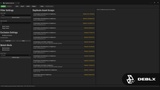
File size, dependencies, and referencers per asset
Visual thumbnails for quick identification
Wasted space calculation — see potential savings
Export reports to CSV, Excel, JSON and full report
⚡ Get started
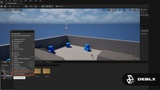
Open Duplicate Detector from Tools menu or right-click any folder
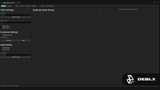
Configure scan settings — or use the defaults
Click "Scan" and wait for analysis
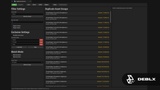
Review duplicates with visual previews
Click "Redirect & Delete" to safely clean up, or "Consolidate All" to
batch-clean the whole project
💬 Feedback & Support
Found a bug or have a feature idea? Reach out — we respond fast and ship fixes quickly. Feature requests are always welcome, many improvements come directly from the community.
🛒 Check out our other products → fab.com/sellers/Deblx
By Deblx
------------------------------------------------------------------------------------
🎵 Song: DEAF KEV - Invincible [NCS Release]
🔗 Free Download / Stream: http://ncs.io/invincible
🔊 NoCopyrightSounds: https://www.youtube.com/c/NoCopyrightSounds
------------------------------------------------------------------------------------
#UnrealEngine #UE5 #GameDev #DuplicateAssetDetector #Deblx #FAB #IndieGameDev #UnrealPlugin #Optimization