Описание
Demonstration Video: here
Elevate your Unreal Engine 5 projects and bring seamless PC-to-Mobile interactivity with the UnrealDeviceLink Plugin!
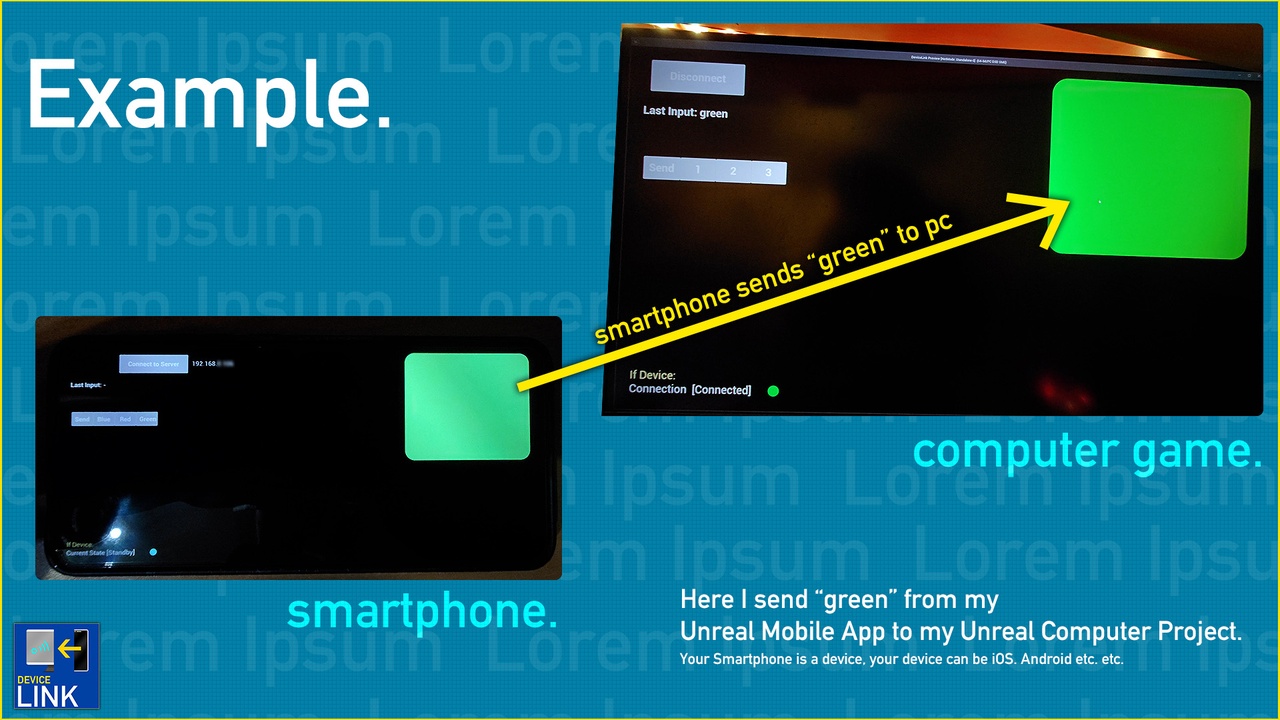
This comprehensive plugin enables you to control gameplay elements, send messages, and exchange data between Unreal on your PC and a mobile device, all in real time - ideal for in-game remote controls, dashboards, or any interactive scenarios!
Support Discord: https://discord.gg/a4hJa5n
🔸Features
Effortless Setup – Easily configure IP, ports. Connect quickly to a mobile device on the same network - no extra hassle.
Connect your Smartphone – Connect your Android or iOS Device to your game with a minimum of 2 nodes!
Send String Codes & Messages – Send Codes and Messages through one simple Node.
Beginner-Friendly – Simple Blueprint nodes let anyone integrate PC–Mobile interactions into their Unreal project.
Demo Project for easier understanding :) (Documentation)
Your Feature is not listed? Suggestions are welcomed - Contact us :)
🔸Workflow:
Create two Unreal Engine Projects, a) your Game (Win, Linux, Mac etc.), b) your e.g. Android App (or iOS App).
Add to both the plugin.
Add the Start Node to your Game Project and the connect node to your App.
DONE.
🔸Intended Usage:
Convert your Smartphone to a touch-input device for your game!
Driving a truck or construction vehicle and wanna control your extra input-controls? No Problem!
Turn on or off the Siren Control System Controls, like Siren, Emergency Lights and Alley Lights!
Control your Unreal Applications with your Smarthpone via local network.
🔸Important Notice:
This Plugin connects to your seperate device over your local connection (WiFi, TCP). I use Port 7777, but you can use any "open" Local Port. Make sure to add the Internet Permissions to your App (e.g. Android Project Settings).