Açıklama
Note: Debug widget is not visible by default, press hot key assigned to debug widget component to turn it on.
Enhanced Input should be enabled for this plugin to function properly.
Demo: Video
🧩 Runtime Variable Debugger
See your actor’s live variables directly in-game!
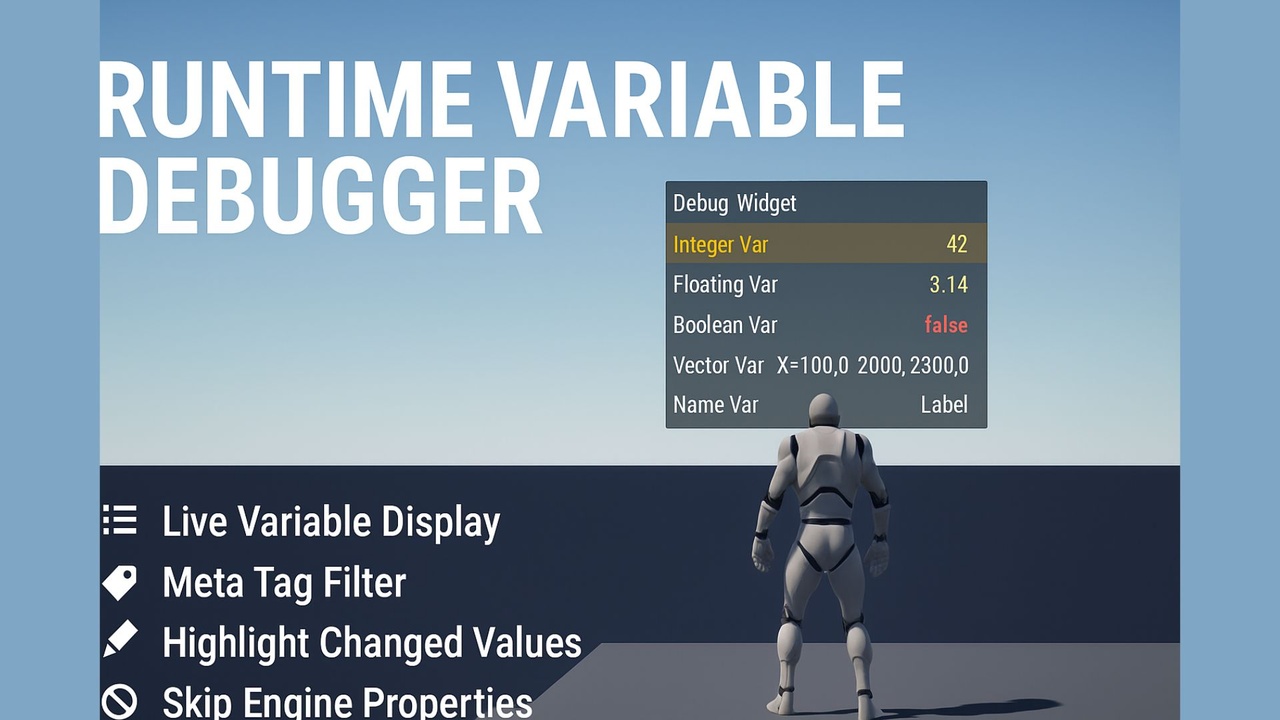
Runtime Variable Debugger is a lightweight Unreal Engine plugin that lets you attach a single component to any actor and instantly visualize all its variables — both C++ and Blueprint — through a floating in-world widget during gameplay.
---
🎯 Key Features
🧠 Live Variable Display
Shows all properties (C++ + Blueprint) with real-time updates while the game is running.
⚙️ Easy Setup
Just add the Debug Widget Component to any actor — no extra coding or setup required.
🌈 Highlight Changed Values
Variables that change during gameplay are automatically highlighted for instant recognition.
🚫 Skip Engine/Internal Properties
Filters out Unreal’s built-in variables to keep your display clean and focused on your game logic.
🎮 Hotkey Toggle Support
Toggle all runtime debug widgets on/off instantly using a configurable hotkey (default: ~ key).
🧰 Editor Integration
Quickly add the Debug Widget Component to selected actors via the right-click context menu in the Level Editor.
🪶 Lightweight & Non-Intrusive
Purely visual, zero effect on gameplay logic, networking, or performance (updates only at set intervals).
---
💡 Use Cases
Gameplay debugging and tuning
AI state visualization
Live variable tracking during playtesting
Blueprint logic verification
Quick prototyping and data validation
---
⚡ How It Works
1. Attach the Debug Widget Component to any actor.
2. Add any variable, for example:
UPROPERTY(EditAnywhere, BlueprintReadWrite)
float Health;
3. Play in Editor (PIE):
The widget automatically appears above the actor, listing variable names and values that update live.
4. Press ~ (or your chosen key) anytime to toggle all debug widgets.
---
🧰 Advanced Options
Adjust the update interval for performance.
Customize your own UMG widget for styling.
Automatically hides in packaged (shipping) builds.
Works with both 2D (screen-space) and 3D (world-space) widget modes.
---
🛠️ Technical Details
Fully compatible with Unreal Engine 5.4+
100% C++ runtime + editor modules
No third-party dependencies
Tested on PC and packaged builds
Works with Blueprints, C++, and mixed projects
---
🧑💻 Perfect For
Game developers who debug logic visually
Technical designers tuning gameplay systems
Blueprint-heavy projects needing live feedback
AI, Simulation, and Sandbox game creators
---
Stop guessing - see your game’s logic come alive.
Add Runtime Variable Debugger to your toolkit and make debugging visual, intuitive, and effortless.