

الوصف
Graph Capturer - Capture, Share, Compare and Rebuild Any Unreal Engine Graph
!! Stop taking multiple screenshots of your graphs !!
See it in action here:
You know the problem. Zoom out and nobody can read the nodes. Zoom in and you
only capture a corner. Stitch six screenshots together or send multiples and it is
out of date by the time you have finished.
Graph Capturer captures the entire graph at full resolution in one press, no
matter how big it is, and hands you a file anyone can open and zoom into. They
do not need Unreal Engine. They do not need the plugin. They just open it and
explore - It's as easy as that. You can also upload to a website and view from there even on mobile / tablet
SUPPORTED GRAPHS
Blueprints, including event graphs, functions, macros and construction scripts
Widget Blueprints (UMG)
Material graphs and material functions
Animation Blueprints, state machines, blend graphs and anim graphs
Niagara
Behaviour Trees
Environment Query System
Sound Cue and MetaSound
Control Rig and RigVM
PCG
State Trees
HOW IT WORKS
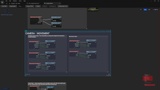
Press Ctrl+Alt+C in any supported graph. That produces a .ueg file you can open
in the viewer inside Unreal (Ctrl+Alt+V), or export as a single self contained
HTML file with the whole graph baked in.
That HTML file has no dependencies at all. Send it to a teammate, put it in
your documentation, host it on your site, open it on your phone. It pans, it
zooms, it goes full screen, and it works in any browser.
REBUILD A CAPTURED ASSET IN YOUR PROJECT
A capture can carry the asset itself, so
Import to Project recreates it inside your project in one click. Variables,
components, graphs, settings, all of it.
Capture a Blueprint from one project and rebuild it in another. Send a capture
to a teammate and they can import the real asset from it, not just look at a
picture of it. Works for Blueprints, Widget Blueprints, Animation Blueprints,
Niagara systems and Control Rigs.
CAPTURE A WHOLE ASSET AT ONCE
Capture Asset grabs every graph in an asset in one go. Event graph, every
function, every macro, the construction script. For Animation Blueprints that
includes nested state machines and a transition rules list. For Niagara it
includes the system overview and every emitter.
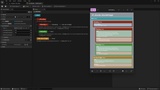
Open the result and the Explore Asset panel lists every graph, grouped and
ready to click through.
THE REST OF IT
One press capture. Ctrl+Alt+C, or the toolbar button.
In engine viewer. Open any .ueg inside Unreal. Pan, zoom, minimap, fit to
window.
Standalone HTML export, One file, no folders, no server, nothing to install.
Full screen supported.
Works on phones and tablets - Review a Blueprint on the train, Present one on a
tablet or Send one to a Windows or Linux teammate.
No size limit - Sprawling graphs are captured whole, every node and every wire.
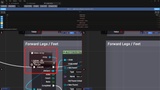
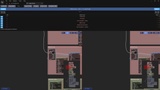
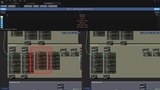
Side by side comparison - Load two captures, turn on Sync so both panes pan and
zoom together, and use the difference navigator to jump straight to every
change.
Copy Nodes. Copy every node out of a capture and paste it into a compatible
graph in Unreal.
Copy Function - Copies the whole function, signature, local variables and nodes,
ready to paste onto your My Blueprint panel.
Sticky Notes - Leave annotations on a capture for reviews and handovers. They
save with it.
Graph metrics - Node type breakdown, variables, components and dimensions in the
viewer sidebar.
If a toolbar button does not show up in some other graph type, click inside the
graph and press Ctrl+Alt+C. It will tell you whether that one can be captured.
SUPPORT
Questions or problems? we aim to reply and fix within 48 hours.
[email protected] / https://discord.gg/u8a4XPv7Wb
COMPATIBILITY
Unreal Engine 5.3, 5.4, 5.5, 5.6, 5.7, 5.8
Windows and Linux
Editor only, so it has zero effect on your packaged game
See embedded HTML Export examples on our website - perfect for documentation, walk-throughs or simply just sharing a creation