


Descrizione
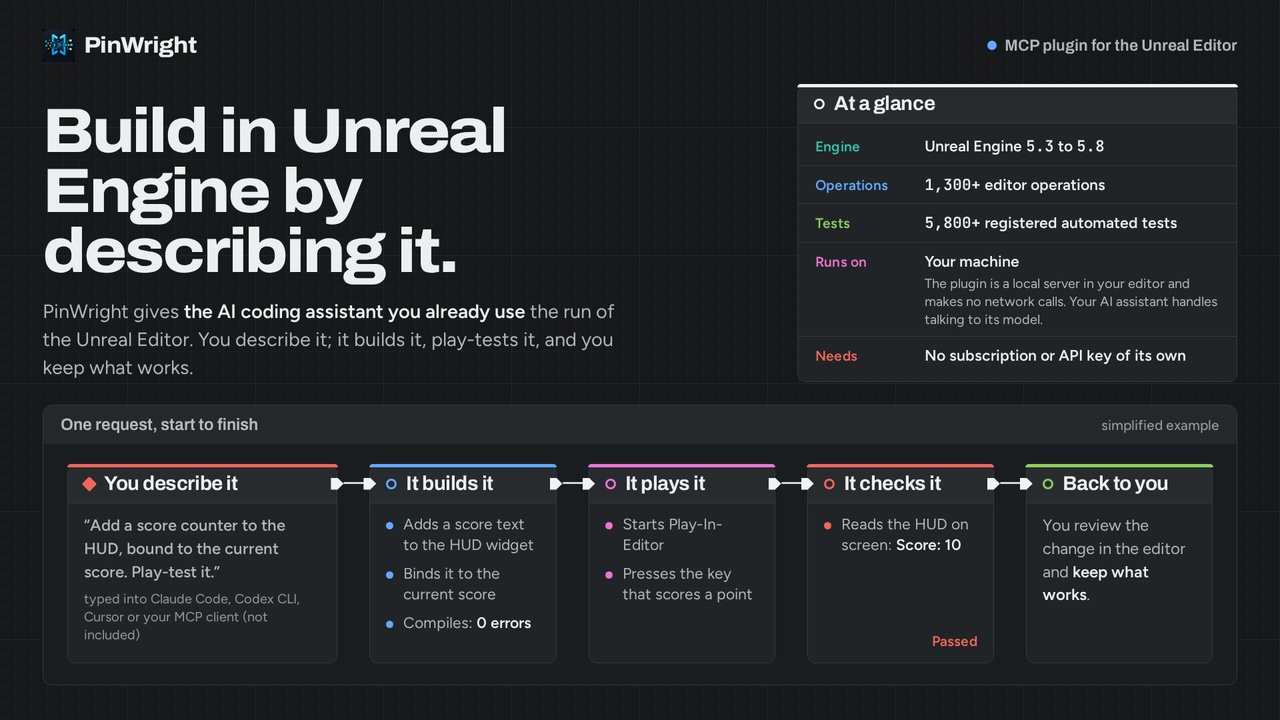
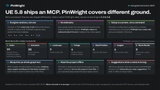
Describe what you want in plain language and your AI assistant does it in the Unreal Editor: builds Blueprints, edits the ones you already have, lays out UMG screens, creates assets, generates levels, runs tests. PinWright is an Unreal Editor plugin that runs a local MCP server and connects the coding assistant you already use (Claude Code, Codex, Cursor, Gemini CLI, VS Code Copilot, and other MCP clients) to the editor itself. If you use any of these, you have everything you need. PinWright does not need its own subscription, API key, or credits; it works through the AI plan you already pay for.
PinWright is open source under the MIT License at github.com/PinWright/pinwright-ue. Buying it here is also the way to support the project. We develop against 5,400+ registered automated tests and use PinWright daily on a commercial UE5 title.
Documentation and getting started
Support and public issue tracker
Example of a level created from single prompt Watch the example level
How it works
Type what you need into your assistant:
"Create a jump pad Blueprint that launches the character upward on overlap."
"Open the main menu widget and restyle its buttons to match the settings screen."
"Set up sunset lighting: directional light, sky atmosphere, height fog, warm color grading."
"Make a forest level with a river and a cabin."
The assistant reads your project first, makes the change, compiles, and shows you the result. The assistant also keeps everything it could already do on its own, including writing your C++ and recompiling it through Unreal Build Tool. PinWright adds the editor side on top.
There is nothing to teach it, either. PinWright documents itself: the assistant discovers every operation and looks up its usage through the same MCP connection. You never paste documentation or install skill packs, and it does not have to search the web to learn the API.
Understands your existing project
An assistant can only help with a project it can read. PinWright converts your content into a form the assistant understands, at a depth other AI plugins do not reach:
• Blueprint graphs become readable text and compile back, so the assistant can open what you already built and edit it precisely
• The same works for Materials, Anim Graphs, and Control Rig; Behavior Trees, Sound Cues, MetaSounds, Niagara, and PCG open as readable text
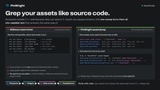
• Whole content folders dump to disk as readable text, so the assistant knows your structure, classes, and naming before it changes anything
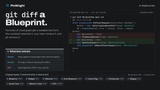
• The text forms diff cleanly, so a Blueprint edit shows up in source control as reviewable lines instead of a binary blob
That context is why new assets come out matching your project's conventions instead of looking pasted in.
What your assistant can do (1,200+ editor operations across 60+ namespaces)
• Blueprints: gameplay logic from a sentence, or precise edits to the graphs you already have
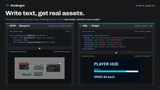
• UI: menus, HUDs, and health bars in UMG; widget trees export and import as XML
• Worlds: place actors, set up landscape, foliage, navigation, and lighting
• Assets: import, rename, organize, query dependencies, edit Data Tables
• Playtesting: start Play-In-Editor, send input, and read live game state while it runs
• Session capture: record a gameplay session on your machine, then query events and values to debug what actually happened
• Plus materials, Niagara, animation, sequencer, GAS, Enhanced Input, and more
Private and local by design
• PinWright's server runs locally and accepts connections only from your computer. Your AI assistant handles model communication under its own privacy terms; project content may be sent to its chosen model provider.
• It works without an account or sign-up: install the plugin, click once to configure your client, and you are set.
• Billing stays with your existing AI subscription. PinWright itself charges nothing on top.
• One-click setup for Claude Code, Codex, Cursor, Gemini CLI, and VS Code Copilot from the in-editor setup screen.
Built to keep working
• We develop against 5,400+ registered automated tests. The Fab packages support UE 5.3 through 5.8.
• The full method reference ships inside the plugin, so the documentation always matches the version you run
• The issue tracker on GitHub is public: we handle bugs and feature requests in the open
Important notes
• Editor-only plugin. The Fab packages support Windows (Win64), Unreal Engine 5.3–5.8, and add nothing to packaged games. Linux is supported through a source build from GitHub; Linux prebuilt packages are not included here. macOS is not supported.
• Requires an MCP-capable AI coding assistant. You bring your own.
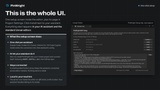
• Gallery images are simplified, illustrative examples of the workflow, not recordings of a real session. PinWright itself adds no UI beyond its in-editor setup screen.
• Materials, Niagara, animation, rigging, and level and lighting authoring are currently marked Experimental.
• Session capture of gameplay values needs small documented C++ hooks in your game; everything else works without them.
• PinWright enables the standard Epic engine plugins it integrates with. Required editor plugins: EditorScriptingUtilities, LevelSequenceEditor, MovieSceneTextTrack, SequencerScripting, Niagara, EnvironmentQueryEditor, ControlRig, RigVM, ProceduralMeshComponent, DataValidation, EnhancedInput, GameplayAbilities, GameplayTagsEditor, IKRig, Metasound, StateTree, MovieRenderPipeline, Water, GameFeatures, ChaosVehiclesPlugin and WebBrowserWidget. Optional, engine-dependent editor plugins: Chooser, Interchange, InterchangeOpenUSD, GeometryScripting, ChaosCloth, PoseSearch, PropertyBindingUtils, CommonUI and PCG.
• Keep your project under source control and review what the assistant changes.
Support and bug reports: GitHub issue tracker. Feature requests welcome.