
Descrizione
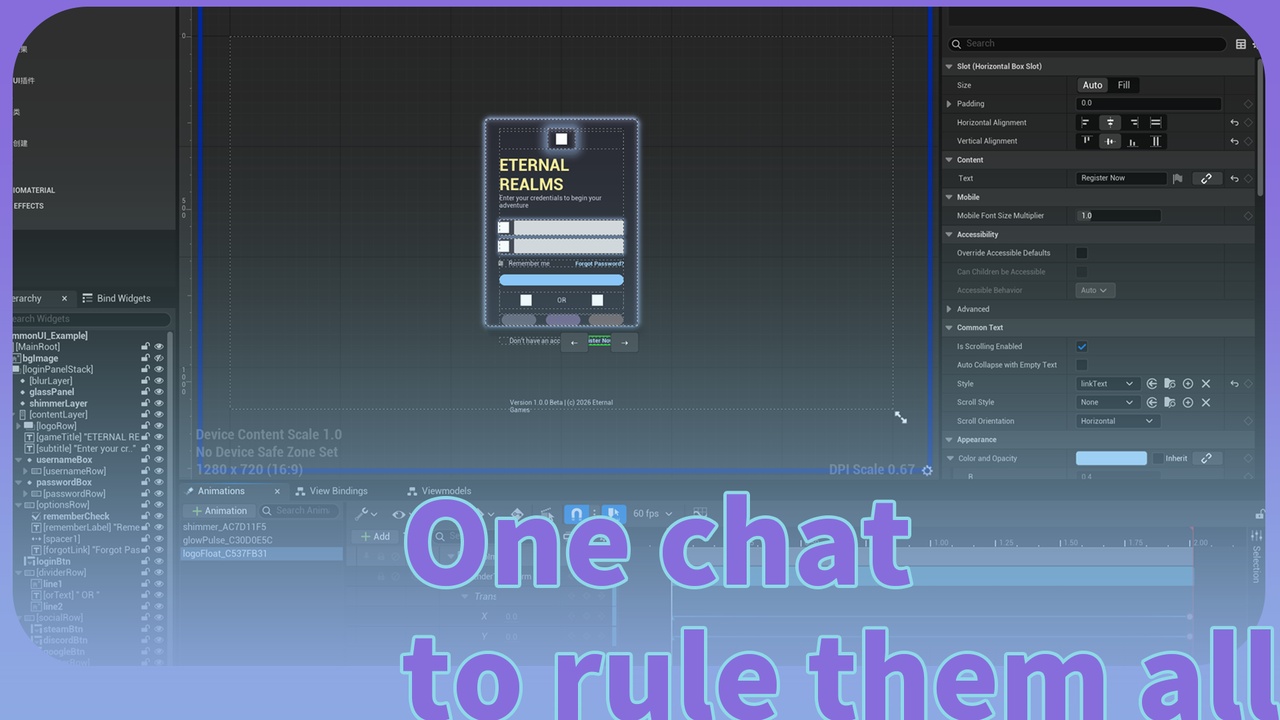
🎯 One chat generated UMG widget.
"Use llm-dynamicui to generate a [main menu / HUD / dialog / settings] UI for [your game]."
🤖 Agent Online — if you have LLMEasyShell / LLMEasyShellLite installed, invoke the auto-registered C++ ability ui to drive this end-to-end from any LLM agent. UI skill + Agent skill are online in the skill repo.
📚 Tutorial: LLM UI - DSL Schema Guide · 🛠 Skill Repo: github.com/ituiyuio/Yomin-Fab-LLM-Unreal-Pluagin-Skill
NOTE: Limited-time discount during the plugin update—prices will increase in one month:)
Features:
✅ One JSON, Complete UI - Layout, widgets, and animations generated from a single .llmui file
✅ LLM-First Design - AI outputs JSON directly, no UE editor knowledge required
✅ Bidirectional Conversion - JSON → UMG Blueprint, UMG Blueprint → JSON, perfect roundtrip
✅ CommonUI Deep Integration - Auto-generates style assets (CommonTextStyle, CommonButtonStyle) + native Common widgets (CommonButton / CommonText / CommonBorder)
✅ Animation System - 15 easing functions (Linear, Quad, Cubic, Sine, Expo, Elastic, Bounce, Back) with infinite loops, ping-pong, and auto-play
✅ 24 Widget Types - Layout, Primitive, Input, CommonUI, and Effect (BackgroundBlur) widgets
✅ JSON Schema Driven - Recursive property discovery, 50+ properties auto-parsed
✅ Editor Panel + Runtime API - One-click UMG generation + AngelScript runtime widget creation
✅ Full Compatibility - Works with CommonActivatableWidget, CommonUserWidget, UserWidget
📦 File Formats:
.llmui (JSON), .llmschema (Schema), UMG Blueprint (UAsset)
Technical Information
Version: Unreal Engine 5.7+
Dependencies: CommonUI, EditorScriptingUtilities
Modules: LLMDynamicUI (Runtime), LLMDynamicUIEditor (Editor)
Number of Blueprints: 0
Number of C++ Classes: ~30
Network Replicated: No
Documentation Link: Documentation.md in plugin folder
Example Project: Config/Samples/ folder contains example .llmui files
Supported Platforms: Windows only (currently). Mac/Linux support is pending QA verification.
Overview
The Problem
Traditional UE UI development is tedious:
Drag widgets in editor
Set properties one by one
Adjust layout manually
Create animations separately
No AI integration
The Solution
LLMDynamicUI changes everything. One JSON file defines:
Widget hierarchy (layout structure)
All properties (text, colors, sizes, etc.)
Animation tracks (with easing and loops)
LLM outputs the JSON. Plugin generates the UMG Blueprint. Done.
Example
{ "name": "MainMenu", "rootWidget": { "type": "VerticalBox", "children": [ { "type": "Text", "content": { "text": "GAME TITLE", "fontSize": 48 }, "animations": [ { "property": "RenderOpacity", "fromValue": 0, "toValue": 1, "duration": 1.0, "easing": "OutCubic", "autoPlay": true } ] }, { "type": "CommonButton", "content": { "text": "Start Game" }, "events": { "onClick": "OnStartClicked" } } ] } }
Import this JSON → Get a fully functional Widget Blueprint with animation.
Workflow
LLM generates .llmui - AI outputs JSON with your UI definition
Import in Editor - Window > LLMDynamicUI Panel
Generate UMG - One click creates the Blueprint
Iterate - Modify JSON, regenerate, or export back to JSON
Supported Widgets
CategoryWidgetsContainerVerticalBox, HorizontalBox, Canvas, Overlay, ScrollBox, WrapBox, GridPanel, Border, SizeBox, ScaleBox, WidgetSwitcherPrimitiveText, Image, Button, Spacer, ProgressBar, SliderInputEditableText, CheckBox, ComboBox, ListView, TreeViewCommonUICommonButton, CommonText, CommonBorderEffectBackgroundBlur
Successful development to you!
LLM Dynamic UI v1.1.0 | YominUnreal