Descrição
Doupi Design brings you: Drag To Multiply
The simplest array copying utility for your design's needs! No widgets, seamless experience!
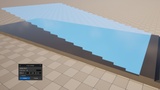
An elegant Unreal Engine editor plugin built for quickly laying out repeated geometry — columns, fences, radial patterns, staircases — without leaving the viewport or touching the Outliner. Turns the familiar Alt+drag duplicate gesture into a fast, live-previewed way to array objects directly in the viewport. Hold Alt+X during while dragging on either Translation or Rotation gizmo, and instead of a single duplicate, a small popup appears letting you dial in exactly how many copies you want and how they're spaced — evenly filled between two points, or repeated onward past your drag.
Features
Hold Alt+X while dragging the Translation or Rotation gizmo to create an array of copies
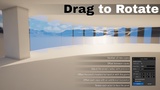
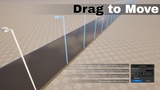
Works on both the Translation gizmo (linear arrays) and Rotation gizmo (circular/radial arrays)
Popup lets you fine-tune count and spacing after the drag:
Live ghost preview value changes
Confirm/Decline workflow, collapsing to a single held-open Undo step
Hotkey's extra modifier is customizable (Custom key - default is "X", Alt-only or Auto) in Editor Preferences
Note: Scenes and examples from the images and video are not included in the project. Plugin only
How It Works
Unreal's own Alt+drag on a gizmo spawns one duplicate and moves it. This plugin watches for that exact gesture and, once the drag finishes, keeps the single duplicate open for editing instead of finalizing it immediately.
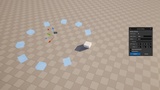
A popup appears next to the drag. It shows a Total Count field and a live translucent preview of every not-yet-real copy. Editing Count, Offset/Angle, Pivot, or any Advanced field updates the preview instantly — nothing is actually created in the level until you confirm.
- Translate gizmo → a straight line of copies. Fill mode spreads a fixed number of copies evenly between the original and the dragged copy; Repeat mode spaces copies by the full drag distance, continuing past it.
- Rotate gizmo → a ring of copies around a pivot. Same Fill/Repeat modes, applied to the angle instead of a distance.
Usage
1. Select one or more actors.
2. Hold the activation chord (Alt + X) and drag the Translate or Rotate gizmo, exactly like a normal Alt+drag duplicate.
3. Release the drag. The array popup opens where the ghost preview is clearest.
4. Adjust Total Count and the other fields; the preview updates live.
5. Confirm to create the array, or Decline to cancel.
Total Count uses one field for both modes: a positive number repeats the drag past its own length; a negative number fills that many copies evenly between the start and end points. The count field skips over -1/0/1 automatically, since those have no meaningful array to show.
Per-array options, inside each popup's own Advanced section:
- Group Actors (both popups) — bundles the finished array into one Unreal group.
- Pivot and Per-copy offset (Rotate only) — fine-tune the rotation center and add a flat offset per copy (a Z value turns a flat ring into a rising spiral).
- Orient towards pivot (Rotate only) — every copy faces the pivot instead of spinning rigidly with the drag.
- Radius (Rotate only, on the popup's main surface) — the distance from the pivot to the original; editing it moves the whole array, independent of dragging the pivot itself.
Settings
Found at Edit → Editor Preferences → Plugins → Drag To Multiply:
- Activation Modifier — the extra key that must be held together with Alt to trigger this plugin's popup, so a plain Alt+drag stays 100% stock Unreal. Options: Auto (default — Control for Translate, Shift for Rotate, chosen to avoid colliding with Unreal's own hardcoded uses of each key), Alt only (no extra key; every Alt+drag goes through the plugin), or Custom Key.