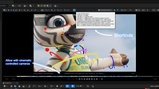
Description
"2D Pan/Zoom" for the Unreal Editor viewport: zoom and offset the view to inspect detail.
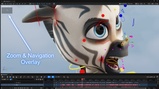
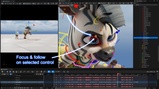
The tool drives the viewport's camera non-destructively to pan/zoom in place, similar to Maya's 2D Pan/Zoom, keeping selection, gizmos, and Control Rig in sync (at the cost of slight perspective distortion at large values). It can also auto-focus the camera onto the selected Control Rig control and follow sequencer camera cuts
Plugin is actually in Beta
Usage:
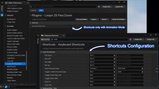
Animation Mode Only : Editor Preferences > Plugins > Loops 2D Pan/Zoom > Animation Mode Only is on by default. Outside Animation Mode these shortcuts pass through to Unreal, including its backslash preview mesh and Shift+backslash cycle commands.
Shortcuts : All ten shortcuts are also rebindable under Editor Preferences > Keyboard Shortcuts > Loops 2D Pan/Zoom.
Toggle: \ key, or the 2D Pan/Zoom button in the viewport toolbar (the button acts on whichever viewport it's in, and focuses it so shortcuts work right away).
Pan: hold \ + middle mouse drag, or Numpad 4/6/8/2.
Zoom: hold \ + right mouse drag (drag right = zoom in), or Numpad +/-.
Toggle zoom+pan to 100%: Numpad *. Pressing it again restores whatever zoom/pan you had before.
Reset (zero offset, 100% zoom): Shift + \.
Auto focus on selected control : Numpad . to lock the camera to the selected Control Rig control.