
الوصف
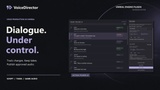
Your dialogue. Your takes. Under control.
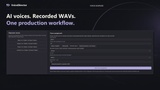
Bring scripts, voices and recordings together inside Unreal Editor. VoiceDirector helps you generate AI speech, import recorded dialogue, compare takes and publish approved audio to your game.
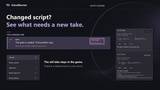
When the script changes, your production workflow should keep up.
Change the script without losing the recording that already works.
VoiceDirector tracks affected takes and preserves previous recordings. Your published audio stays in place while you prepare and review a replacement. Choose the take you want, approve it, then decide when to update your game.
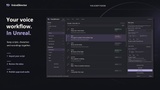
Everything you need to move dialogue from script to approved audio:
Import your dialogue scripts. Bring in CSV files or supported Unreal DataTables, preview changes and keep lines organized by character and language.
Use AI voices or your own recordings. Generate speech through ElevenLabs or a compatible local Kokoro backend, or import recorded WAV files into the same take review workflow.
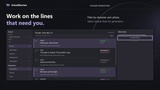
Work on the lines that need attention. Filter your script, select multiple lines and generate new candidates without regenerating the entire project.
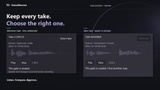
Keep and compare previous takes. Preview recordings, inspect waveforms and review the spoken text associated with each take. Selecting, approving and publishing are separate actions.
Bring actor recordings into production. Export recording manifests, match returned WAV files and review matches before importing new takes.
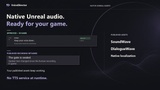
Publish native Unreal audio. Create or update SoundWave, DialogueWave and native localized audio assets from approved recordings.
AI-generated or actor-recorded. The same production control.
Assign voices by character and language, retain recording history and see which lines need review. Whether you are prototyping NPC conversations or revising a narrative game's dialogue, VoiceDirector keeps the script and its recordings connected.
Published audio plays without a TTS service.
Generation happens during development. Your game uses the published Unreal audio assets without requiring a running voice backend or a TTS API connection for playback.
Documentation and setup
Read the VoiceDirector documentation for installation, your first take, script import and voice setup.
AI generation is optional and requires your own ElevenLabs account and credits, or a separately installed compatible Kokoro backend. Recorded WAV import works without a synthesis provider.
Spend less time tracking recordings. Keep control of the dialogue that reaches your game.