Açıklama
VIDEO
DOCUMENTATION
SUPPORT
For product support, bug reports, or setup questions, join the Discord support server. I’ll respond as soon as possible:
DISCORD CHANNEL
For a complete overview of the framework and its workflow, please watch the VIDEO.
The folder is named "HideSystem".
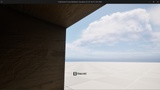
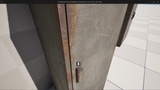
Hide System is a modular Blueprint-based hiding and concealment system for Unreal Engine designed to create interactive hiding spots such as beds, tables, lockers, wardrobes, and cabinets through a simple and reusable Blueprint workflow.
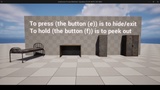
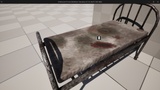
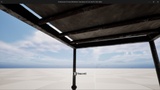
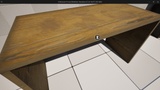
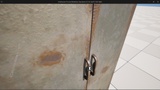
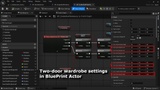
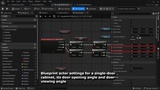
The system allows players to approach supported hiding actors, display an interaction prompt, and enter or exit hiding locations using a configurable input action. Different hiding actors can use individually configurable hide, entry, and exit points, allowing the player transition to be adjusted directly for each placed actor. Under-bed and under-table hiding locations support smooth multi-stage movement into the hiding position, while cabinet and locker hiding spots can include animated doors and an additional peek interaction that allows the player to look outside while remaining hidden. Each hiding actor works independently and can be configured directly from the Details Panel. The system is designed to work with custom Character Blueprints and does not require a specific included player character. Fully Blueprint-based, easy to customize, and no C++ required.
Features
- 100% Blueprint-based system
- Multiple ready-to-use hiding actors
- Under-bed hiding support
- Under-table hiding support
- Single-door cabinet / locker hiding support
- Double-door cabinet / locker hiding support
- Enter / Exit hiding interaction
- Smooth player movement into hiding locations
- Smooth player movement out of hiding locations
- Multi-stage hiding transitions for beds and tables
- Configurable Hide Point
- Configurable Entry Point
- Configurable Exit Point
- Individual hiding point configuration for every placed actor
- Player proximity-based interaction
- Configurable interaction input
- Interaction prompt widget
- Automatic interaction prompt display
- Automatic interaction prompt hiding
- Configurable interaction box size
- Independent interaction handling for every hiding actor
- Player movement automatically disabled while hidden
- Player collision handling during hiding transitions
- Player movement automatically restored after exiting
- Dedicated hidden-state controls
- Come Out interaction while hidden
- Cabinet / locker door animation support
- Automatic door opening when entering a cabinet
- Automatic door closing after entering a cabinet
- Automatic door opening when exiting a cabinet
- Automatic door closing after exiting a cabinet
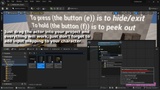
- Peek / Look Out functionality for supported hiding actors
- Configurable peek input
- Door partially opens while peeking
- Door automatically closes after stopping the peek interaction
- Configurable Peek Point
- Separate hiding controls widget for actors with Peek functionality
- Separate basic hiding controls widget for beds and tables
- Support for different hiding behavior depending on the hiding actor type
- Works with custom Character Blueprints
- No dependency on a specific demo character
- First-person project support
- Third-person project support
- Horror game support
- Survival horror support
- Stealth game support
- Exploration game support
- Modular and reusable Blueprint workflow
- Easy integration into existing Unreal Engine projects
- Fully customizable
- No C++ required