
Descrizione
Electronic Nodes allows you to better picture your logic in visual scripting editors (Blueprints, Materials, Niagara...) by changing the shape of wires to make them straight with 45° or 90° angles. It's a bit like circuit boards, no more spaghetti!
Getting started | FAQ | Support topic
See old reviews and questions on Orbital Market
(Orbital Market is a search engine for the Fab marketplace)
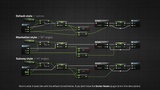
Change the wires' appearance
Manhattan style (90°) or Subway style (45°)
Works on all* graphs (Blueprints, Material, Niagara, Behavior Tree, PCG, etc...)
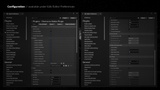
A lot of customizations
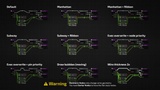
Alignment preference (right or left)
Change priority (on nodes or reroutes)
Change the radius, thickness, offset...
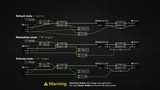
Stack wires
Display ribbons to merge wires together
Change the offset between wires
Crossing
Display a special crossing symbol (Gap, Arc, or Circle)
Change the size of the symbol
Display moving bubbles
Draw bubbles on every nodes or only selected ones
Change the size, speed, and space
And a lot more... you can find the changelog of all modifications here.
(* You can add any custom graph in the settings using the Hot Patch feature. Be cautious, it may break some graph-specific features in some rare cases.)
WARNING: The custom theme used in the screenshots is not included. It's another plugin of mine called Darker Nodes. Electronic Nodes only affect wires between nodes.