


설명
Sprite Optimizer — 2D Texture Optimization Toolkit
Sprite Optimizer is an editor plugin for Unreal Engine that solves common pain points in 2D development: large texture memory footprints, wasted atlas space, manual material setup, and slow iteration on atlas layouts.
Built for Paper2D projects, it combines texture trimming, atlas creation, Material Instance generation, and atlas import in a single interactive editor.
Why Sprite Optimizer
Save memory
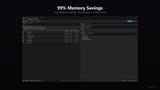
Trim transparent pixels and pack sprites into compressed atlases to cut texture memory by 50–90% on typical UI and sprite sheets.
Interactive workflow
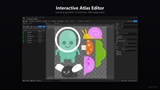
Arrange sprites on a visual atlas canvas — drag to reposition, toggle 90° rotation for tighter packing, multi-select, full undo/redo. See packing results instantly.
Lossless preservation
Original sprite pixels are never scaled, resampled, or filtered. The editor only changes layout and compression — 1:1 pixel output is guaranteed for pixel-art and UI workflows.
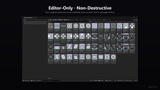
Non-destructive
Original texture assets are never modified. Generated outputs go into new assets — easy to iterate, easy to roll back.
Cross-engine
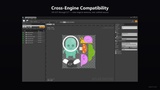
Single unified source supports Unreal Engine 4.27 and 5.0 through 5.7. Migrate projects between engine versions without rebuilding your atlas pipeline.
Core Features
Texture Optimization
Trim transparent pixels from textures with configurable alpha threshold
Preserve sprite pivot position after trimming
Batch processing with per-item savings preview (memory, disk, percentage)
Pad to x4 option for BC compression compatibility
Atlas Creation
Interactive Atlas Editor — drag items to reposition, toggle 90° rotation, multi-select, resize the target atlas page
4 packing algorithms: Max Rects, Bin Pack, Fixed Grid, Tile
Any Size, Power of Two, and Fixed Size atlas modes
Allow Rotation option for tighter packing
Optimize First — trim edges before packing
Auto Multi-Pack — additional atlas pages when items don't fit on one
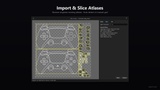
Import Atlas
Import existing atlas textures back into the editor
Finds sprites and Material Instances referencing the atlas via Asset Registry
Slice Texture dialog with Auto mode (alpha-based detection) and Grid mode
Manual region editing — draw new regions, delete, or adjust their crop rectangles (does not alter underlying texture pixels)
Exports sliced textures as separate assets
Output
Atlas texture with BC7 compression — lossy with alpha support, 4× smaller than uncompressed
PaperSprite assets with SourceUV and pivot preserved
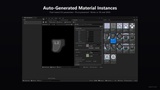
Material Instances with pixel-based UV parameters — works in 3D and UMG
Auto-generated parent materials for Surface and User Interface domains
Editor Integration
Content Browser context menu for textures and sprites
Drag & Drop textures and sprites into the editor directly
Quick Atlas — one-click atlas creation using Project Settings defaults
Progress bars for long operations
Memory usage estimation before heavy tasks
Collision detection on canvas with visual feedback
Undo/Redo support across all edit operations
Keyboard shortcuts for common operations
Configurable Project Settings
Typical Use Cases
UI Artists
Pack UMG icons into an atlas with UV-offset material instances — no manual UV math, no pixel scaling.
2D Game Developers
Combine character frames, FX sheets, and prop sprites into fewer, tightly-packed atlases to reduce draw calls and memory.
Legacy Project Migration
Import existing Paper2D atlases from an old project, re-slice them, and re-pack with modern compression.
Rapid Iteration
Adjust atlas size, packing algorithm, or padding and see results instantly — no external tools needed.
Multi-Session Workflows
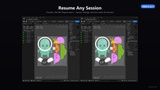
Save a work-in-progress atlas at end of day, return next week — the Project asset restores the exact editor state. Perfect for freelance iteration cycles or team handoffs.
What's Included
C++ source code (organized as Runtime + Editor modules)
Plugin icons bundled — no engine-style dependencies
Cross-engine compatibility layer — single source, UE 4.27 to 5.7
Technical Requirements
Unreal Engine 4.27, or 5.0 through 5.7
Paper2D plugin (included with UE)
Editor only — not loaded in packaged builds, zero runtime cost
Safety & Compatibility
Original assets are never modified — all outputs are new UAssets in user-chosen paths
Editor-only module — no impact on shipped game size or runtime performance
All generated textures, sprites, and materials work on every target platform (Win, Mac, Linux, Android, iOS, consoles)
Version 1.0 Video Demonstration
Version 2.1 Video Demonstration
Version 2.1 Documentation
craftcode-site.pages.dev