![KhelDex - AI Aware Production Layer (Plan with MCP) [previously Asset Optics] 제품 등록을 위한 미디어 1개](https://media.fab.com/image_previews/gallery_images/3344aea7-907e-42cf-8a1f-126a75df60e9/60433172-1e4e-4e6e-8fd7-c355e6db2733.jpg)
설명
Your Unreal project, understood by AI. KhelDex anchors tasks, notes & context to your real assets — so your AI assistant plans against what you actually built.
This isn't a task board. It's the layer that makes your Unreal project explain itself — to you, and to your AI.
Most planning tools live OUTSIDE your engine and know nothing about your game. KhelDex lives INSIDE Unreal and is tied to your real content — your Blueprints, levels, materials, folder structure. Tasks, checklists, and notes are anchored to the actual assets they're about.
That unlocks two things no external tool can do:
1) THE PROJECT REMINDS YOU, IN CONTEXT.
Open BP_PlayerCharacter and you see "add crouch animation — pending" right there. Come back after a week off and Focus Mode tells you exactly what to work on next — highest-priority, unblocked, with full context. No more "what was I even doing?"
2) YOUR AI ACTUALLY KNOWS YOUR GAME.
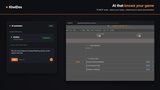
Connect Claude, Cursor, or VS Code via MCP (Model Context Protocol) — your own AI, no subscription, no extra cost. Because KhelDex holds your real project state, your AI plans against what EXISTS, not generic guesses. Tell it "plan an inventory system with drag-and-drop and item stacking" and it drafts the tasks, milestones, and asset placeholders - anchored to your project. 76 MCP tools let it create tasks, link assets, analyze dependencies, and suggest what's next.
▶ See it: [MCP in Action — Plan a Complete Game] | [Intro to KhelDex] | [First Steps & Login]
------------------------------------------------------------------------------------------------------------------------------------------------
-------------------------------------------MORE RESOURCES: Free-WebAapp ||| Documentation------------------------------------------------
------------------------------------------------------------------------------------------------------------------------------------------------
WHAT'S INCLUDED
✓ AI planning via MCP (76 tools) — Claude / Cursor / VS Code, plans against your real project
✓ Per-asset checklists & comments — context anchored to Blueprints, materials, levels
✓ Focus Mode (NOW / NEXT / LATER) — what to work on now, with Snooze & Boost
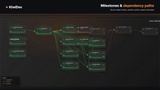
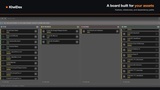
✓ Planning board — Kanban, milestones, dependency paths, live progress
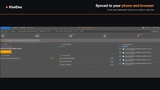
✓ Free web dashboard — real-time sync to phone/browser
✓ Cross-plugin — Asset Atlas (dependency map) & Asset Scaffolding (generate planned assets)
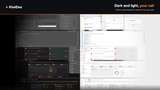
✓ Dark & light themes · Windows / macOS
"One shipped game beats ten abandoned projects."
FOCUS MODE — Know What to Work On
Open the Focus tab and see exactly what matters:
• NOW — highest-priority, unblocked tasks (top task shows full detail)
• NEXT — coming up; clearing NOW advances these
• LATER — backlog grouped by milestone with dependency locks
Snooze distractions. Boost urgent work.
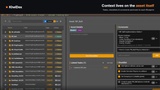
CONTEXT ON EVERY ASSET
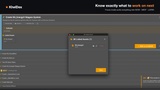
Attach checklists, comments, and tasks to any asset. Click an asset, see its todos. No external docs, no forgotten boards — context lives where the work happens. Promote any checklist item to a tracked task in one click.
THE BRAHMAFORGE ECOSYSTEM
Pair with Asset Atlas (dependency map & project health) and Asset Scaffolding (generate the assets you planned). Plan it, scaffold it, verify it — one connected loop. They auto-detect and connect if installed.
PRICING — One-time purchase. No subscription.
The plugin is a one-time purchase. The web dashboard, real-time sync, and all future updates are included at no extra cost — there is no subscription. Early buyers keep their price; the price rises only for new buyers as features are added.
KhelDex is for the solo dev or small studio who keeps losing track of what's done, what's broken, and what they were doing last session. One tool that understands your game.
No external docs. No forgotten Trello boards. Context lives where work happens.
Promote any checklist item to a full task with one click.