


















설명
Video Tutorial
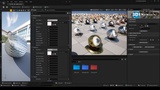
Complete ArchViz Material Library for Unreal Engine
An advanced, production-ready material ecosystem tailored specifically for architectural visualization and product design.
This library bridges the gap between traditional offline renderers and real-time power, offering familiar controls and production-proven workflow automation.
What’s Included:
64 Master Materials: Highly versatile shaders engineered for diverse surface types and rendering scenarios.
64 Pre-configured Material Instances: Fully optimized instances with intuitive default parameters, ready for custom tweaking.
1087 Ready-to-Use Material Presets: A massive library of production-ready variations built directly from the material instances.
2 Blueprint Automation Tools: Advanced utility widgets designed to fully automate scene, furniture, and prop texturing.
2 Spline-Based Tools: Procedural spline utilities for effortless decal and detail distribution.
Artist-Friendly Workflow (Offline Renderer Logic)
Material features and parameters are closely aligned with V-Ray and Corona Renderer workflow paradigms (3ds Max).
This grants you the precise control and familiarity of traditional offline renderers, moving away from standard, rigid game-art material setups.
Dedicated Channel Slots:
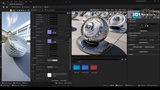
Texture inputs and parameters are cleanly isolated by channels, including Albedo, Roughness, Normal Map, Ambient Occlusion, Emissive, Subsurface Scattering (SSS), Cutout (Opacity), Displacement, Falloff (Fresnel), and more.
Game Engine Compatibility:
Includes specialized master materials supporting industry-standard channel-packed textures (ORM: Ambient Occlusion, Roughness, Metallic).
Advanced Texture Controls:
Color maps feature real-time Saturation, HUE, and Contrast adjustments. Grayscale maps feature advanced Midtone, Highlight, and Shadow controls.
All materials include independent Tiling (UV scaling), Offset, and Rotation parameters.
Next-Gen Workflow Automation
Accelerate your scene staging and datasmith imports with two powerful Blueprint utilities:
ID-Based Batch Texturing:
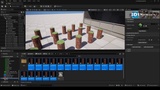
Instantly assign a specific material to a chosen Material ID across all selected assets inside the Content Browser simultaneously.
Slot-Name Automation (1-Click Texturing):
Automatically maps and applies materials based on the nomenclature of your asset's material slots.
Texture an entire project in a single click.
Universal Format Support:
Seamlessly compatible with Datasmith, FBX, USD, OBJ, and Alembic workflows.
Procedural Spline Systems
Two advanced spline tools designed for rapid environment detailing and weathering:
Linear Decal Distribution:
Easily distribute single or multiple decals along a path — perfect for road markings, curbs, or architectural trim.
Procedural Scattering:
Built-in randomization features for Rotation, Position, and Scale to scatter leaves, gravel, pebbles, cracks, dirt, and surface imperfections dynamically.
Production-Ready Presets
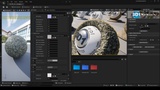
The 1,000+ included material examples serve as a robust showcase of the Master Materials' capabilities.
They are fully asset-ready for your projects and can be easily customized, duplicated, or tweaked via instancing.
Optimization & VRAM Efficiency
Seamless Tiling:
The vast majority of included textures feature seamless tiling to prevent noticeable repetition artifacts.
Performance Balanced:
Textures are packaged at 1024 x 1024 resolution, striking the perfect balance between high-fidelity visual quality, real-time efficiency, and lower VRAM overhead.
Flexible Customization:
All source textures are CC0/free assets sourced from trusted platforms like Substance 3D Community Assets and AmbientCG.
You can easily download higher-resolution versions or hot-swap them with your own proprietary texture libraries.
Support:
e-mail: [email protected]
Instagram: @andrevieira3d1
Twitter X: @Andre3D1
Linkedin: @andre3d1
Artstation: @andrevieira3d1