Descrizione
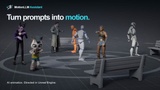
AI animation. Your direction.
MotionLLM Assistant brings AI motion generation directly into Unreal Engine’s Sequencer. Describe an action, control its timing, guide the character’s path and poses, then refine the result with native Unreal animation tools.
From a simple text prompt to a sequence of connected actions, build your performance inside the editor. Generate native AnimSequence assets, retarget motion to your character, and bake the result into editable Control Rig keys.
Watch the video · Visit the website · Read the documentation
Key Features
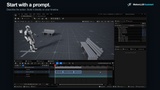
Text-to-animation in Sequencer — Describe character actions using text prompts and control their timing directly on the timeline.
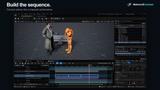
Multiple timed actions — Combine adjacent prompt sections into a continuous generation block to build a performance with changing actions.
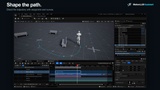
Root 2D trajectory control — Define timed waypoints to guide horizontal movement, with optional Smooth Path interpolation.
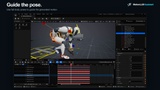
Full Body pose constraints — Capture poses from your character’s Control Rig to guide the generated motion at specific moments.
Native Unreal animation assets — Generate AnimSequence assets and Skeletal Animation sections ready for review in Sequencer.
Editable Control Rig takes — Automatically bake generated motion into Control Rig keys, or manually bake an existing result without generating again.
IK retargeting workflow — Start with the supplied UE5 Manny configuration or configure compatible IK Retargeters for your own character.
MotionLLM Cloud integration — Connect your account from Unreal, refresh your credit balance, and follow generation progress inside the editor.
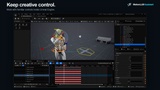
Creative iteration — Adjust prompts, constraints, and generation settings to explore variations and refine the performance.
Getting Started
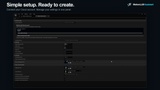
Enable the plugin, open Window → MotionLLMAssistant, connect your cloud account, and add a Motion LLM Prompt track to your character in Sequencer.
Follow the first-animation walkthrough for a complete introduction. The documentation also covers character setup, trajectory editing, pose capture, Control Rig baking, and troubleshooting.
Documentation & Links