

Description
What is Road Constructor?
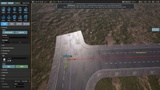
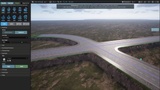
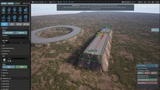
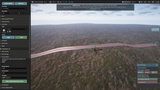
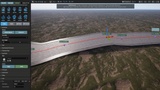
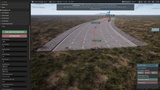
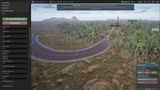
Road Constructor is an Unreal Engine 5 editor tool designed to help creators build, customise, and manage road networks directly inside the editor.
Create roads, junctions, roundabouts, motorway/highway connections, lane layouts, markings, roadside modules, sidewalks, curbs, bridges, props, and more using a dedicated road creation workflow built for fast iteration and flexible control.
Road Constructor is designed for environment artists, level designers, game developers, simulation creators, and anyone who needs a practical road-building system inside Unreal Engine.
Video Tutorial Library
Explore the growing collection of Road Constructor video tutorials, designed to help users learn the main tools, workflows, and features step by step. These tutorials cover key areas of road creation, editing, junctions, landscape integration, Road Styles, Quick Edit tools, and more.
Additional tutorials are currently being created and will continue to be uploaded, expanding the learning resources available for Road Constructor users.
Build Road Networks Directly in Unreal Engine
Road Constructor gives you a complete toolset for creating road layouts without needing to rely on external modelling packages for every road section. Roads can be drawn, edited, connected, adjusted, styled, refreshed, and expanded inside the Unreal Engine editor.
Whether you are creating a small road section, a town layout, a large open-world road network, or more advanced motorway and highway systems, Road Constructor provides tools to help speed up the workflow while keeping control in the hands of the user.
Key Features
Create and edit roads directly in the Unreal Engine editor
Build standard roads, junctions, roundabouts, motorway/highway connections, ramps, and link roads
Road authoring point workflow for accurate road placement and editing
Road Styles system for reusable road layouts, lane setups, materials, and generated content
Lane Shapes system for custom sidewalks, curbs, barriers, verges, lane profiles, and surface shapes
Road markings tools for lane lines, road symbols, arrows, custom markings, and generated marking layouts
Create 2D Markings Editor with editable points, splines, presets, anchors, SVG import, PNG tracing, and guide image overlays
Repeat markings along custom paths with spacing and variation controls
Road Modules that can snap to road edges and follow road contours
Module support for props, fences, barriers, hedges, walls, lamps, railings, edge strips, static meshes, skeletal meshes, Blueprint actors, and Blueprint classes
Quick Edit tools for fast road, module, material, collision, and placement adjustments
Global controls for collision and shadows across road actors and generated systems
RoadProps multi-asset support in one Assets array
Bridge, soffit, sidewalk, curb, verge, and generated mesh shape support
Save and reload persistence for authored road networks and custom settings
Documentation and tutorial support available through the Road Constructor website
Road Styles and Lane Shapes
Road Constructor includes a flexible Road Styles workflow, allowing users to define reusable road setups for different types of roads. Road Styles can include lane layouts, materials, markings, generated systems, modules, and other configuration options.
Lane Shapes provide detailed control over the physical profile of road lanes and side features. This makes it possible to create custom sidewalks, curbs, barriers, verges, edge details, and other lane-based geometry that can be reused across projects.
Road Modules
Road Modules allow users to attach modular content to the side of roads while following the road’s contour. These modules can be used for a wide range of purposes, including fences, barriers, walls, hedges, lamps, railings, edge strips, static mesh decorations, and Blueprint-based actors such as buildings or custom gameplay objects.
Modules can be snapped, refreshed, detached, offset, reversed, and adjusted live, making them useful for quickly dressing roadsides and building more detailed environments.
Create 2D Markings
The Create 2D Markings Editor expands the road marking workflow by allowing users to create custom road markings directly in the editor. Users can draw markings manually, use presets, import SVG files, trace PNG images, or load guide images to help create accurate custom shapes.
The Repeat Along Path feature also allows markings to be repeated along a custom spline with spacing and variation controls, making it easier to create repeated symbols, patterns, painted layouts, and other road detail elements.
Designed for Practical Road Construction Workflows
Road Constructor has been developed with a strong focus on usability, accuracy, optimisation, and production workflow. Core systems such as junction creation, map loading, refresh behaviour, road markings, motorway/highway connections, Road Styles, Lane Shapes, and generated content have been carefully tested and refined to provide a smoother user experience.
The goal of Road Constructor is to give Unreal Engine users a powerful, flexible, and practical road creation tool that helps reduce repetitive setup work and allows more time to be spent building worlds.
Ideal For
Open-world environments
City and town layouts
Racing games
Driving games
Simulation projects
Architectural visualisation
Road network prototyping
Environment art workflows
Level design blockouts and production layouts
Documentation and Tutorials
Road Constructor includes dedicated online documentation with organised tool sections, visual-aided guides, and workflow explanations. A selection of video tutorials is also planned to help users learn the main systems and get started quickly.
Build roads, shape lanes, create junctions, add markings, place modules, and construct detailed road networks directly inside Unreal Engine with Road Constructor.
Website - Information, Documentation & Tutorials
https://www.roadconstructor.org/
Join the Discord Community
YouTube Tutorials Playlist
https://www.youtube.com/watch?v=G99zyGUVPUA&list=PLQJA_oFgEIr92idEfGqdYW5nLA3jcUDg8